EE185/EE285/CS241: Embedded Systems Workshop
(Interactive Light Sculpture)
|
|
|
|
As part of celebrating the 125th anniversary
of Stanford's Electrical Engineering department,
we are
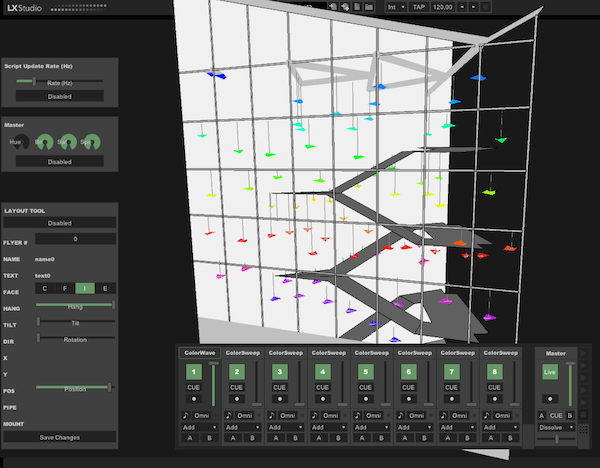
designing, engineering and installing an interactive light sculpture
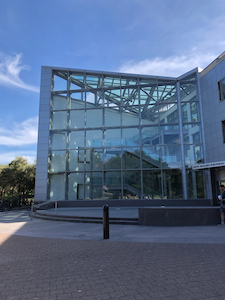
in the 3-story glass stairwell of the Packard building. The sculpture will remain in Packard for 3-5 years,
allowing refinement, exploration of new engineering ideas, and new interactions.
The piece, titled FLIGHT,
is artistically designed by Charles Gadeken, a local light sculpture artist
whose pieces have been installed in Palo Alto,
San Francisco, Reno, Los Altos, Calabasas, and Robina (Australia). His most recent installation is
Entwined Elder Mother in Golden Gate Park. FLIGHT represents the past, present, and
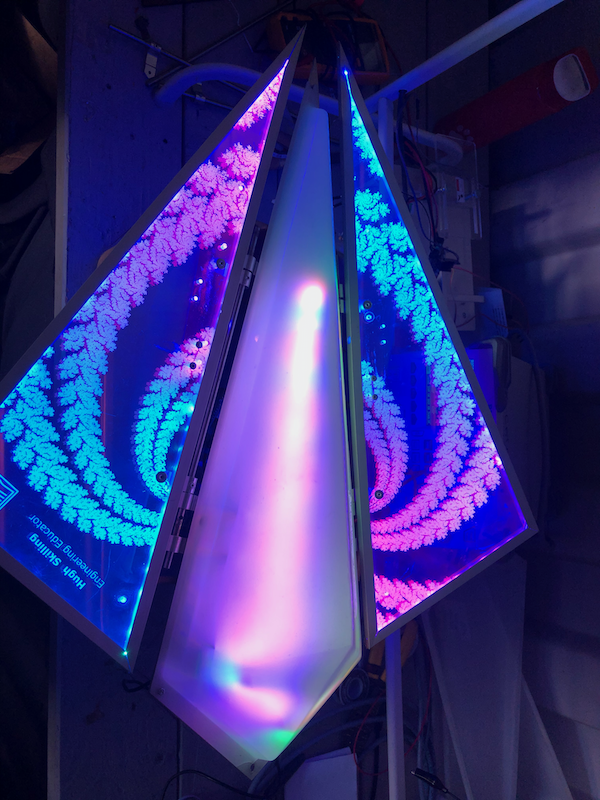
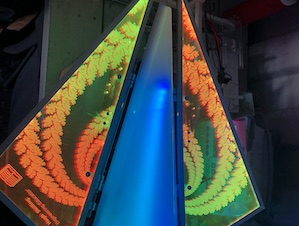
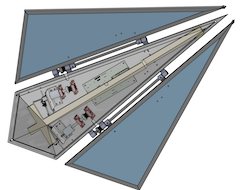
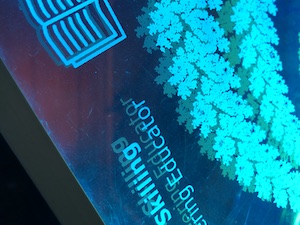
future of the EE department as 76 moving shapes made of dichroic acrylic so they change color in the light;
each of these Fractal Flyers is individually programmable and represents an important part of the
department's past and present.
You can see the current state and design
of the Flyer and supporting software on the course git
repository.
In Autumn 2026, the class will focus on five projects. The emphasis in the course is
engineering: designing and defining processes that predictably create artifacts that meet
requirements. Because there are 76 Fractal Flyers and they will be installed for years, each one needs
to be robust and require very little maintenance. The five projects are:
- Body shell gasket: The internals (motors, circuit board, etc) of a Fractal Flyer are covered
by an acrylic shell that clips onto the flyer. This body shell has two parts: the vacuum formed shell
itself, and a separate insert that allows the body to clip onto the Flyer. In the last offering of the
the course, the students completed vacuum forming the bodies, and over the summer the instructors cleaned
and cut them. In this quarter, students will finalize the last part -- the gasket. The major challenge
that arises with the gasket is it needs to be placed very precisely within the body, so that it lines up
correctly with the connectors and sits in the correct position. Students will design the gasket and
the processes for attaching it, make them in Lab64, and attach them to the bodies. By the end of the quarter,
all of the bodies for FLIGHT will be complete. Students in this project will learn about CAD, acrylic,
laser cutting, and managing mechanical tolerances.
- Body LED scepter: The body of a Fractal Flyer has a string of dense programmable LEDs,
which light up the shell. These LEDs are on a structure called the LED scepter. Right now, the way
a scepter is designed, the body is unevenly lit and there are many shadows. In this quarter, students
will redesign the scepter so it lights the body evenly, fits among all of the other mechanisms, and
is structurally robust. Students in this project will learn about light, diffusion, CAD, and the
structural integrity of cables and connectors.
- Firmware: Each Flyer is controlled by a Feather M4 Express board running a lightweight
Python interpreter. The interpreter has several Flight-specific modules in it, including LED
interpolators, a tuned PID control loop, and sensor drivers. The firmware currently has two issues:
it can hang, causing motors to move wings past safe points, and it can wedge an accelerometer so
it stops responding to commands. In this quarter, students will polish the firmware so it is
reliable and robust, able to run for years without rebooting. There is a chance that doing so will
require a minor revision to the Flyer circuit board. Students in this project will learn about
firmware, embedded Python, sensor drivers, digital signaling, and interrupt handling.
- FlightGUI: FLIGHT is controlled by a UI that visualizes the entire installation and
allows a person to activate, mix, and control different patterns on the Flyers. This UI can
either be controlled from laptop or from an audio mixing board. The current GUI has been
demonstrated to work with a single Flyer and can simulate 76 of them. In this quarter, students
will make FlightGUI usable on different numbers of Flyers and arrangements, demonstrate it can work
reliably over weeks, and demonstate complete end-to-end control of a group of Flyers.
- Signaling: The Fractal flyers appear to a PC as USB devices which the FLIGHT control
software can send Python commands to over a serial port. FLIGHT uses a non-standard cabling setup
for USB: it sends the data on a twister pair in an Ethernet cable, rather than a USB cable. Doing
this requires using a chip that translates between the USB cable and Ethernet. This has been
demonstrated to partially work, but it has several issues and errors. In this project, students
will learn how the signaling works, iron out its issues, and complete the end-to-end signaling
path. This will involve populating and potentially revising the existing signaling circuit boards,
and producing the final signaling boards that FLIGHT will use.
Some
students in this project need to have experience with signals, communication, and circuits
(e.g., EE102B, EE114, EE133, EE142, EE156, EE179, EE242). Students in this group will learn
about a complete communication stack, from text on a PC, to USB enumeration and endpoints, to USB
framing, to USB modulation, to signal propagation, signal integrity, demodulation, and
protocol processing.
Students
fill out a questionaire in the first day of class to describe their background and
group preferences and we will assign you to groups by the second day of class (Thursday
9/24).
Course enrollment is limited to 25 students. If enrollment reaches this
cap the instructors will use the questionnaire on the first day to select who may take the course.
The goal of selection is to have a diverse group that has a mix of relevant
skills and backgrounds.
AI Policy: The course introduction slides have a more detailed
description and reasoning behind the course AI policy. The brief summary is:
- You may ask AI questions in the context of doing your work.
- You may use AI to polish the final revision of your report.
- You may not feed any of the course materials into AI (e.g., do not open the course
repository in Codex or Claude Code).
- You may not use AI to write your midterm report.
- You may not use AI to write your final report draft.
The difference between EE185 and EE285/CS241 is the complexity of work.
Students taking EE185 are expected to be an integral part of their project
team and make several engineering contributions. Students taking EE285/CS241
are expected to do more design work and analysis of the tradeoffs involved.
|
|
|