Plan for Today
- Course Overview
- Computer Code
- Computer Hardware
Course Goals
- Demystifying Technology
- Technical Literacy
- Communication with Software Engineers
Course Overview
- Computer Hardware (~3 lectures)
- Introduction to Code (~7 lectures)
- Artificial Intelligence (~1 lecture)
- Wifi and the Internet (~3 lectures)
- Security (~3 lectures)
- How the Web Makes Money (~1 lecture)
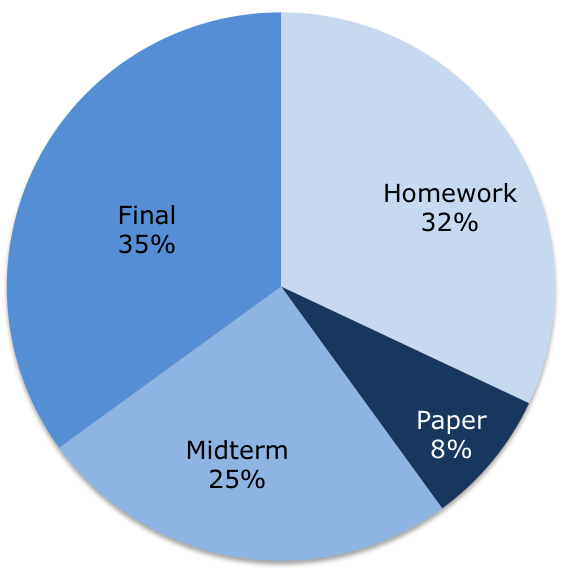
Course Policies: Grade Breakdown
Course Policies: HW
- Weekly homework, out Tuesday, due following Monday
- Combination of written questions and code exercises
- Two free 24-hour late days (pre-approved extensions)
- Each late day covers 1 second to 24 hours late
- Submit on Canvas
- Short response paper on Artificial Intelligence
- released week 6, due Thursday, May 31
- Work should be individual (Stanford Honor Code)
Course Policies: Exams
Midterm
- Thursday, May 10 in class
- Covers first five weeks of lecture
- Closed note, closed book, reference sheet will be provided
Final
- Friday, June 8, 8:30-11:30AM
- Closed note, closed book, reference sheet will be provided
Introduction to Code
Strengths of Computers
- Very fast (billions of operations per second)
- Very accurate
Weaknesses of Computers
- Literal
- Only simple operations
- Addition
- Comparison
- Equality
- No insight
Introduction to Code:
How Computers Work
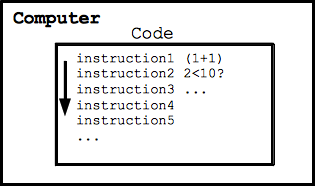
- Code is a series of instructions
- Each instruction is an operation
- Computer follows each instruction, one after another
Introduction to Code:
The Programmer
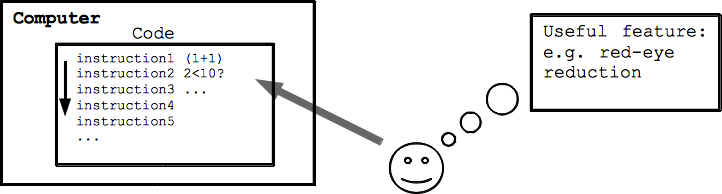
- Computers are hugely useful
- Messaging
- Image editing
- Programmers convert human ingenuity into computer code
- Develop algorithms (which we'll see later in the course!)
Introduction to Code:
Tips and Previews
- Code is like Legos - small bricks to big structures
- Patience :)
- Computers do exactly what you tell them
(no interpretive power) - We'll be doing green screen soon!
Introduction to Code:
First Code Operation
- Using Javascript (plus some extensions for 101)
- Each line of code is small
- First line: print!
code1-1
Introduction to Code: Bugs
Story: named after a moth
Two types: syntax and logic errors
Introduction to Code: ASCII Art
We can use print statements to make art
Introduction to Hardware:
Hardware vs. Software
- Code is the software
- Physical part of the computer is the hardware
- Like piano (hardware) vs. music (software)
- Hardware interprets the code
Introduction to Hardware:
The Transistor
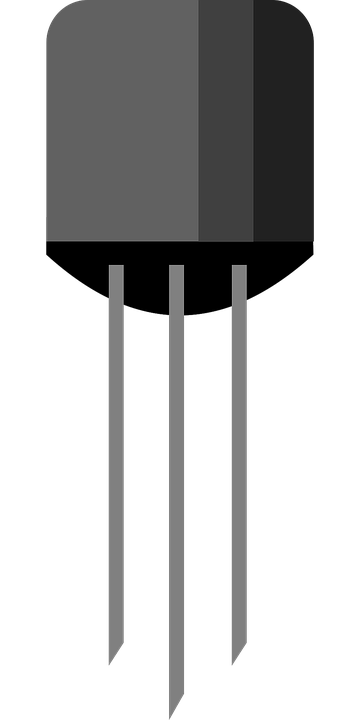
- Building block of electronics
- No moving parts ("solid state")
- Essentially acts as an on/off switch controlled with electric current
Introduction to Hardware:
Silicon Chips
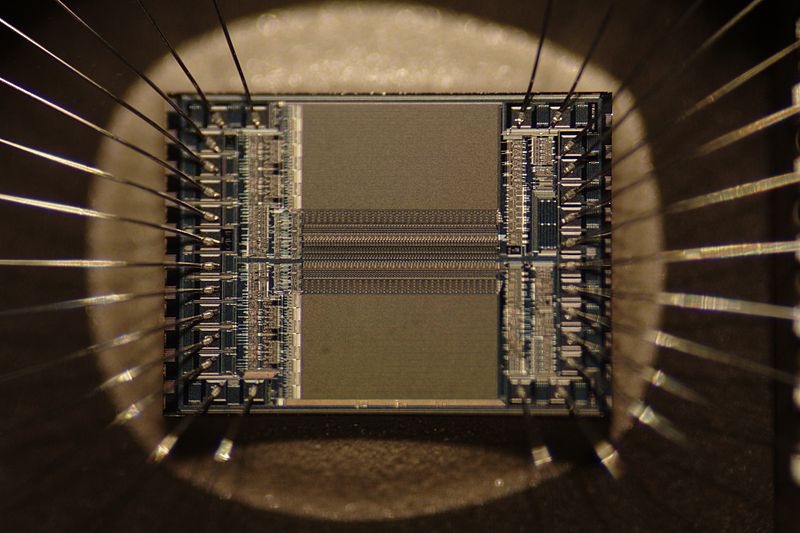
- Transistors grouped together on silicon chips
- Very small (size of a fingernail)
- Each chip has billions of transistors
- Metal legs connect the chip to the outside.
Moore's Law
Transistors get twice as small every two years
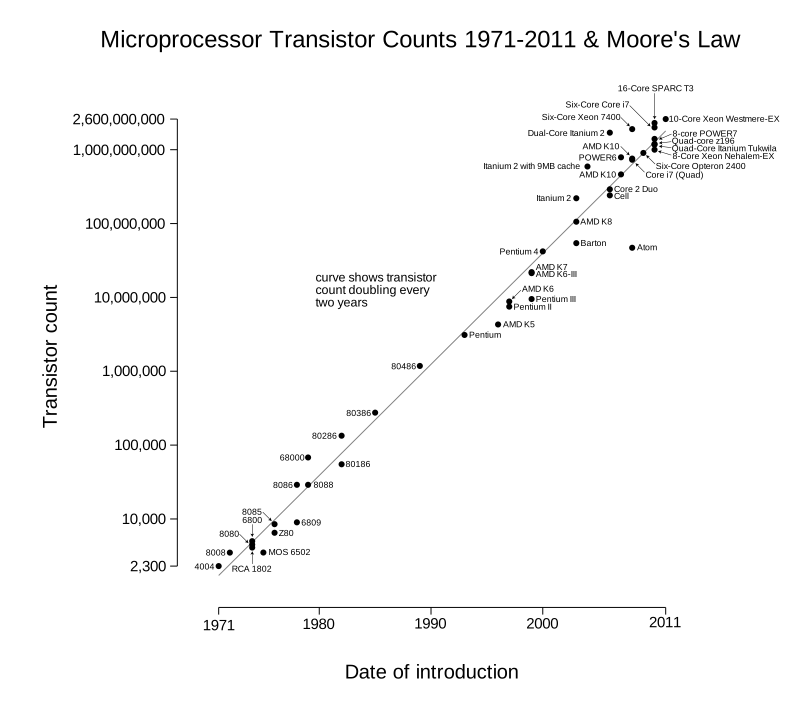
- Observation not a scientific law
- Implications:
- Chips of the same size have twice the capacity every two years
- Keeping capacity constant, chips get smaller and cheaper every 2 years
- Not indefinite
- Allows chips in anything with a control system
Introduction to Hardware:
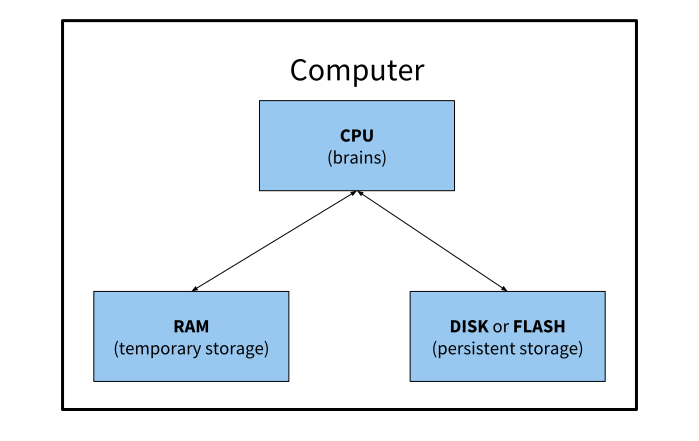
Parts of a Computer
Introduction to Hardware: CPU
CPU: Central Processing Unit
- The "brain" of the computer
- Follows the code's "instructions"
- Performs computations (changes data)
- Measured in "hertz": operations per second
- CPU Cores: each core is like a mini CPU
- 4 cores is NOT 4x faster than 1 core
- GPU: Graphics Processing Unit
- CPU that specializes in image processing (video games use GPU)
Introduction to Hardware: RAM
RAM is temporary storage
- Random Access Memory
- Used as a workspace (computer's whiteboard)
- Stores code and data (temporarily)
- Calculations are performed in RAM
- Not "persistent"
- Unplug a computer, and an unsaved document disappears
- State disappears when power is turned off
- VERY fast
- Examples?
Introduction to Hardware: Persistent Storage
- Long term storage
- Data is preserved even without power
- Organized in a file system
- File is a name to a piece of memory
| Hard Drive | Flash |
|---|---|
| Moving parts | No moving parts (solid state) |
| Cheaper | Faster, requires less power |
| Generally more capacity | Works quickly with files of all kinds |
Motherboard
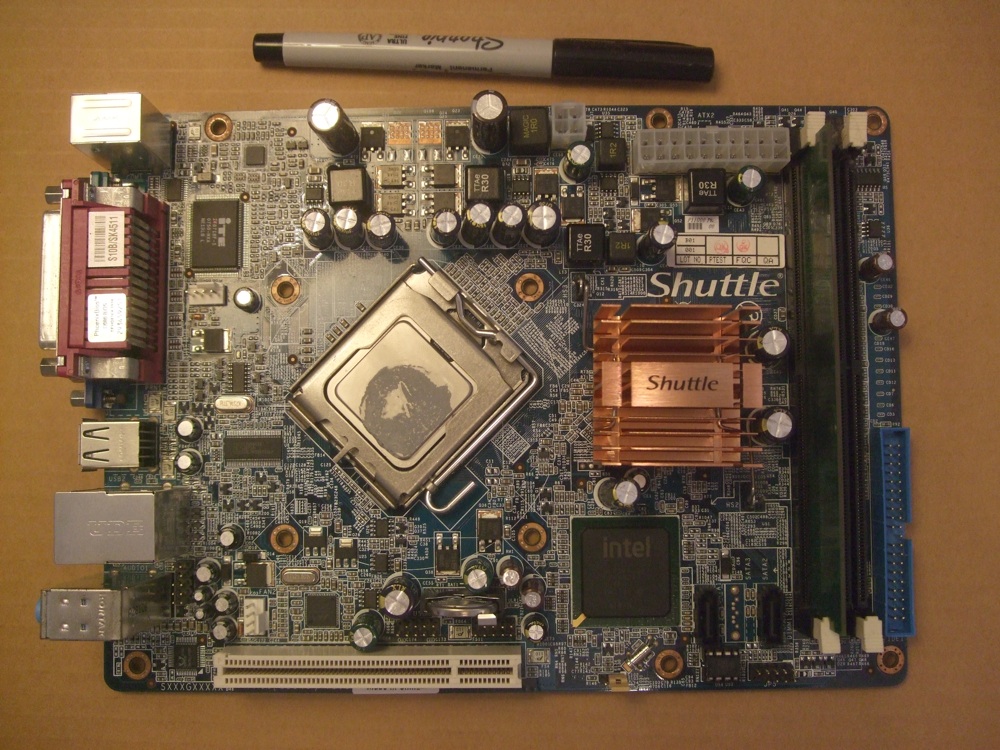
- Connects all the parts of a computer
- Lets various components communicate
- CPU metal package is in the center
CPU
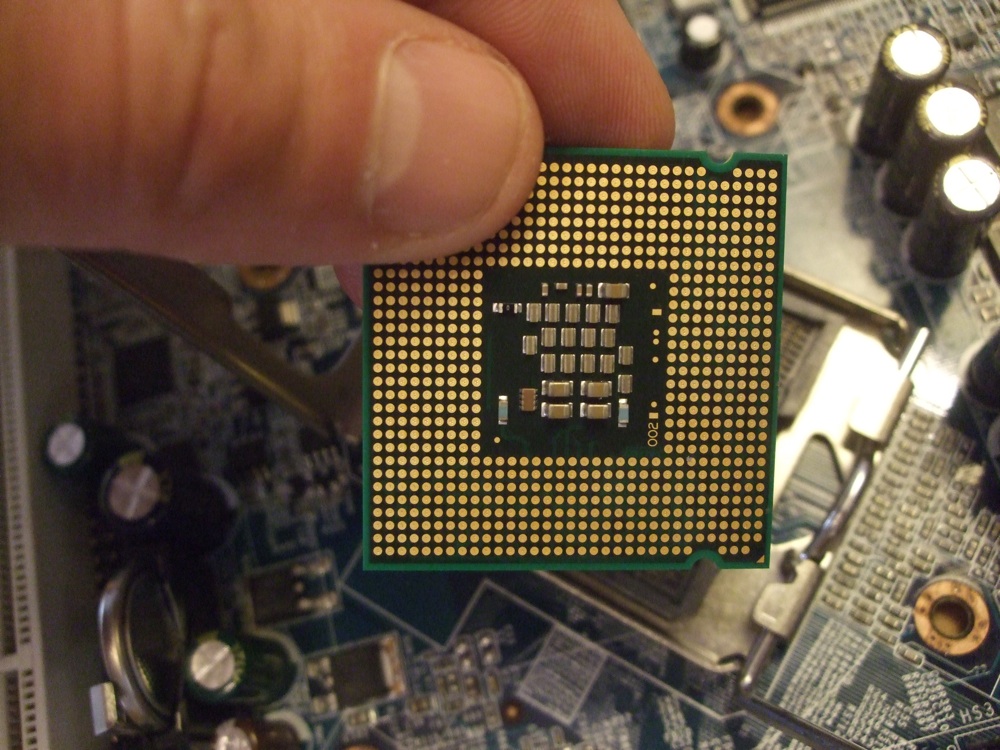
Each gold pad is connected to a part of the silicon chip (connection to outside world)
RAM
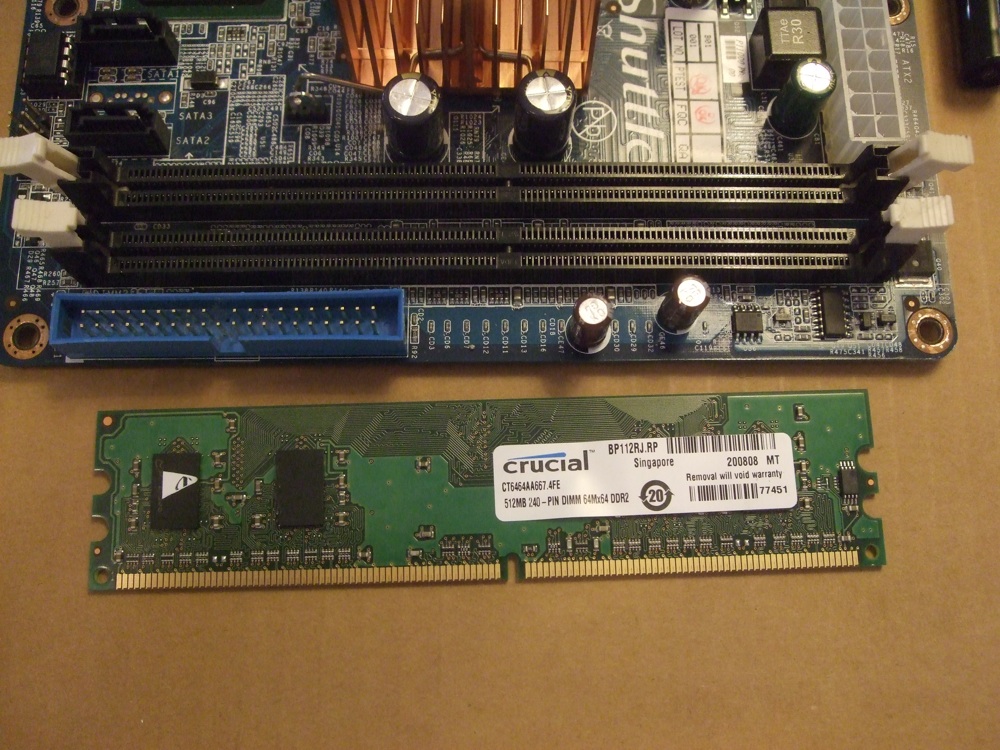
Comprised of multiple chips, and plugs into the motherboard.
Hard Drive
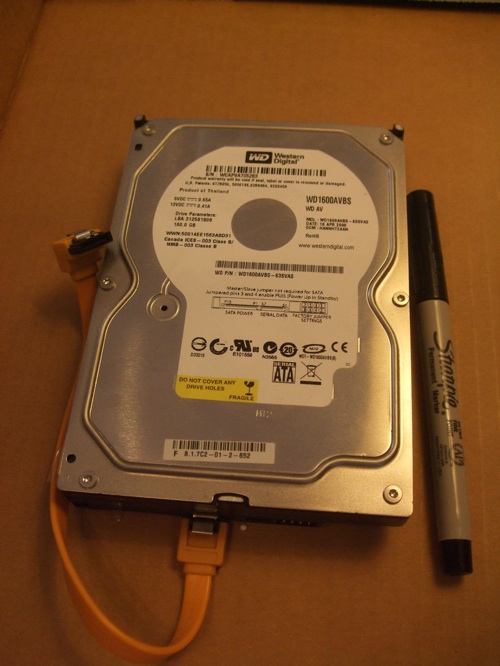
- 3.5"
- Connects to motherboard via cable
- Spinning hard drive inside
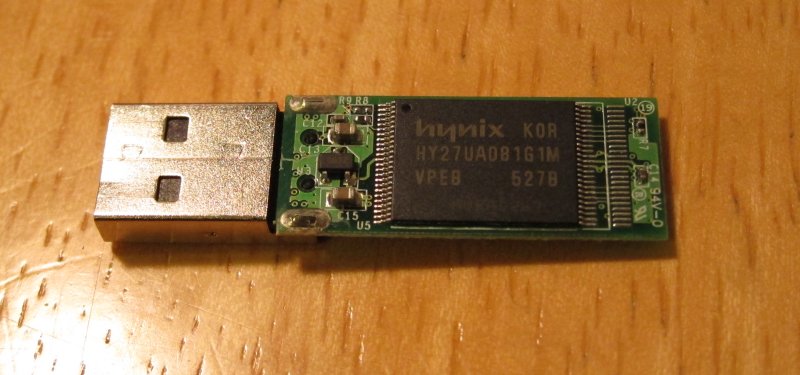
Flash Drive