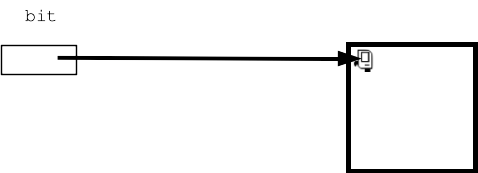
We'll use the simple "bit" robot for our first examples as an on-ramp for Python functions.
The simple "bit" robot exists in a rectangular world made of little squares. Each square in bit's world can be painted one of 'red' 'green' or 'blue' or left unpainted white. The black squares are solid, and bit can't move there. The various bit functions below are provided by CS106AP, your code just calls them.
The bit robot can take a few actions in the world - each action corresponds to a Python "function" that performs that action.
Here is a picture of bit at the upper left of a world, before taking some actions:
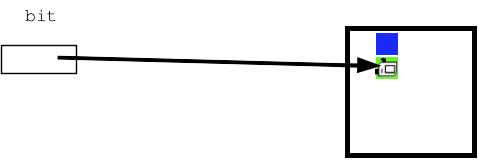
If bit then does these actions:
bit.move()
bit.paint('blue')
bit.right()
bit.move()
bit.paint('green')
Then the world will look like this:
As a practical matter, bit code is inside functions like this:

Your code is shielded from the details, but a bit world is stored in a plain text file with a name like '5x5.world' or 'super-spiral.world'.
The function "Bit" (uppercase 'B') is a function which takes a filename parameter (e.g. '5x5.world'), reads the rectangular world into memory with a bit in it, and returns a reference to the bit. A bit always exists within the context of a specific world in this way.
So your code can create a bit in, say, a world named '5x5.world' like this:
bit = Bit('5x5.world')
More often the first line in a function looks like this:
def do_something(filename):
    bit = Bit(filename)
    bit.move()
    ...
The filename is passed in as a parameter, e.g. '5x5.world', and the first line creates bit from the that filename and then goes ahead.