Back to CS 106A Homepage
Section 1
Written by Nick Parlante with modifications by Brahm Capoor
January 13th, 2020
Welcome to section for CS 106A! Each week, your section will meet to review the material from the course and to work through some problems. This week we'll work on image-loop problems, using material from the first few lectures. Problems like this will appear on this week's assignment.
Solution code will be available for all section problems later on, so they will also serve as review problems. Each week's section page will list several problems, and your section leader will pick which problems to do and in what form.
Image Range-Loop Problems
You might find nested y,x range loops
helpful in solving these. Problems like this are well suited to making
a drawing first to think through the algorithm before coding, and
especially to get the arithmetic for each coordinate exactly right.
These algorithms are a magnet for off-by-one errors.
A good first step, as in lecture, is to sketch out the pixel grid
x,y coordinates as in lecture to plan how
your algorithm will access the pixels.

Implement the following functions, each of which takes an image's
filename and returns a SimpleImage.
You might find the
SimpleImage documentation
useful to consult.
-
double_left(filename): Takes the left half of the image, and copies it on top of the right half.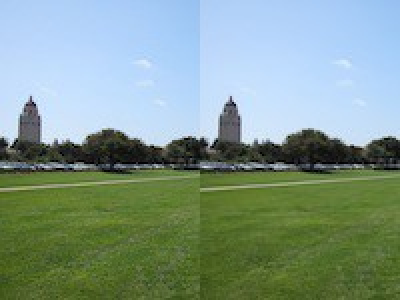
-
double_left_up(filename): Takes the left half of the image, and copies it on the right half as before, except it is flipped upside-down as it is copied.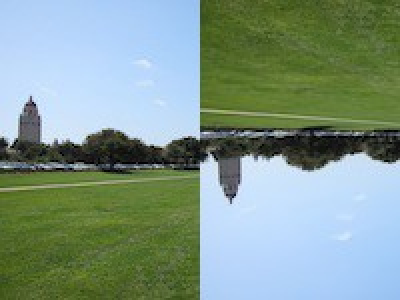
-
copies_2(filename): Create a new image twice as wide as the original, and place two copies of the original image, in it, side by side.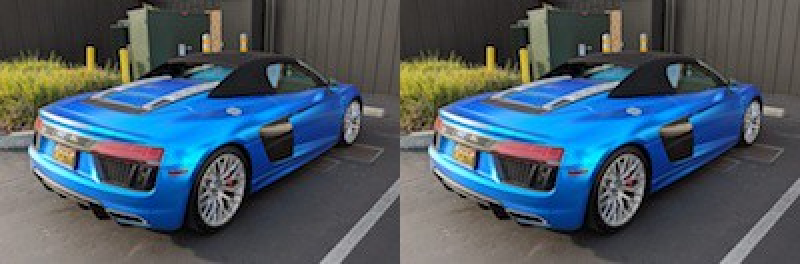
-
squeeze_width(filename, n): A funhouse mirror effect governed by theintparametern. Create a new image with the same height as the original, but with a width that isntimes smaller than the original's. Copy the original image such that it is squeezed horizontally.
For example, if
n = 4, the pixels in the output image with anxcoordinate of0would be copies of the input pixels with anxcoordinate of0 * 4 = 0, while pixels in the output image with anxcoordinate of1would be copies of the input pixels with anxcoordinate of1 * 4 = 4, and so on.
Test your solutions here.