Today: insights about loops, if statement, ==, make-a-drawing, left_clear(), puzzles
> go-green
> All-Blue
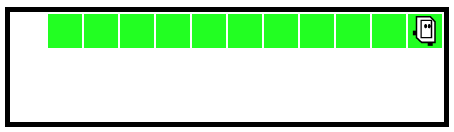
Specification: Bit starts in the upper left square facing the right side of the world. Move bit forward until blocked. Paint every square bit occupies blue, including the first. When finished, turn bit to face downwards. (Demo - this code is complete. Shows the basic while-loop with front_clear() to move until blocked, and also taking an action before and after the loop.)
def all_blue(filename):
    bit = Bit(filename)
    bit.paint('blue')  # 1 paint before the loop
    while bit.front_clear():
        bit.move()
        bit.paint('blue')
    bit.right()  # Turn after the loop
Watch how it paints every square, turns down at the end. When a problem says "until blocked", you typically use front_clear() as the test. This code uses the move-to convention. In the loop, the code moves forward one square, paints it blue.
Notice that the test of the while is essentially the "go" condition - when that test is true, Bit should move forward. Conversely, when the test is False, don't move.
Look at Case-3 and then Case-4. Turn off the Auto-Play option, so when you click Run, the world stays at the start, waiting for you to click Step. See how the while test behaves on Case-3 and then Case-4. For Case-4, the while-test is False the very first time! The result is, the loop body lines run zero times. This is fine actually. There were zero squares to move to, so looping zero times is perfect. This is an example of an "edge" case, the smallest possible input. It's nice that the while loop handles this edge case without any extra code.
Let's do something wrong. Change the while-test to just True which is valid Python, it just doesn't work right for this problem. With this code, bit keeps going forward no matter what. Having a True test like this is a legitimate technique we'll use later, but here it is a bug.
    ...
    while True:   # BUG
        bit.move()
        bit.paint('blue')
The role of the while-test is to stop bit once there is a wall in front (i.e. front is not clear).
With this buggy code, the test is never False, so the loop never exits. Bit reaches the right side, but keeps trying to move(). Moving into a wall or black square (i.e. not a clear square) is an error, resulting in an error message like this:
Exception: Bad move, front is not clear, in:all_blue line 5 (Case 1)
If you see an exception like that, your code is doing a move() when the front is not clear You need to look at your code logic. Normally each move() has a front_clear() check before it, ensuring that the world has space for a move.
For a loop to work, each run of the body needs to get closer to being done. With these bugs, bit is not making progress and so it never ends.
Here is a buggy All Blue - instead of move() have bit do right() and the left() - a sort of "waggle dance" like bees do in the hive. Notice that .. bit never moves forward. Bit can do this for eternity, and never leave that first square! Everyone has days like that.
    while bit.front_clear():
        bit.right()    # waggle dance!
        bit.left()
        bit.paint('blue')
Run the code - you will see a message about a timeout, suggesting that this code does not seem to reach an end.
move vs. move()Python syntax requires the parenthesis () to make a function call. Unfortunately, if you omit them, easy enough to do, it does not make a function call. So the code below looks right, but actually it's an infinite loop. Bit never moves. Try it yourself and see, then fix it.
    while bit.front_clear():
        bit.move
        bit.paint('blue')
If we have time in class we'll do this one:
> red2
After lecture, or if you get stuck on the homework, try some of the other problems in the "bit loop" section. These work similarly to the All Blue example.
> Bit Loop
While loop is power. If-statement is control, controlling if lines are run or not
We'll run this simple bit of code first, so you can see what it does. Then we'll look at the bits of code that go into it.
Problem statement: Move bit forward until blocked. For each moved-to square, if the square is blue, change it to green. (Demo: this code is complete.).
For reference here is the code:
def change_blue(filename):
    bit = Bit(filename)
    while bit.front_clear():
        bit.move()
        if bit.get_color() == 'blue':
            bit.paint('green')
Syntax 4 parts (similar to "while"): if, boolean test-expression, colon, indented body lines
if test-expression:
    body lines
Here are the key lines of code:
    ....
    if bit.get_color() == 'blue':
        bit.paint('green')
    ....
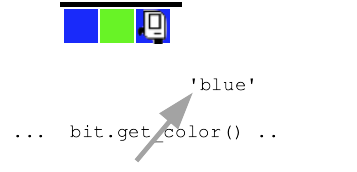
Suppose bit is on a squared painted 'blue', as shown below. Here is diagram - visualizing that bit.get_color() is called and it's like there's an arrow coming out of it with the returned 'blue' to be used by the calling code.
== Compares Two Values - BooleanLook at the if-statement.
Q: What is the translation of that code into English?
A: For each moved-to square. If the square is blue, paint it green.
while bit.front_clear():
    bit.move()
    if bit.get_color() == 'blue':
        bit.paint('green')
!= Not Equal Form== !=
if bit.get_color() == 'red':
    # run this if color is 'red'

if bit.get_color() == None:
    # run this if square is not painted

if bit.get_color() != 'red':
    # run this if square is anything
    # but 'red'
    # e.g. 'green' or 'blue' or None
This is a challenging problem for where we are at this point. Just watch (and you can do it in parallel) as I work through the problem. I want to show the thought process and steps to build and debug some code.
Note: it is very common to move bit with an until-blocked loop. This problem is a little unusual, moving bit until hitting a particular color.
> Fix Tree
Before:
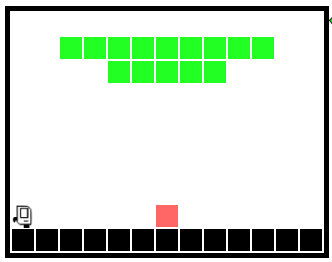
After:
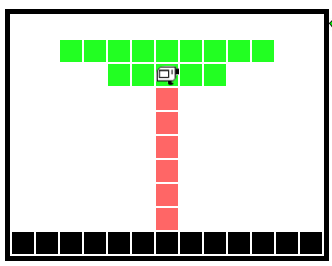
We have art for these. No expense has been spared!
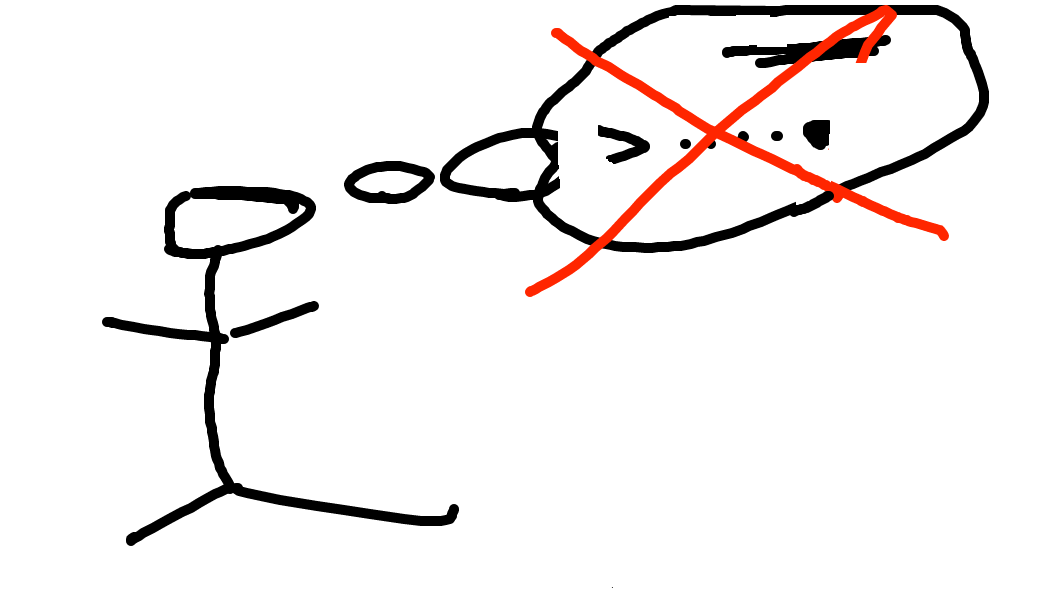
Don't do it just in your head - too much detail. Need to be able to work gradually and carefully.
Draw a typical "before" state. The drawings do not need to be fancy, but it's easier to work out the details on a sketch than in your head. Key lesson for today.
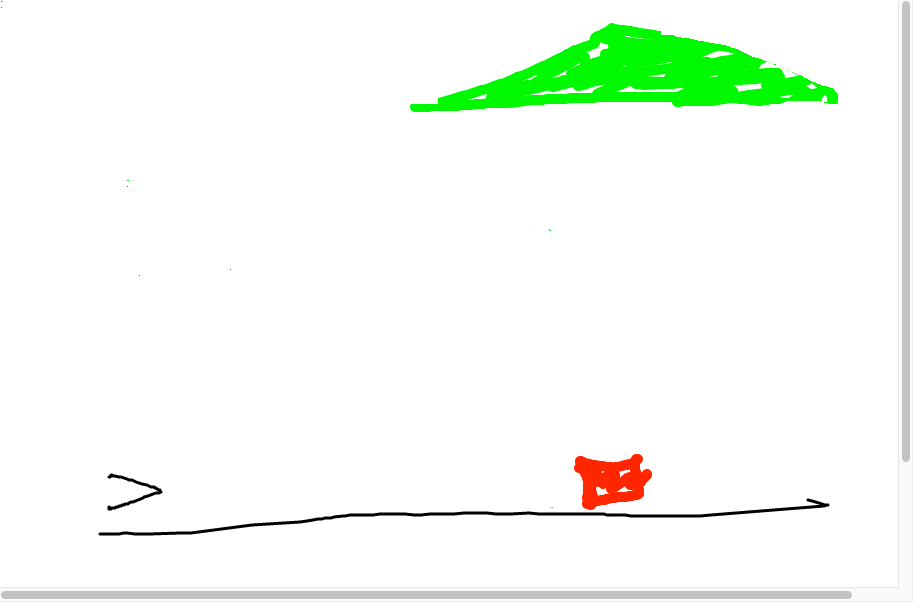
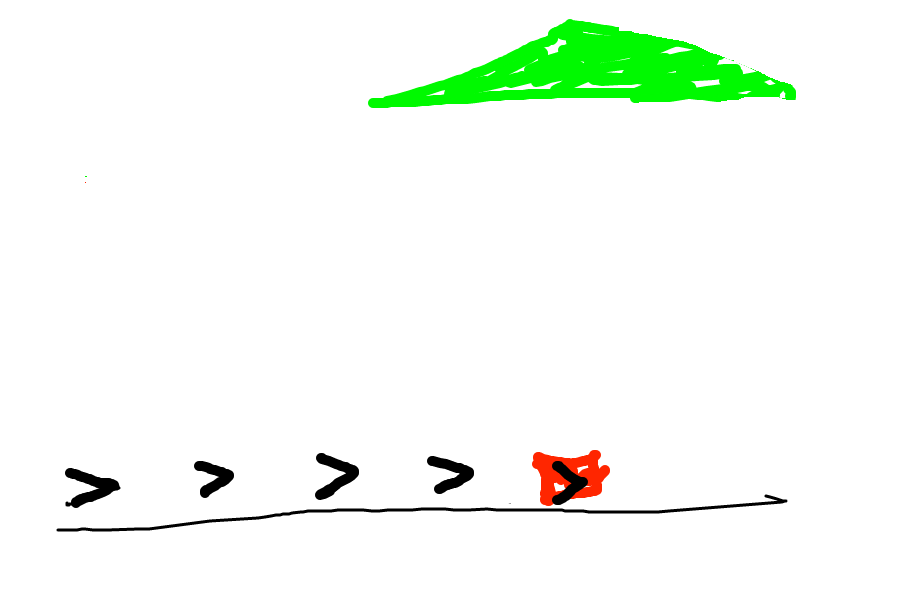
Look at the before state - what code can advance this?
You have the current state. What code could advance things to the next goal?
Q: Look at those bit positions. When do you want bit to move, and when not to move?
A: Want bit to move when the square is not red. What is the code for that?
Aside: if you were talking to a human, you would just say "make it look like this" and point to the goal. But not with a computer! You need to spell out the concrete steps to make the goal for the computer.
In this, case we're thinking while-loop. Draw in the various spots
bit will be in. What is a square where we do not want bit to move?
When bit is on the red square. Otherwise bit should move. What does that look
like in code?
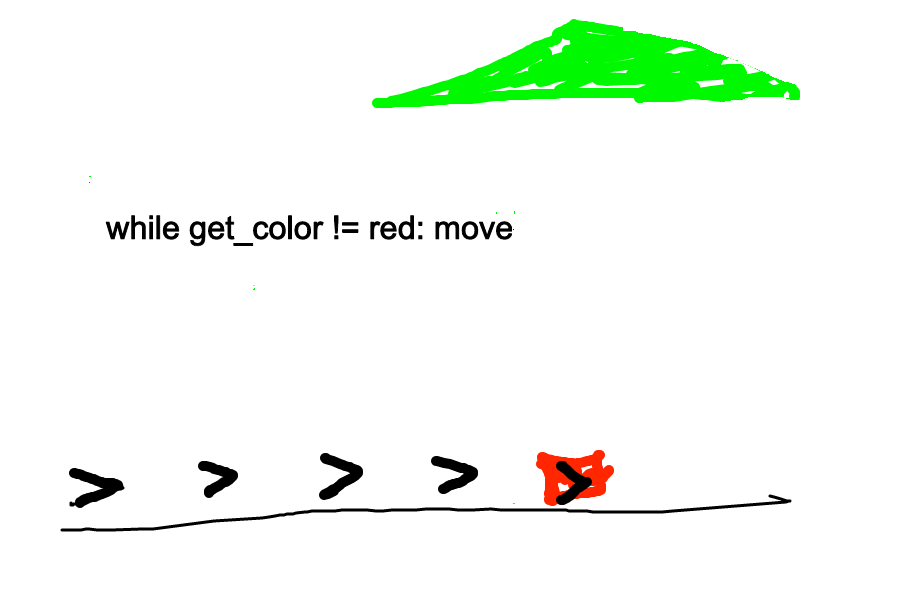
Code looks like...
while bit.get_color() != 'red':
    bit.move()
Ok, run it and see. Sometimes it will not do what we thought.
Ok what is the next goal? What would be code to advance to that?
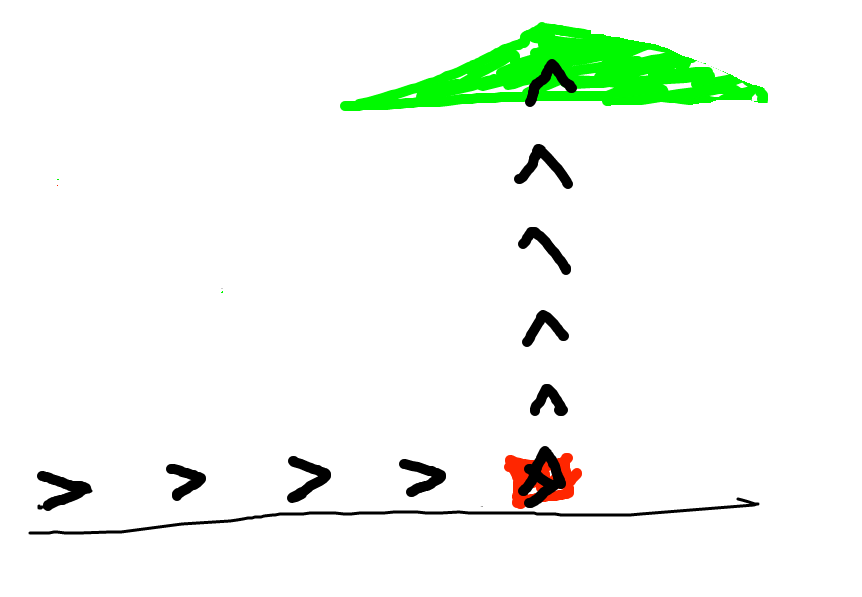
I think a reasonable guess here is similar to the first loop, but painting red, like this
while bit.get_color() != 'green':
    bit.move()
    bit.paint('red')
OOPS, that code looks reasonable, but does not do what we wanted. The question is: what sequence of actions did the code take to get this output? That's a better question than "why doesn't this work".
Go back to our drawing. Think about the paint/red and the while loop, how they interact.
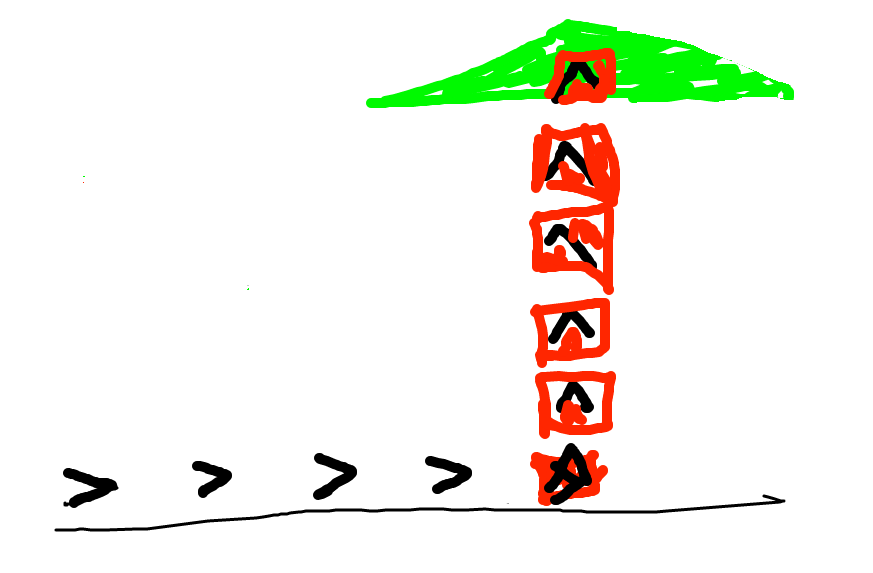
The problem is that we paint the square red, and then go back to the loop test that is looking for green, which we just obliterated with red. One solution: add an if-statement, only paint blank squares red, otherwise leave the square alone.
That gives us this solution, which works perfectly..
def fix_tree(filename):
    bit = Bit(filename)
    while bit.get_color() != 'red':
        bit.move()
    bit.left()
    while bit.get_color() != 'green':
        bit.move()
        if bit.get_color() == None:
            bit.paint('red')
Another solution is to change the loop body to do the paint and then the move - that works perfectly too and is fine. I slightly prefer the == None solution as it seems more obvious. Both are fine. Very often there are a few different ways to solve something. If we have a strong preference for one form, we will say so, but in this case both are fine.
Use a drawing to think through the details of what the code is doing. It's tempting to just stare at the code and hit the Run button a lot! That doesn't work! Why is the code doing that?
Or put another way, in office hours, a very common question from the TA would be: can you make a little drawing of the input here, and then look at your line 6, and think about what it's going to do. All the TA does is prompt you to make a drawing and then use that to think about your code.
bit.right_clear()
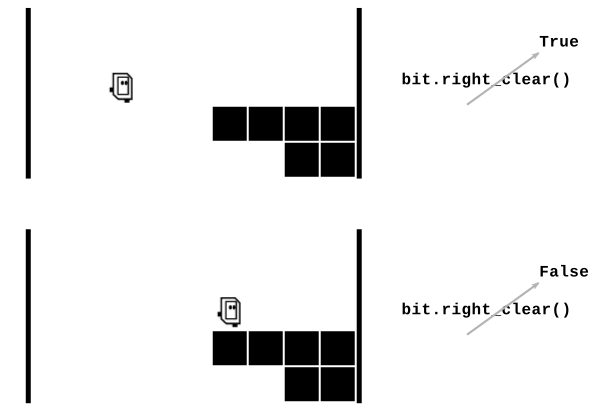
not
if bit.right_clear():
    # run here if right is clear

if not bit.right_clear():
    # run here if right is blocked,
    # aka not-clear
On the experimental server, the Bit Puzzles section has many problems where bit is in some situation and needs to move around using Python code. We'll look at the Coyote problems, and there are many more problems for practice.
> reverse-coyote (while + right_clear)
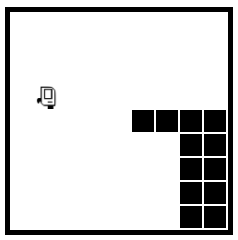
Based on the RoadRunner cartoons, which have a real lightness to them. In the cartoons, the coyote is always running off the side of the cliff and hanging in space for a moment. For this problem, the coyote tries to run back onto the cliff before falling.
Before:
After:
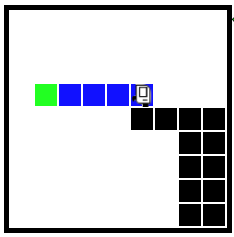
Q: What is the while test for this? Remember that Test = Go. What is the test that is True when we want to move, and False when do not want to move?
A: bit.right_clear()
Then students can try the standard_coyote(), or climb() which is a little more difficult.