Page 1
 Friday, February 4, 2022
Computer Systems
Winter 2022
Stanford University
Computer Science Department
Reading: Reader: Floating Point, Textbook: Chapter
2.4
Lecturer: Chris Gregg
CS 107
Lecture 9: Floating
Point Numbers
31
30
23
22
0
s
exp frac
Single precision (
float)
Page 2
Today's Topics
•
Logistics
•
Midterm Tuesday, Online — see the midterm info on the website.
•
Reading: Reader: Floating Point, Textbook: Chapter 2.4
•
Programs from class: /afs/ir/class/cs107/samples/lect9
•
Floating Point Numbers
•
Real Numbers
•
Fixed Point
•
IEEE 754 Floating Point
•
Normalized values
•
Denormalized values
•
Exceptional values
•
Arithmetic
Page 3
Real Numbers
⅕
Page 4
Real Numbers
⅕
= 0.2
Page 5
Real Numbers
⅓
Page 6
Real Numbers
⅓
= 0.33333…
Page 7
Real Numbers
⅓
= 0.33333…
When I was in 6th grade, this was a mind blowing concept.
Page 8
Fractions
⅓
= 0.33333…
Especially this
Page 9
Real Numbers
π
= 3.14159…
And don't get me started on this
Page 10
Real Numbers
Once we leave the realm of integers, real numbers become … tricky.
•
Some rational numbers, e.g., ⅕, can be represented exactly, by a fixed number
of decimal digits (0.2 in this case)
•
Some rational numbers, e.g., ⅓, can not be represented exactly, and we have
this idea of "repeating indefinitely," which we represent with "…" (0.33333…)
•
Irrational numbers can never be represented by a fixed number of decimal digits,
and the meaning of "…" means "indefinitely" but loses the "repeating" part.
Irrational numbers can never be represented exactly using a digit notation.
The big question: how do we represent real numbers in a computer?
Page 11
Real Numbers in a Computer
As always, we have choices. Here are some constraints:
1.
We want to represent real numbers in a fixed number of bits. This
means that we aren't going to be able to represent all real
numbers exactly, nor even all rational numbers exactly.
Furthermore, we can't even represent all rational numbers in a
range
exactly (there are infinitely many rational numbers in any
fixed range).
2.
We want to represent a large range of numbers.
3.
We want to be able to perform calculations on the numbers.
The big question: how do we represent real numbers in a computer?
Page 12
 Real Numbers in a Computer
When we represented integers, we implicitly placed the decimal point
(or binary point, in base 2) after the least significant digit, and we
limited ourselves to positive powers of our base. E.g., 1234 is really
1234.0000…
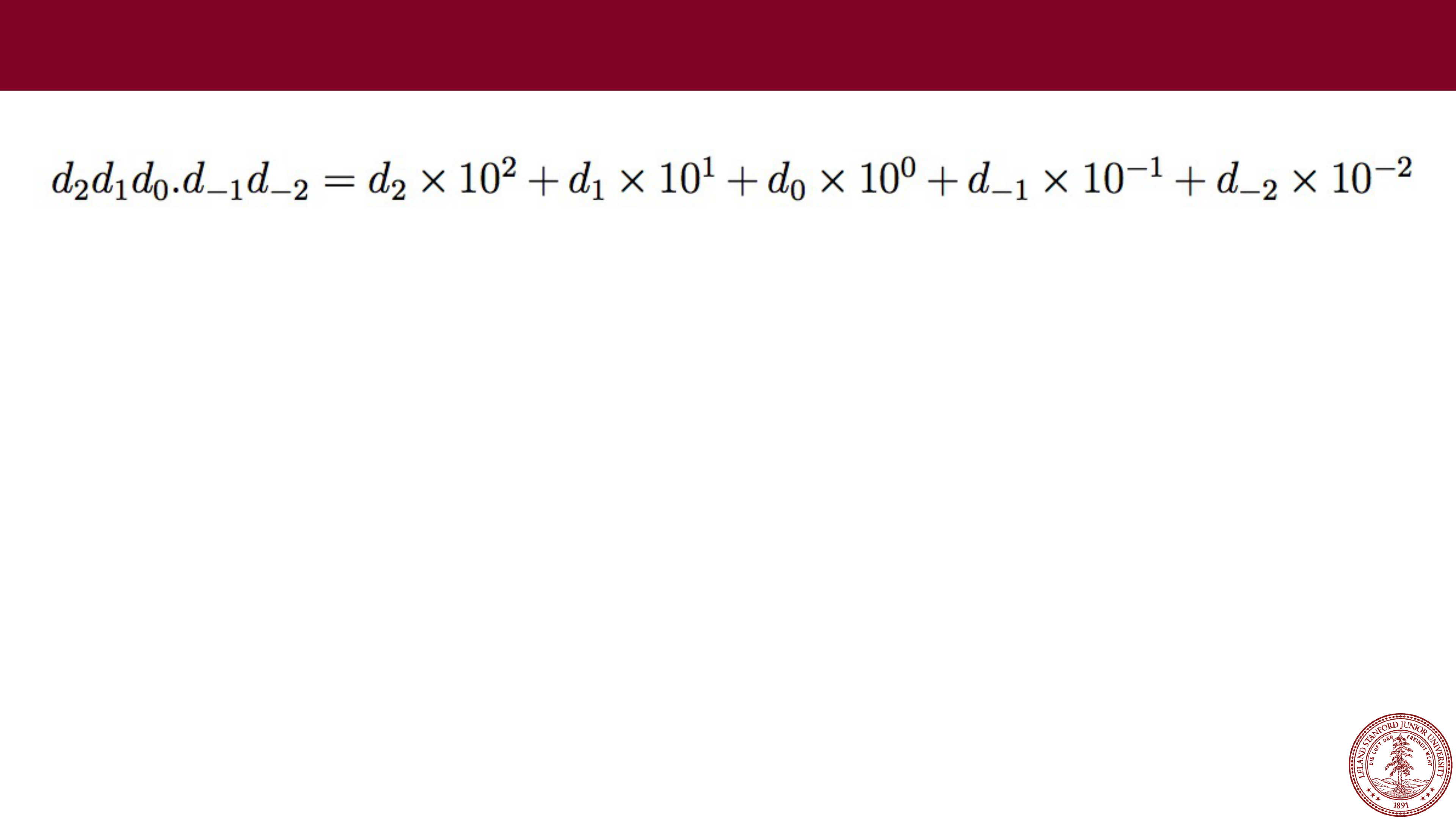
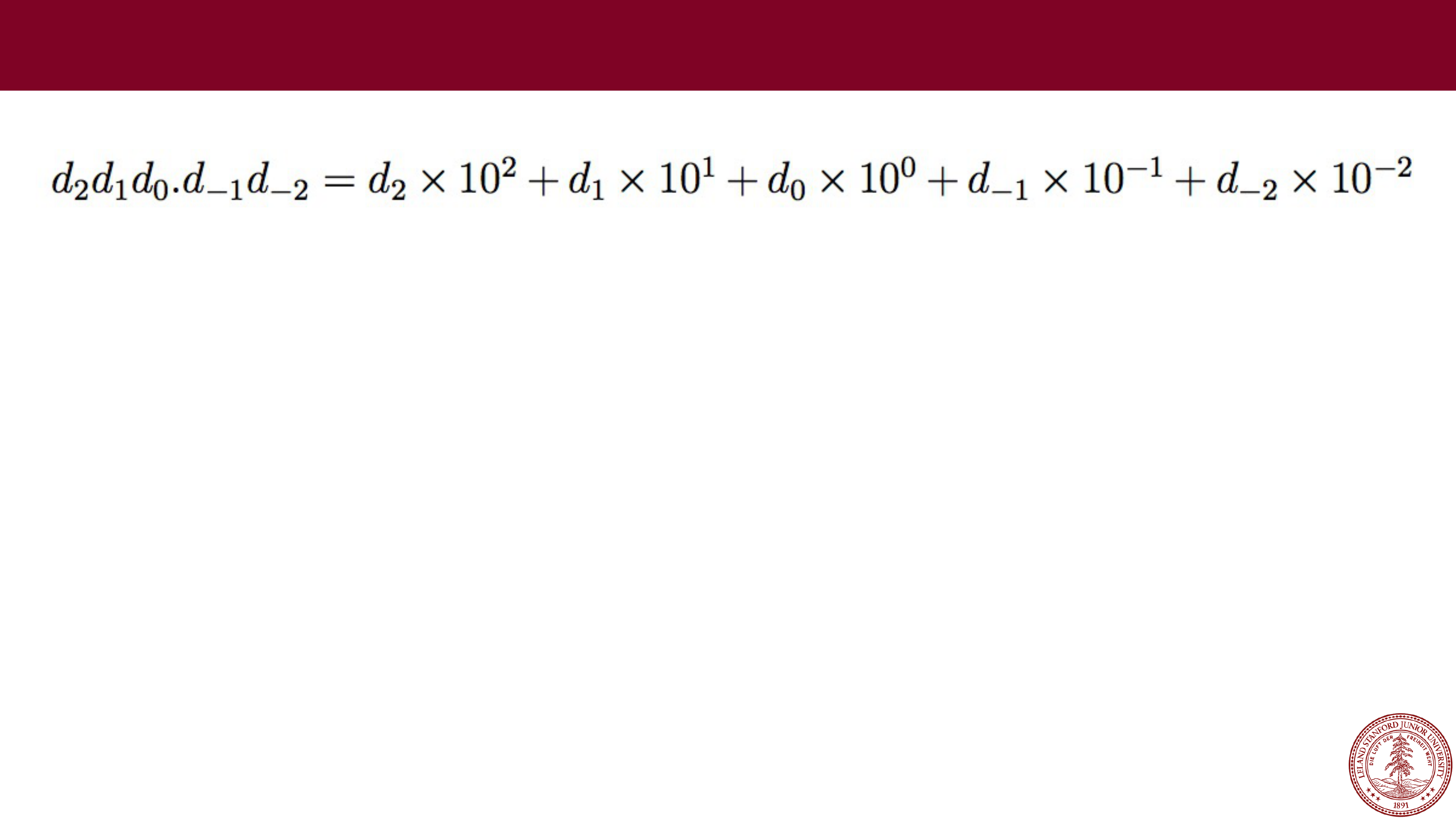
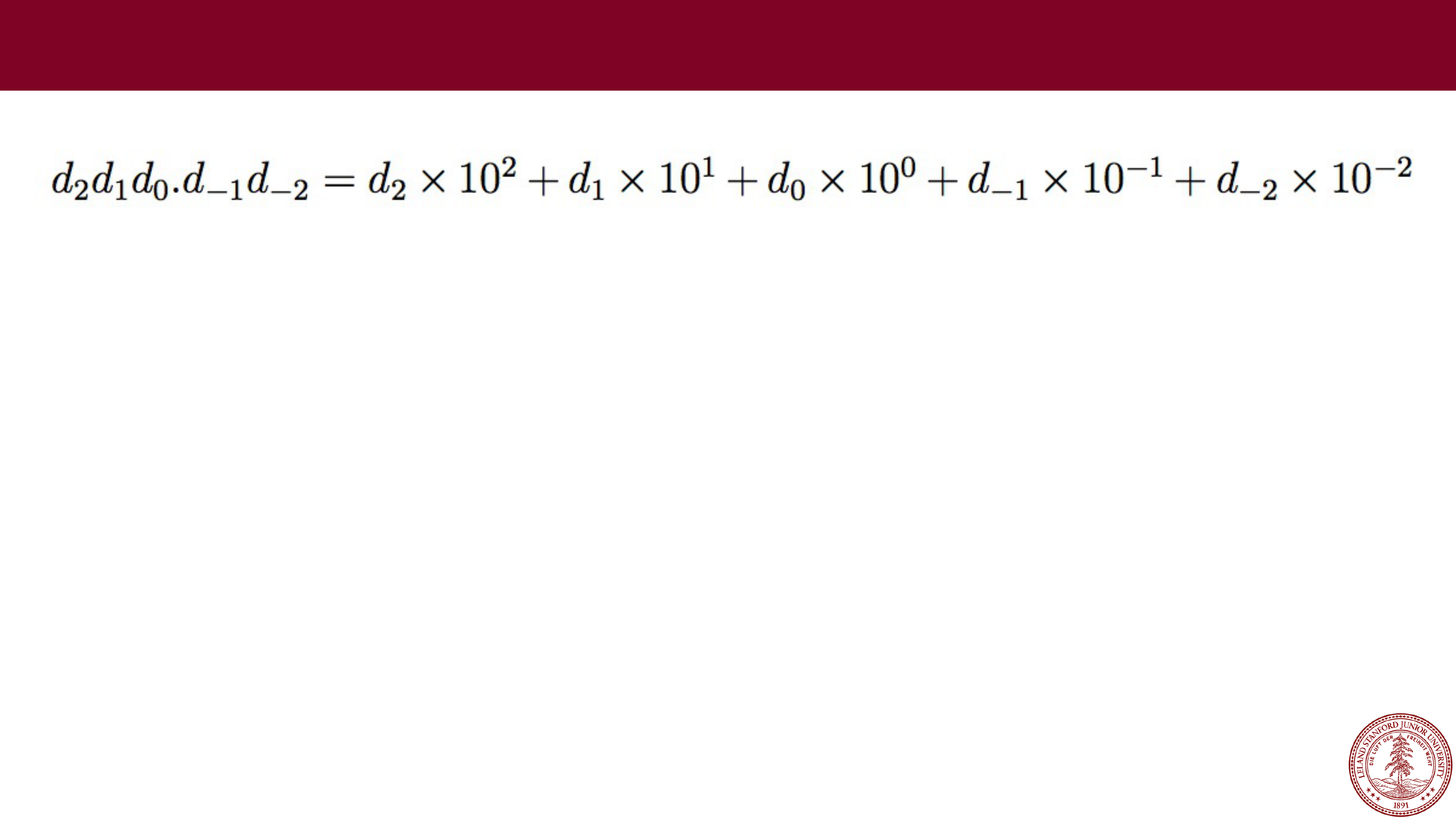
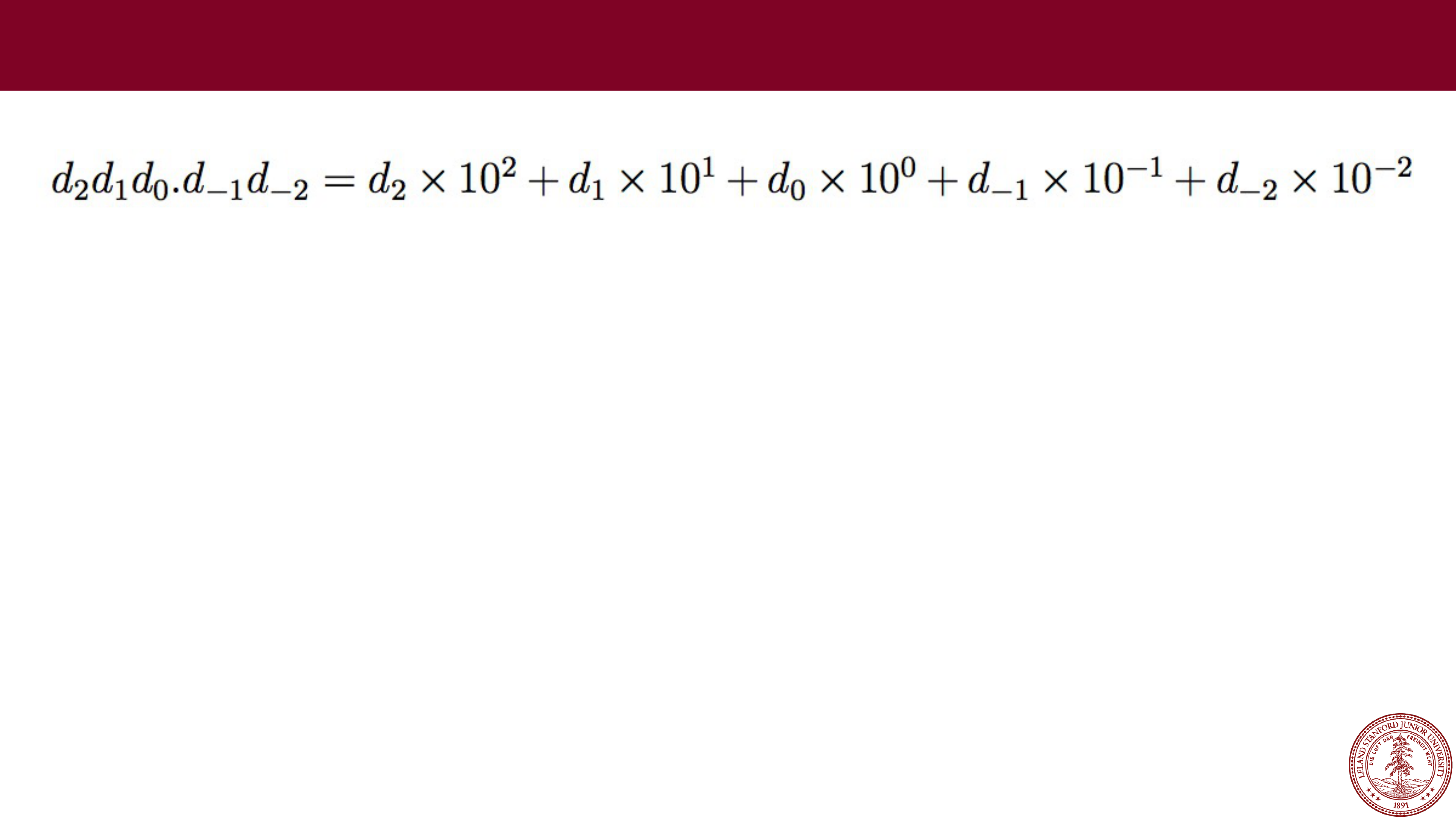
We could just move the decimal place, and use that as our system
for representing real numbers:
In decimal:
e.g., 123.45
One idea: Fixed Point
Page 13
 Fixed Point
e.g., 123.45
What range of numbers can we represent now?
Page 14
 e.g., 123.45
What range of numbers can we represent now?
0 to 999.99
Fixed Point
Page 15
 e.g., 123.45
What range of numbers can we represent now?
What is the "precision" we can represent (i.e., how precise?)
0 to 999.99
Fixed Point
Page 16
 e.g., 123.45
What range of numbers can we represent now?
What is the "precision" we can represent (i.e., how precise?)
0 to 999.99
we can represent five decimal digits of precision,
to the 100
th
place
Fixed Point
Page 17
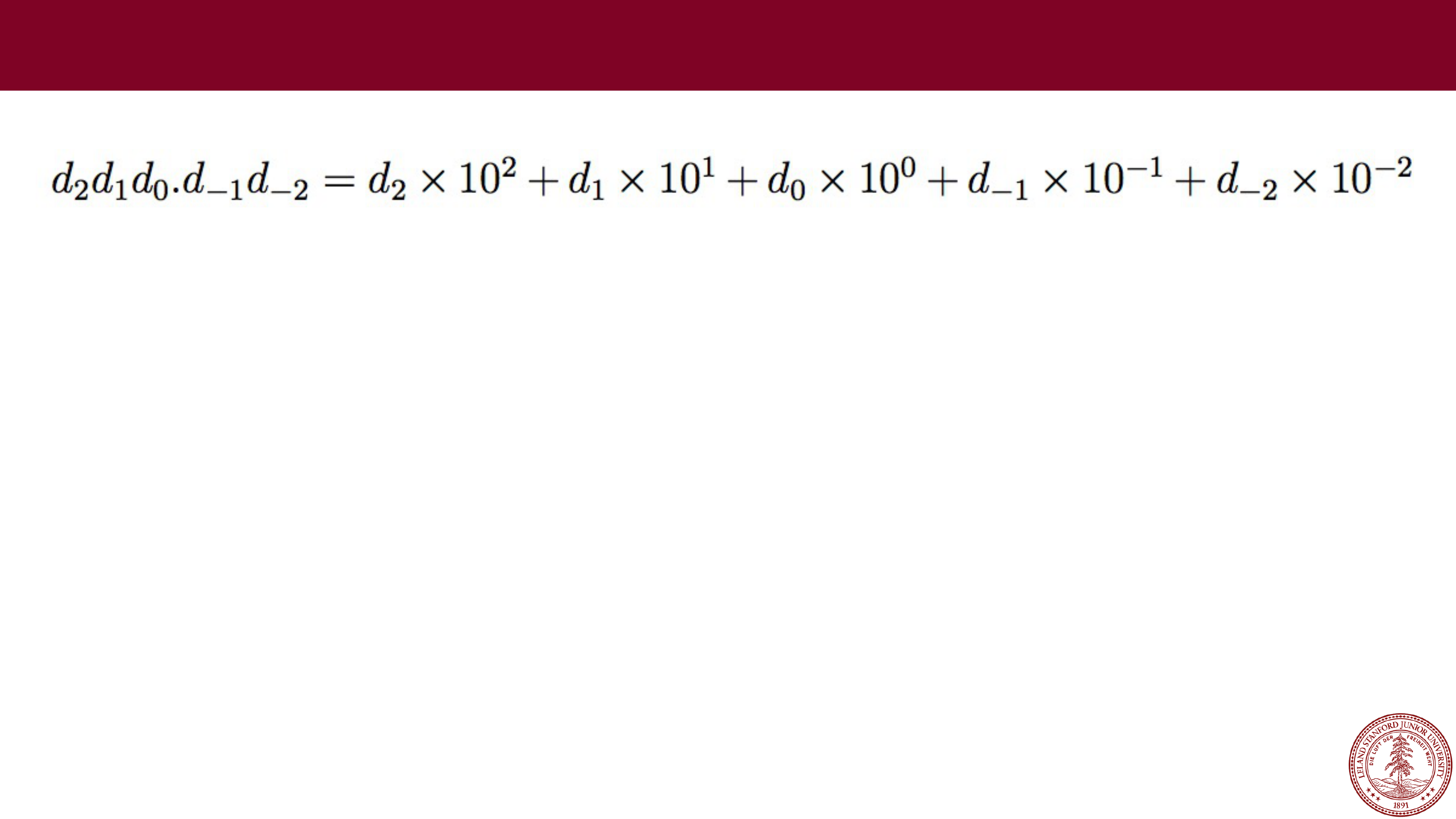 e.g., 123.45
We can't represent some rational numbers exactly:
123.456
123.333…
1000 (overflow? Also, 999.991, or 999.9901, or 999.99001, or …)
0.001 (underflow?)
We would have to round or truncate, or over/under
-flow.
Fixed Point
Page 18
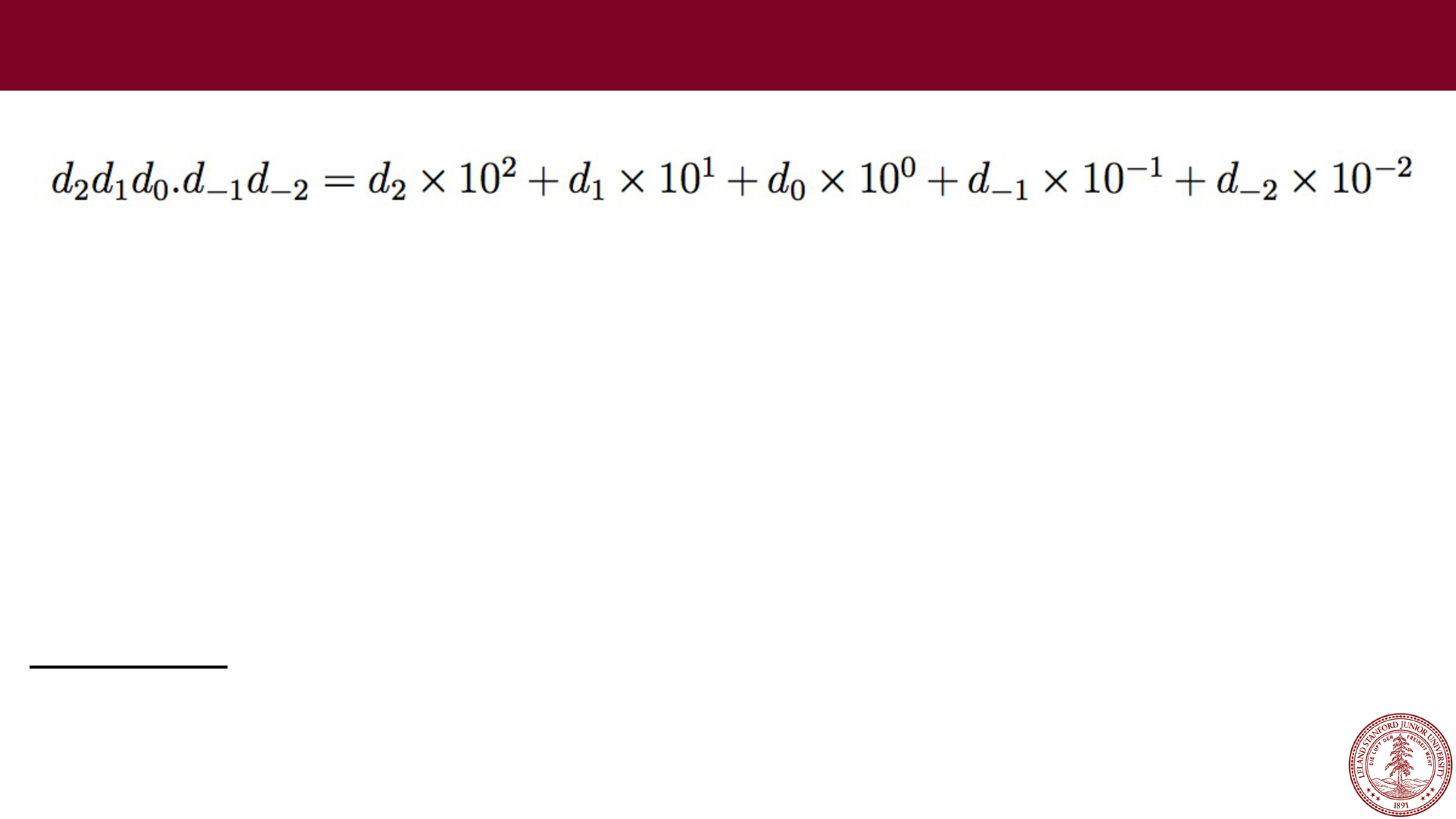 e.g., 123.45
Fixed
-point arithmetic is
pretty easy:
123.45
+678.90
802.35
Fixed Point
Page 19
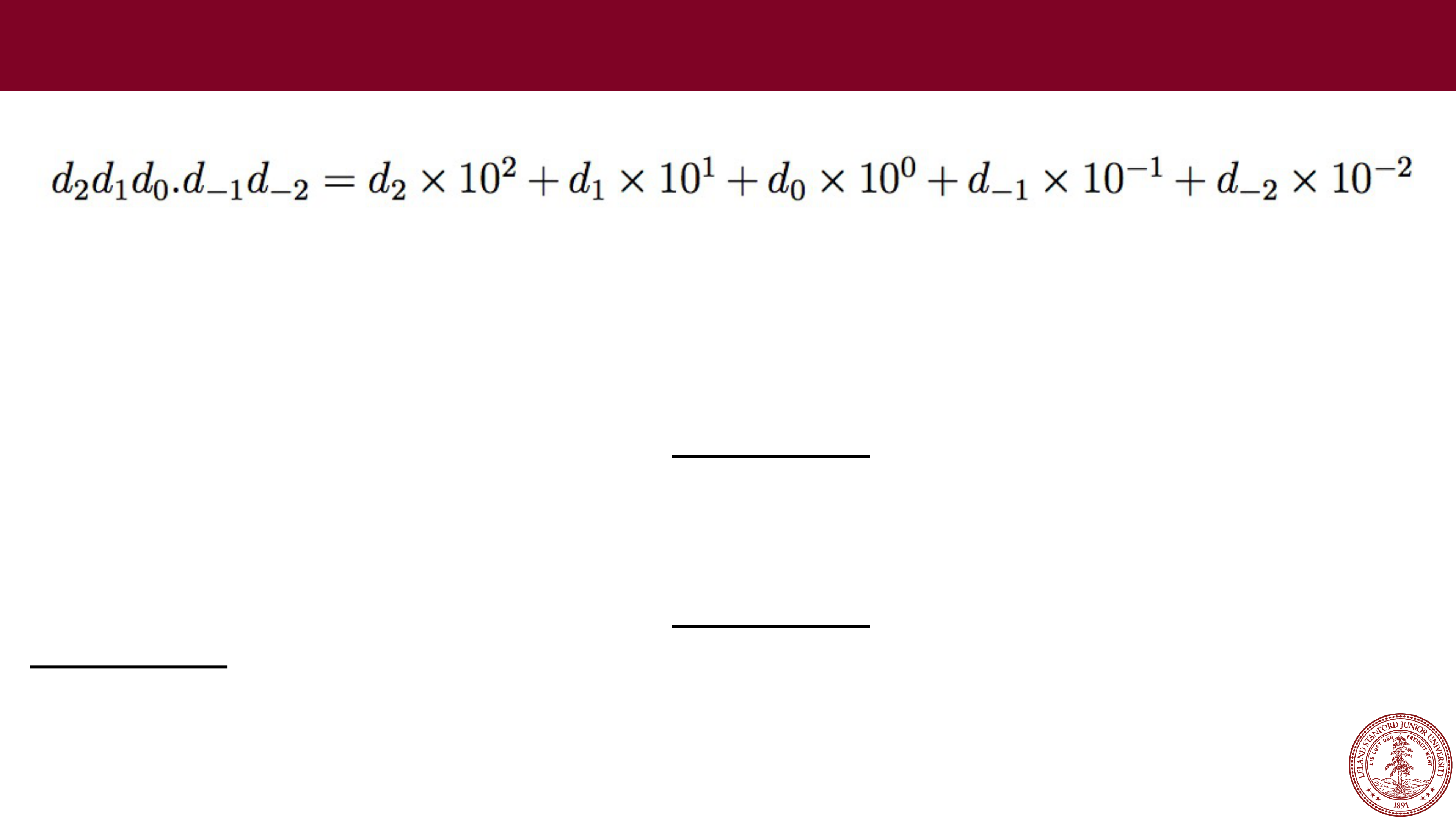 e.g., 123.45
Fixed
-point arithmetic is
pretty easy:
123.45
+678.90
802.35
100.22
* 1.08
80176
000000
1002200
1082376 = 108.2376
= 108.24
(rounded)
Fixed Point
Page 20
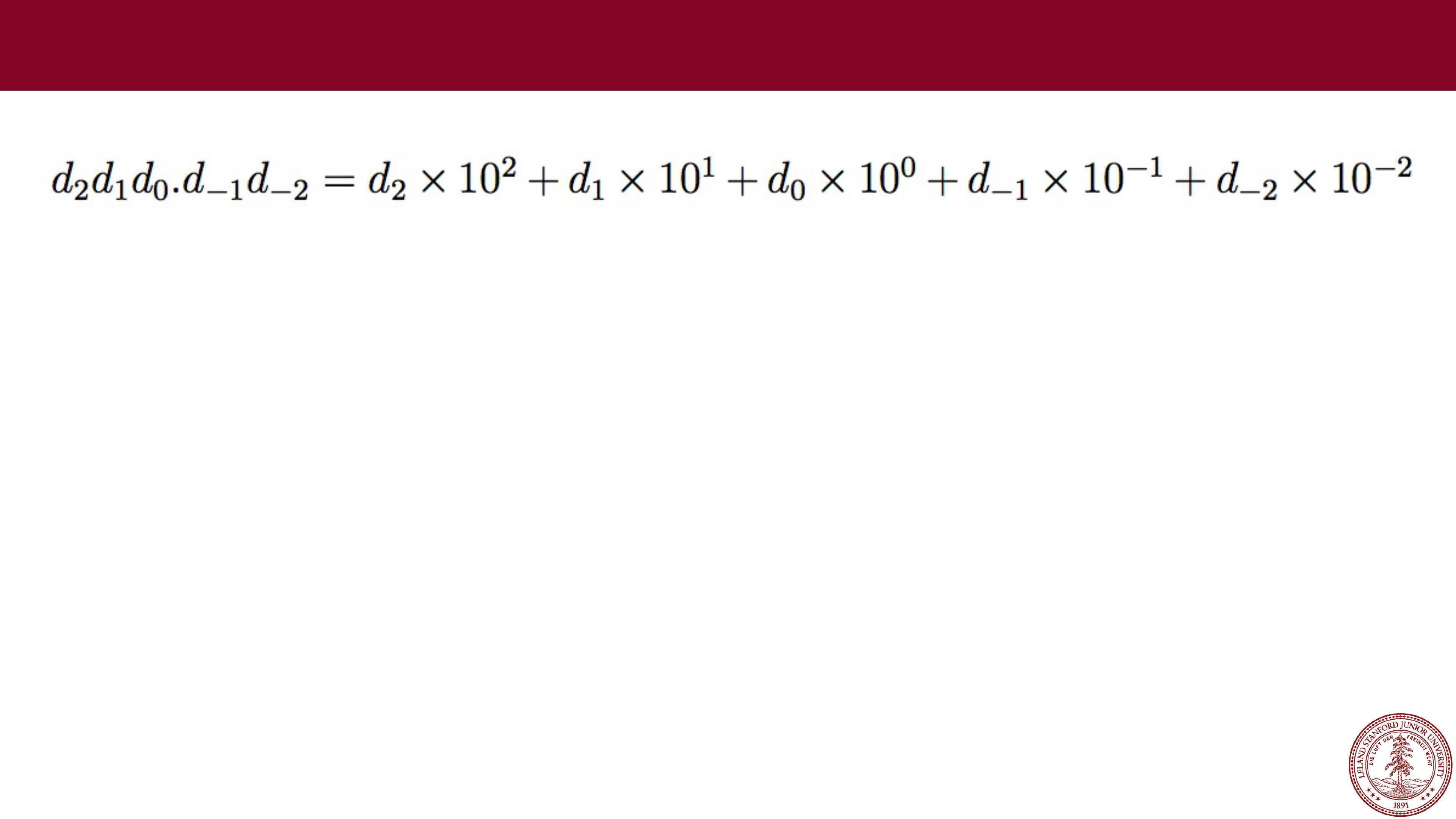 Fixed point has its uses, but it is somewhat limiting. We can do
regular arithmetic, and we know how many decimal places of
precision we get.
However, the range is set by where we fix the decimal place, and we
had hoped for a large range. If we set the decimal place to be to the
left of the most significant digit for a five
-digit number, our range
would only be 0 to 0.99999.
Fixed Point
Page 21
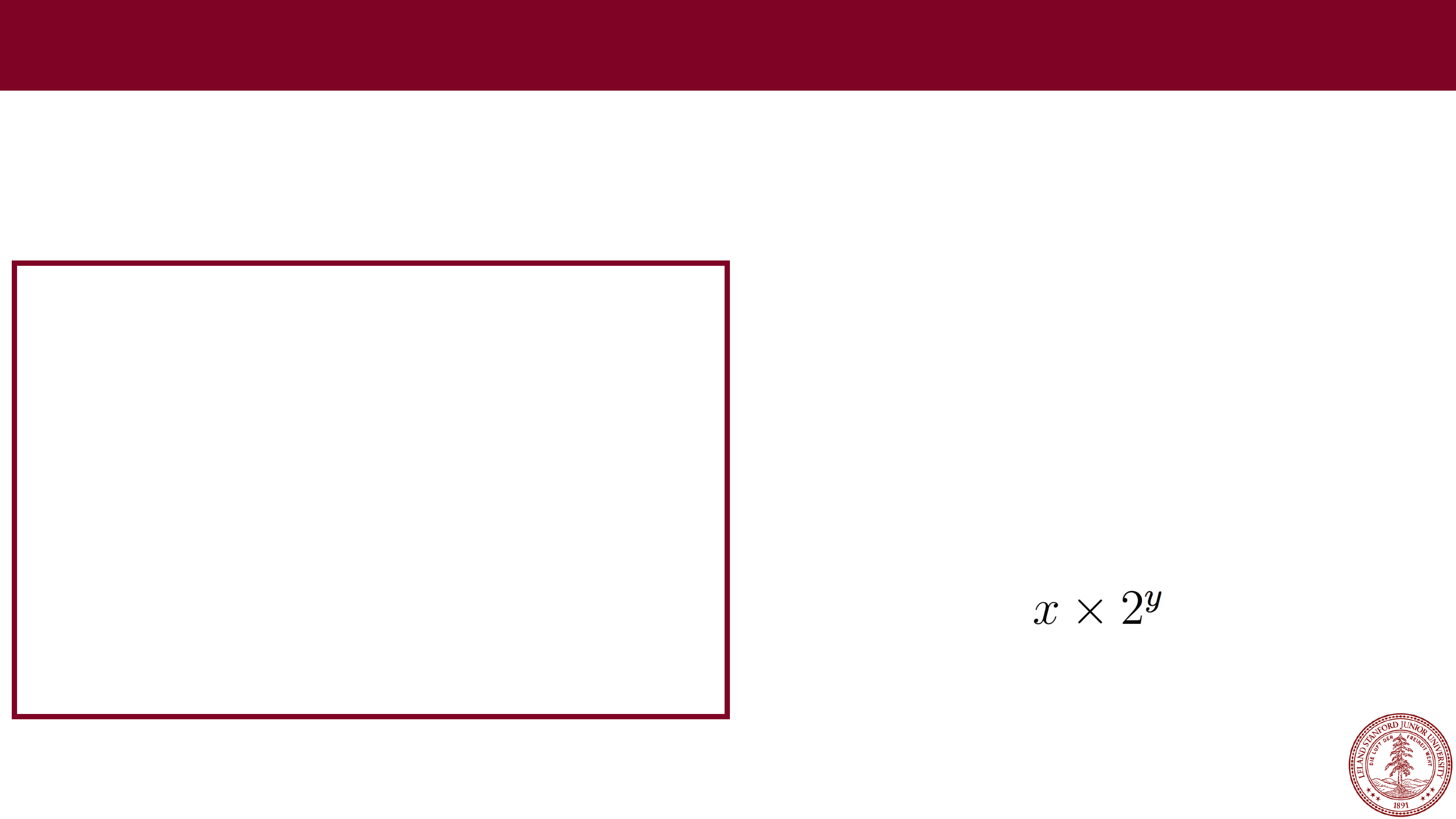
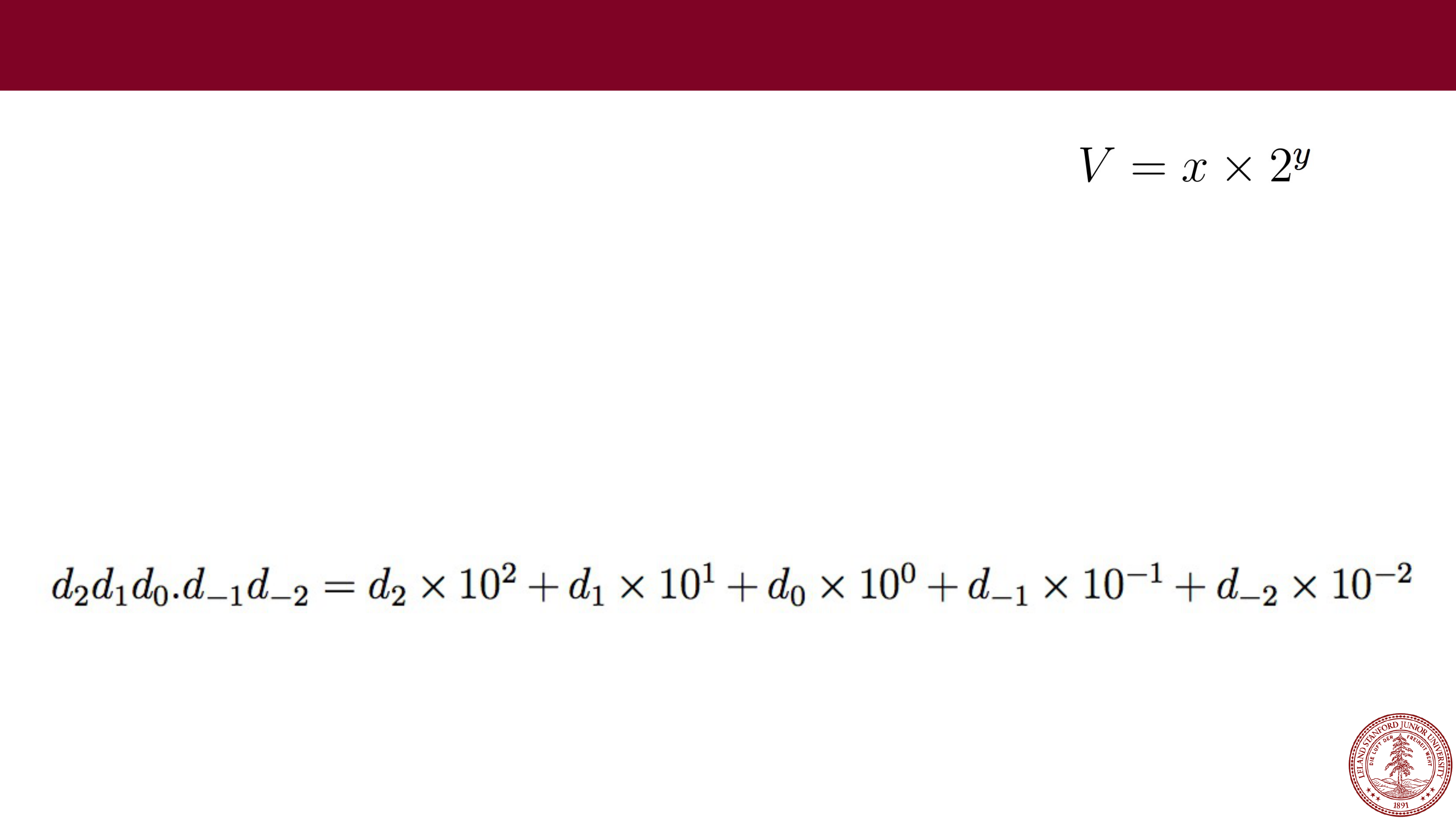 A different idea is to represent numbers in the form
In this form, we will break our number into two parts (actually, three,
including a sign bit), with an exponent (y) and a fractional value (x).
Before we get into the details, let's investigate what fractional values
in binary look like. Recall, in decimal:
Floating Point
Digits after the decimal point are represented by negative powers of
10.
Page 22
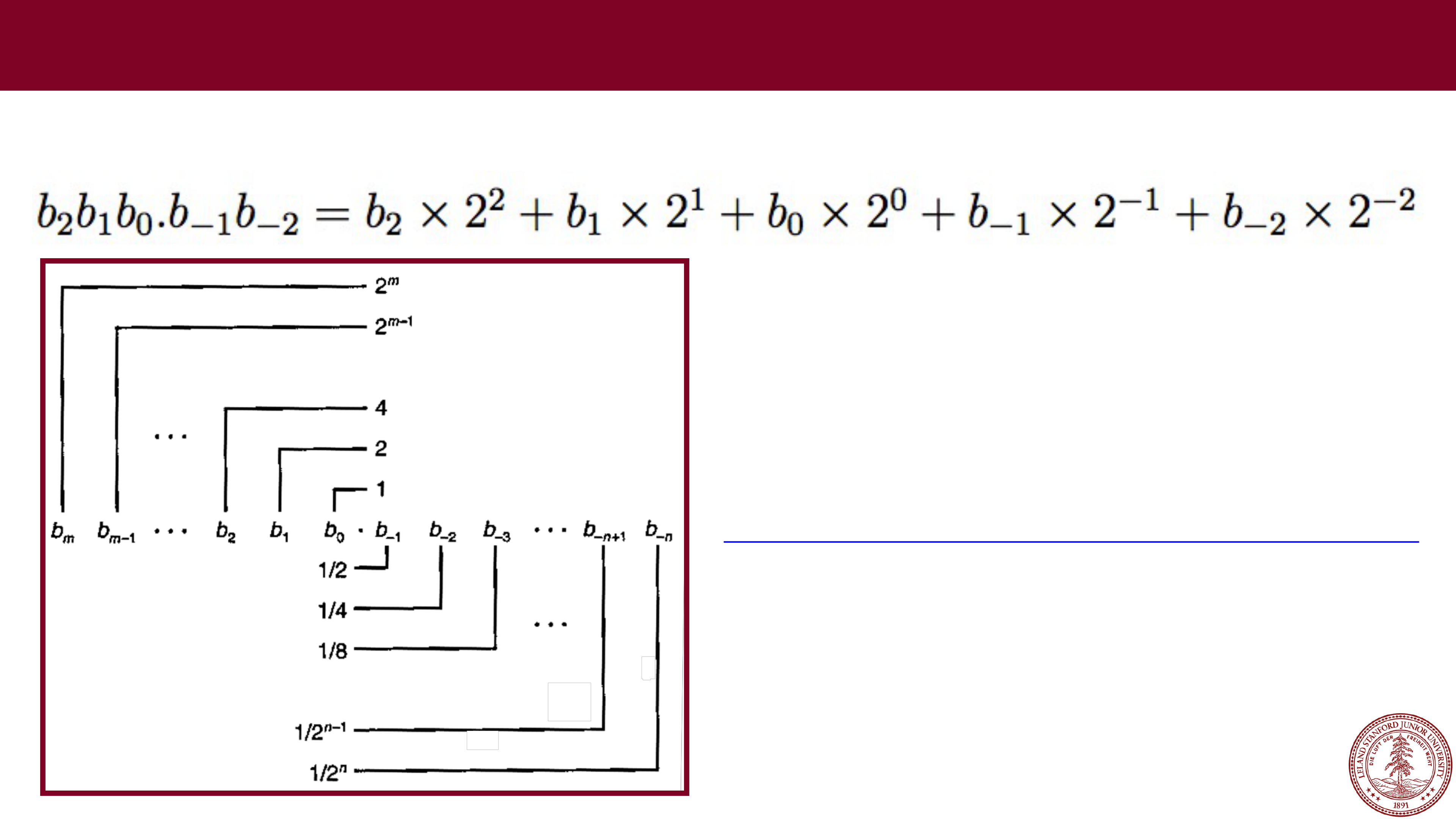 In binary, digits after the
binary
point are represented by negative powers of two:
Fractional Values in Binary
http://web.stanford.edu/class/cs107/float/convert.html
Online binary to decimal converter:
Page 23
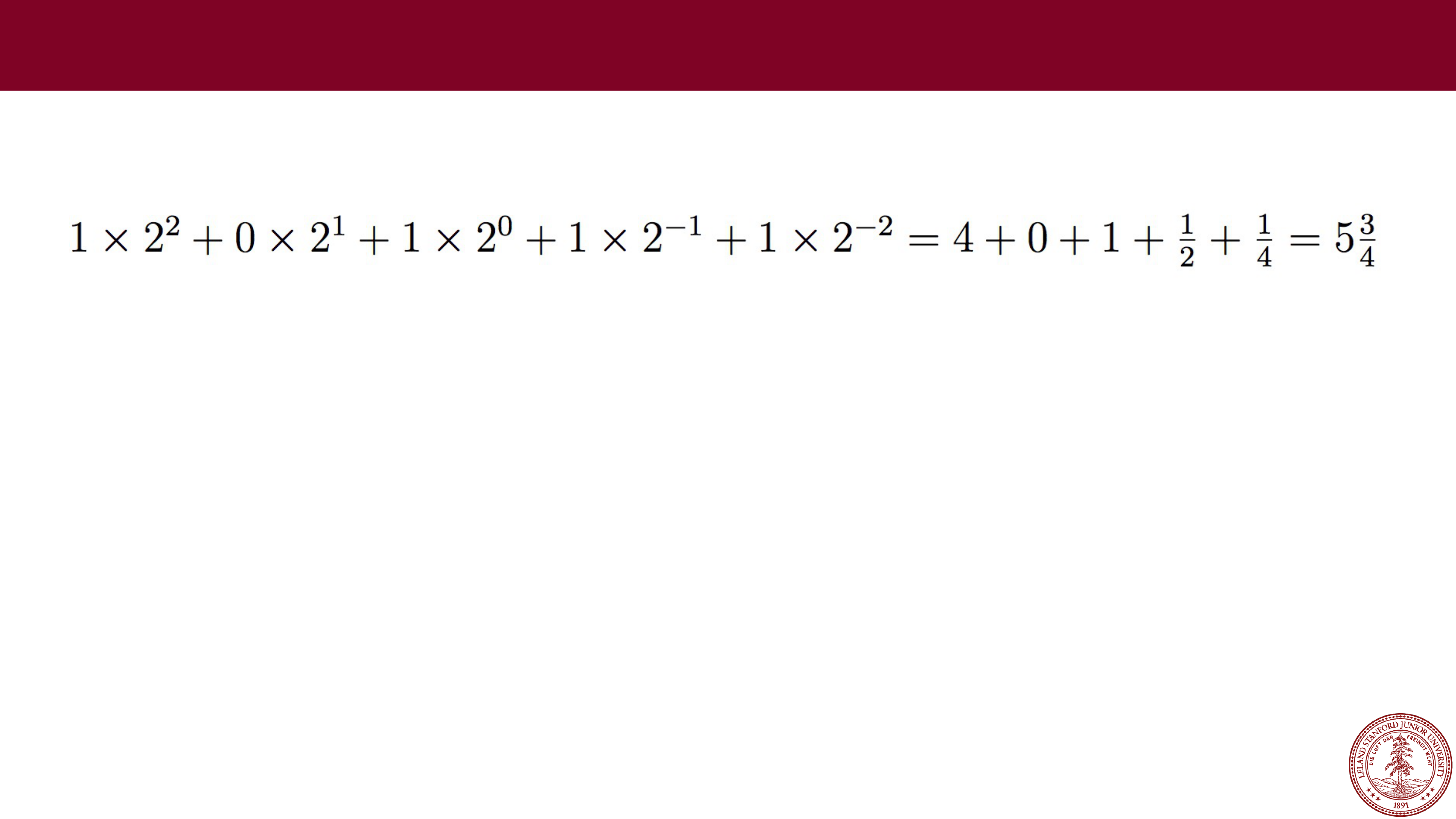
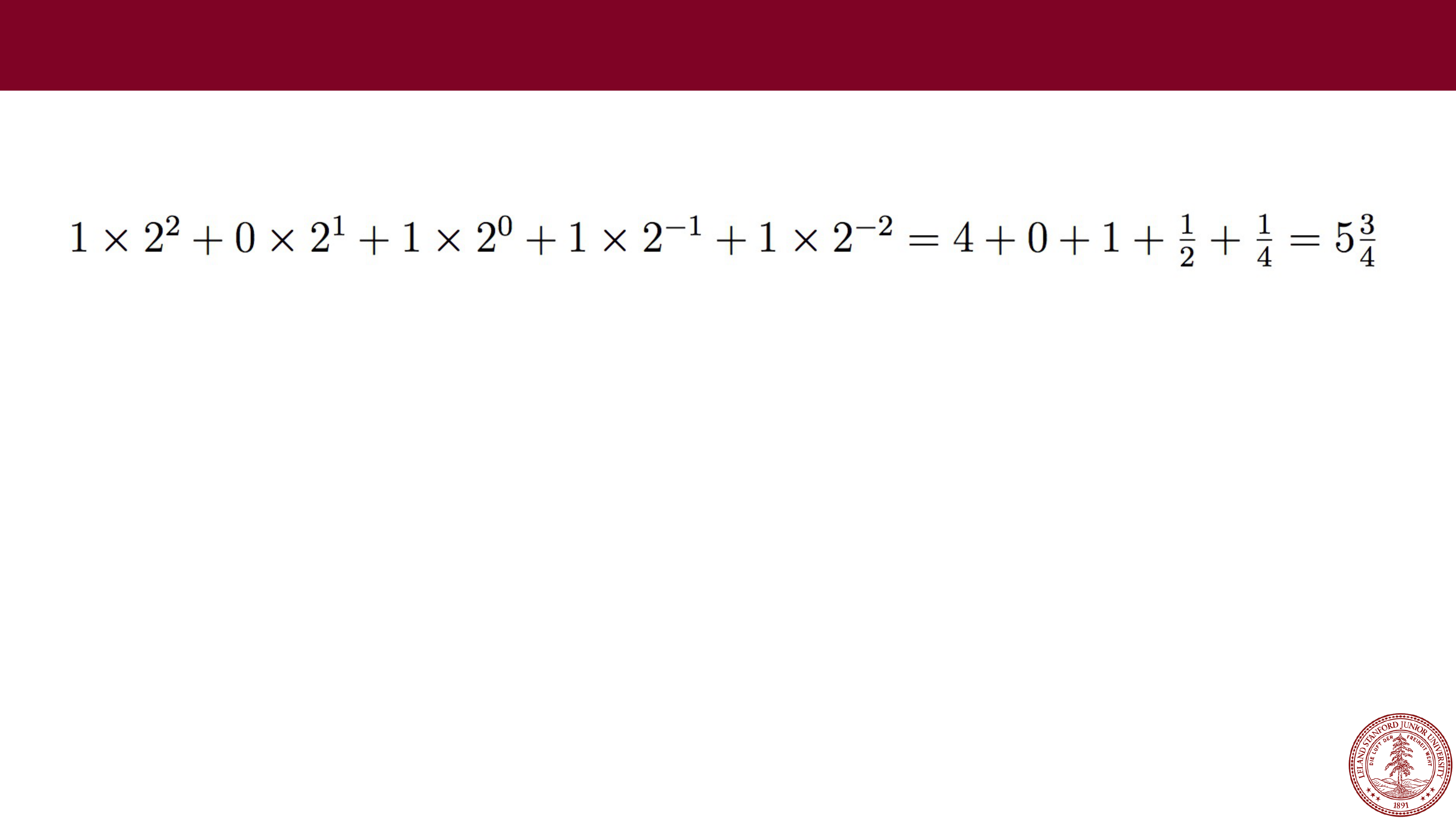
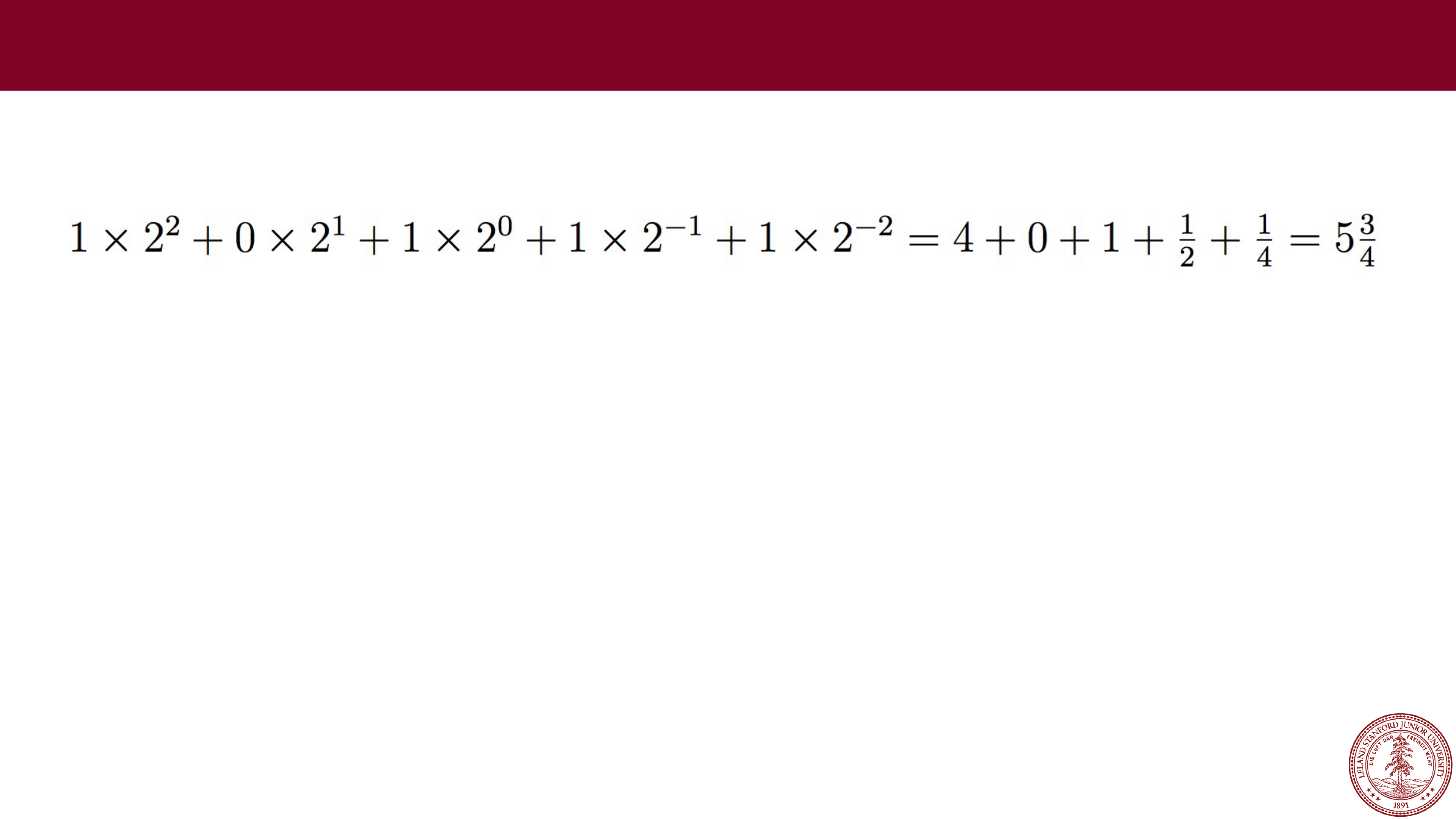
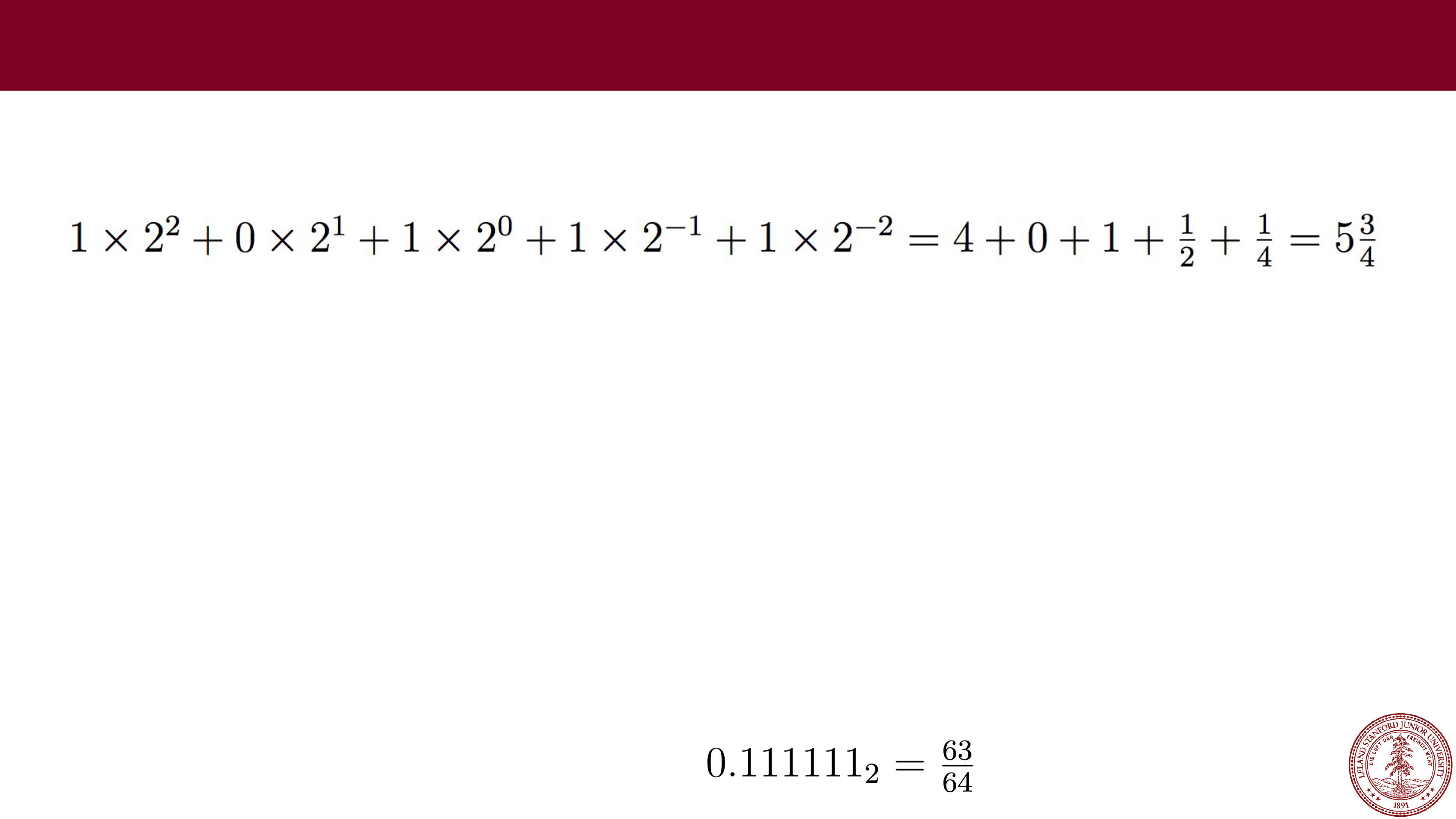
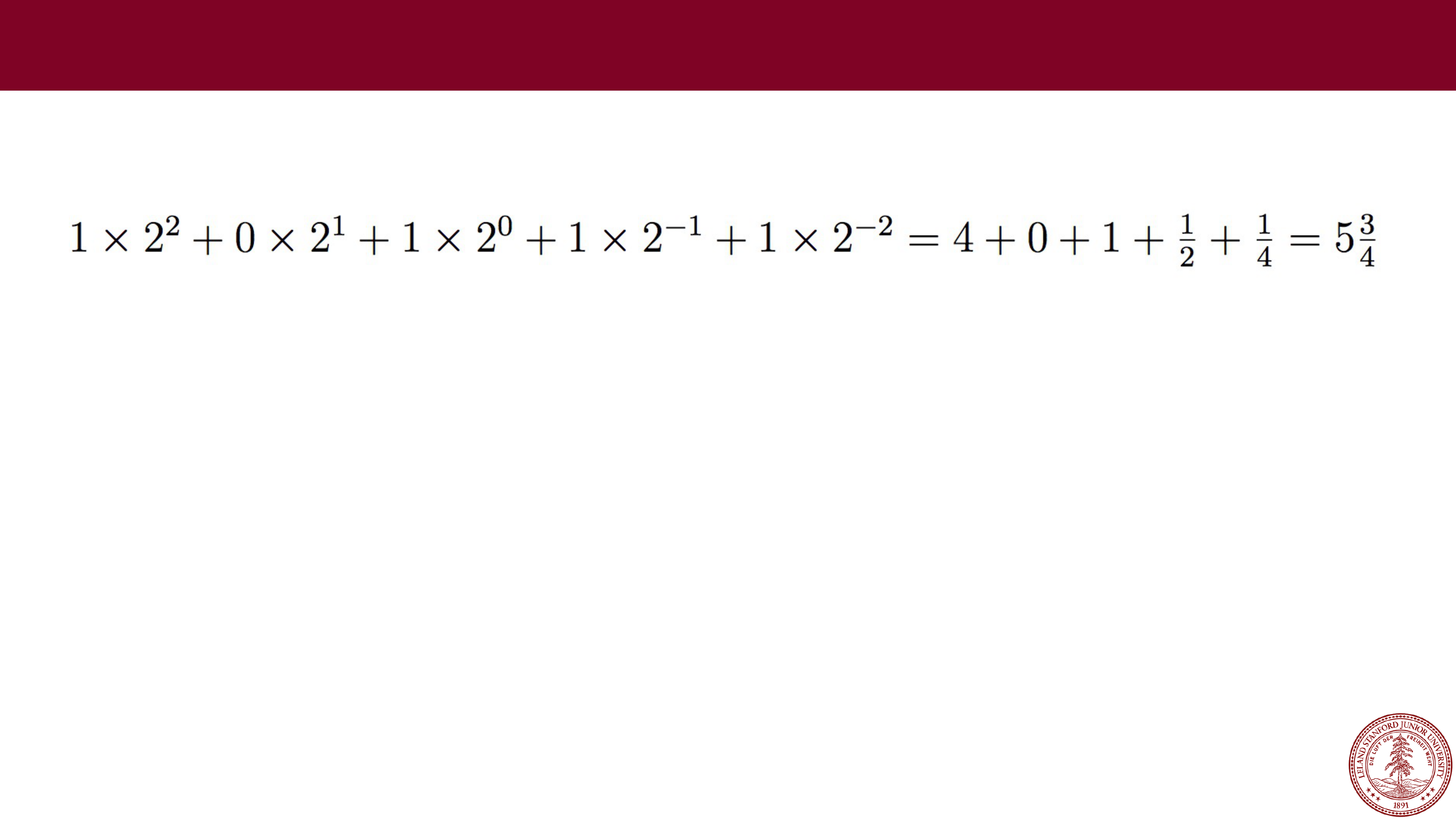 Example: 101.11 in binary:
Fractional Values in Binary
What happens to your number if you shift the binary point to the left by one?
Page 24
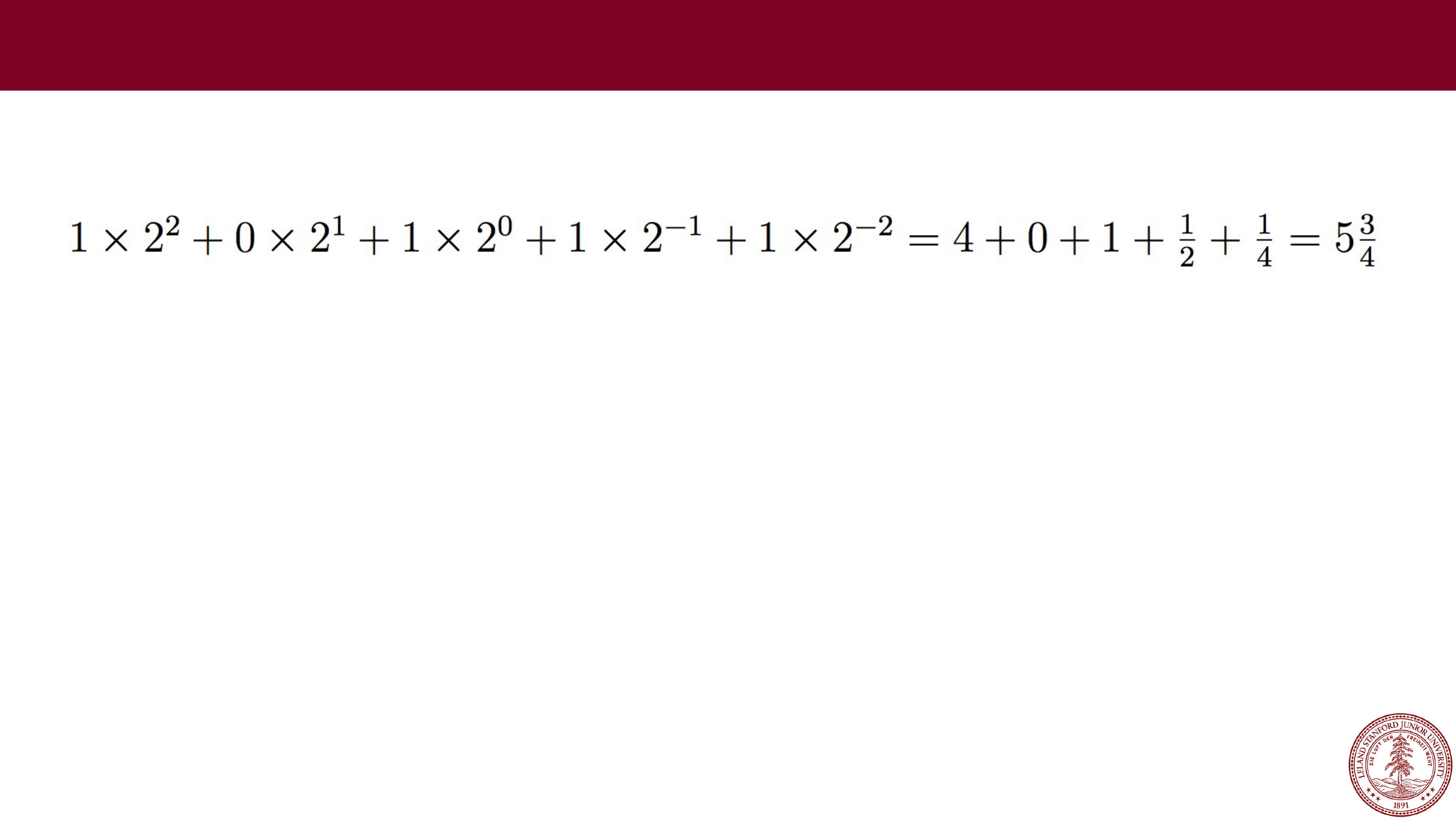 Example: 101.11 in binary:
Fractional Values in Binary
What happens to your number if you shift the binary point to the left by one?
The number is divided by two.
Page 25
 Example: 101.11 in binary:
Fractional Values in Binary
What happens to your number if you shift the binary point to the left by one?
The number is divided by two.
What happens to your number if you shift the binary point to the right by one?
Page 26
 Example: 101.11 in binary:
Fractional Values in Binary
What happens to your number if you shift the binary point to the left by one?
The number is divided by two.
What happens to your number if you shift the binary point to the right by one?
The number is multiplied by two.
Page 27
 Example: 101.11 in binary:
Fractional Values in Binary
What happens to your number if you shift the binary point to the left by one?
The number is divided by two.
What happens to your number if you shift the binary point to the right by one?
The number is multiplied by two.
What is represented by 0.111111…1?
Page 28
 Example: 101.11 in binary:
Fractional Values in Binary
What happens to your number if you shift the binary point to the left by one?
The number is divided by two.
What happens to your number if you shift the binary point to the right by one?
The number is multiplied by two.
What is represented by 0.111111…1?
Numbers just below 1, e.g.:
Shorthand: 1
-𝜖
Page 29
 Just like decimal with numbers like
⅓
and
⅙
, binary cannot represent exactly
any numbers like
⅓
and
⅕
, nor even :
Fractional Values in Binary
// testTenth.c
#include<stdio.h>
#include<stdlib.h>
int main()
{
float f = 0.1;
// print with 27 decimal places
printf("%.27f
\
n",f);
return 0;
}
$ ./testTenth
0.100000001490116119384765625
Fractional binary notation can
only exactly represent numbers
that can be written in the form:
Page 30
 IEEE Floating Point
When designing a number format, choices need to be made about the
format specification. In the late 1970s, Intel sponsored William Kahan (from
Berkeley…) to design a floating point standard, which formed the basis for
the "IEEE Standard 754," or
IEEE Floating Point
, which almost all
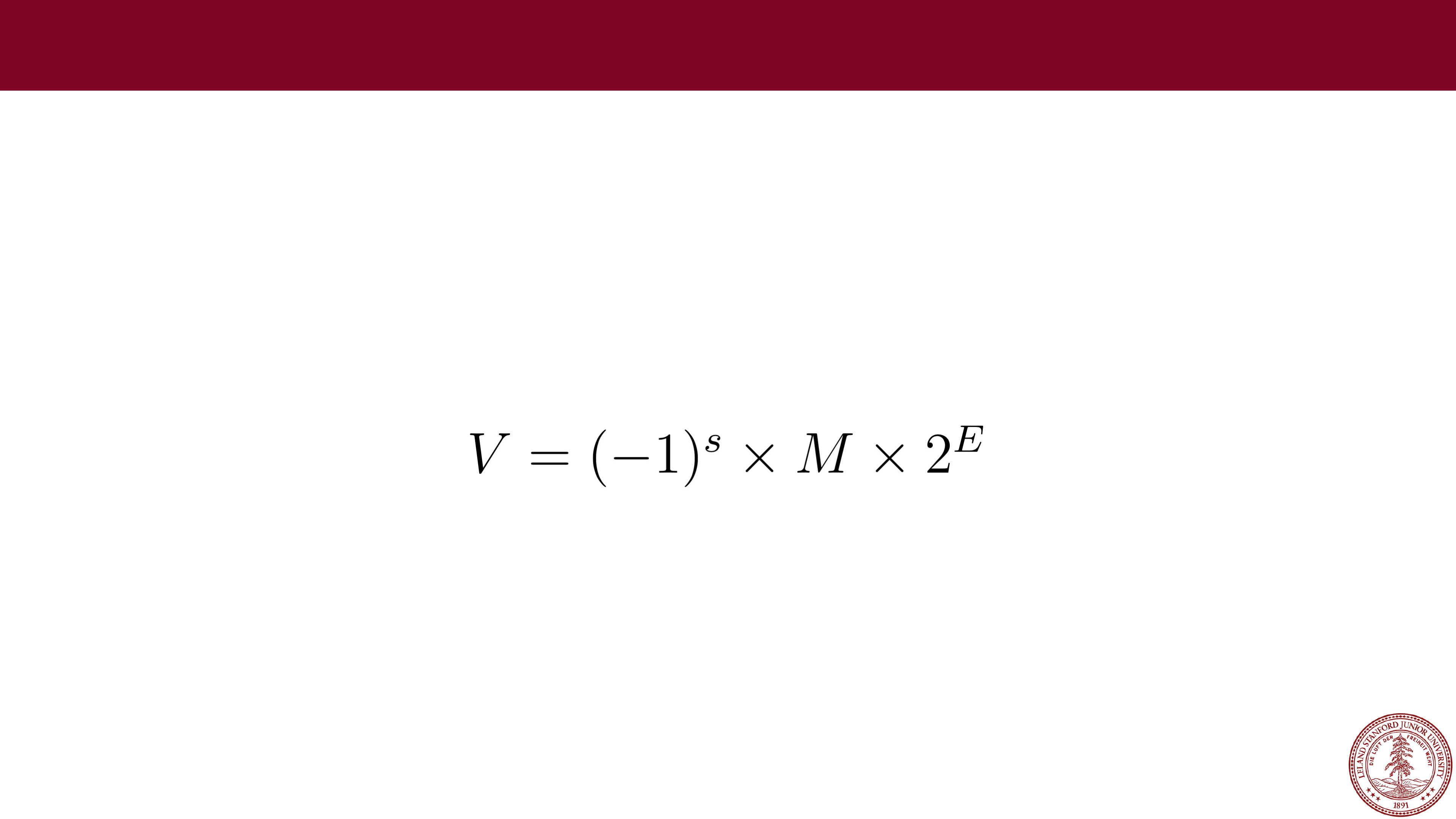
computers use today. The standard defines the bit pattern (32
-bit, 64-bit,
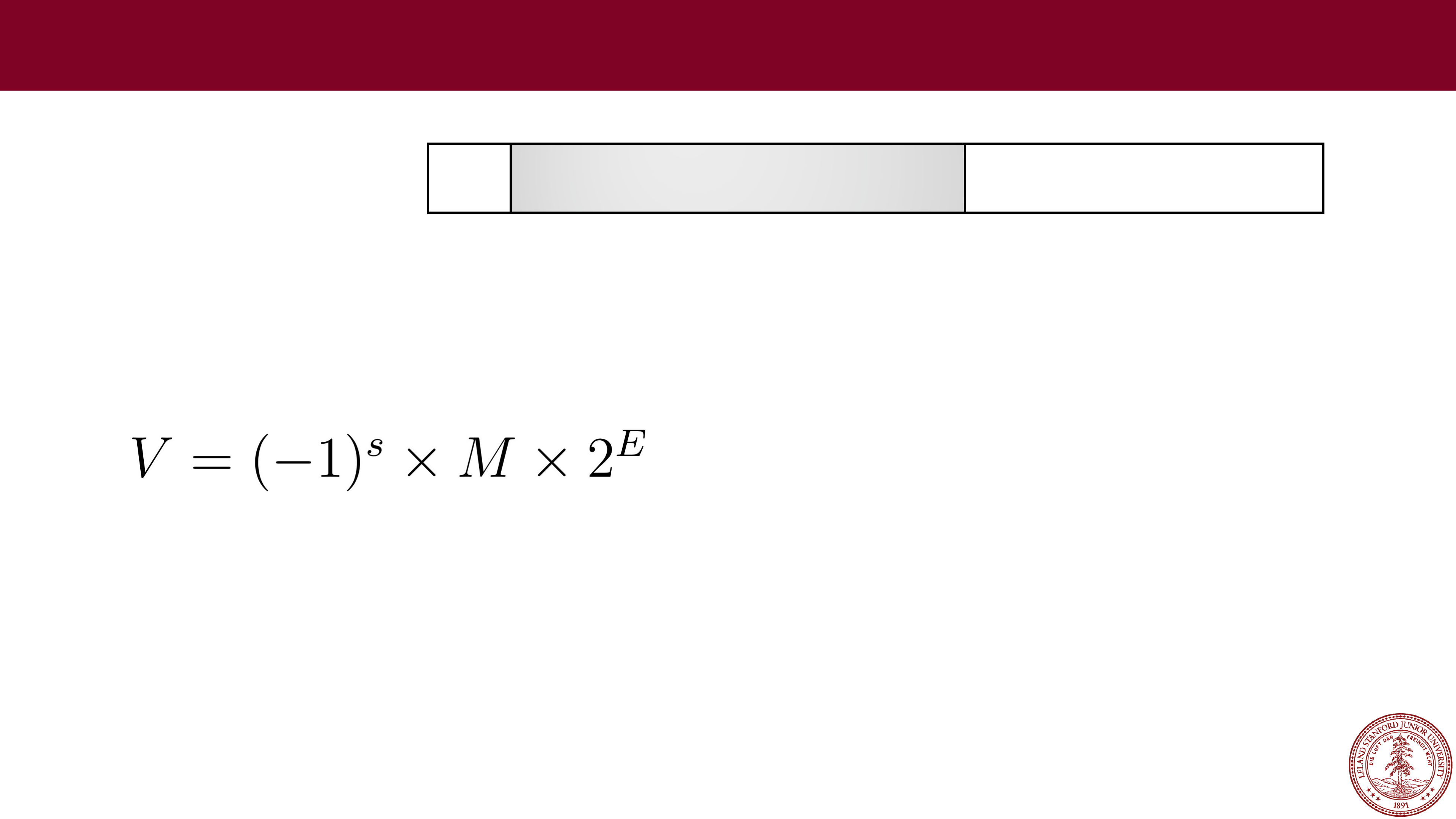
etc.) as a number in the form:
Where:
•
The sign s is negative (s == 1) or positive (s == 0), with the sign for
numerical value 0 as a special case.
•
The significand M (sometimes called the Mantissa), is a fractional binary
number that ranges
either
between 1 and 2-𝜖 or between 0 and 1-𝜖.
•
The exponent E weights the value by a (possibly negative) power of 2.
Page 31
 IEEE Floating Point Examples
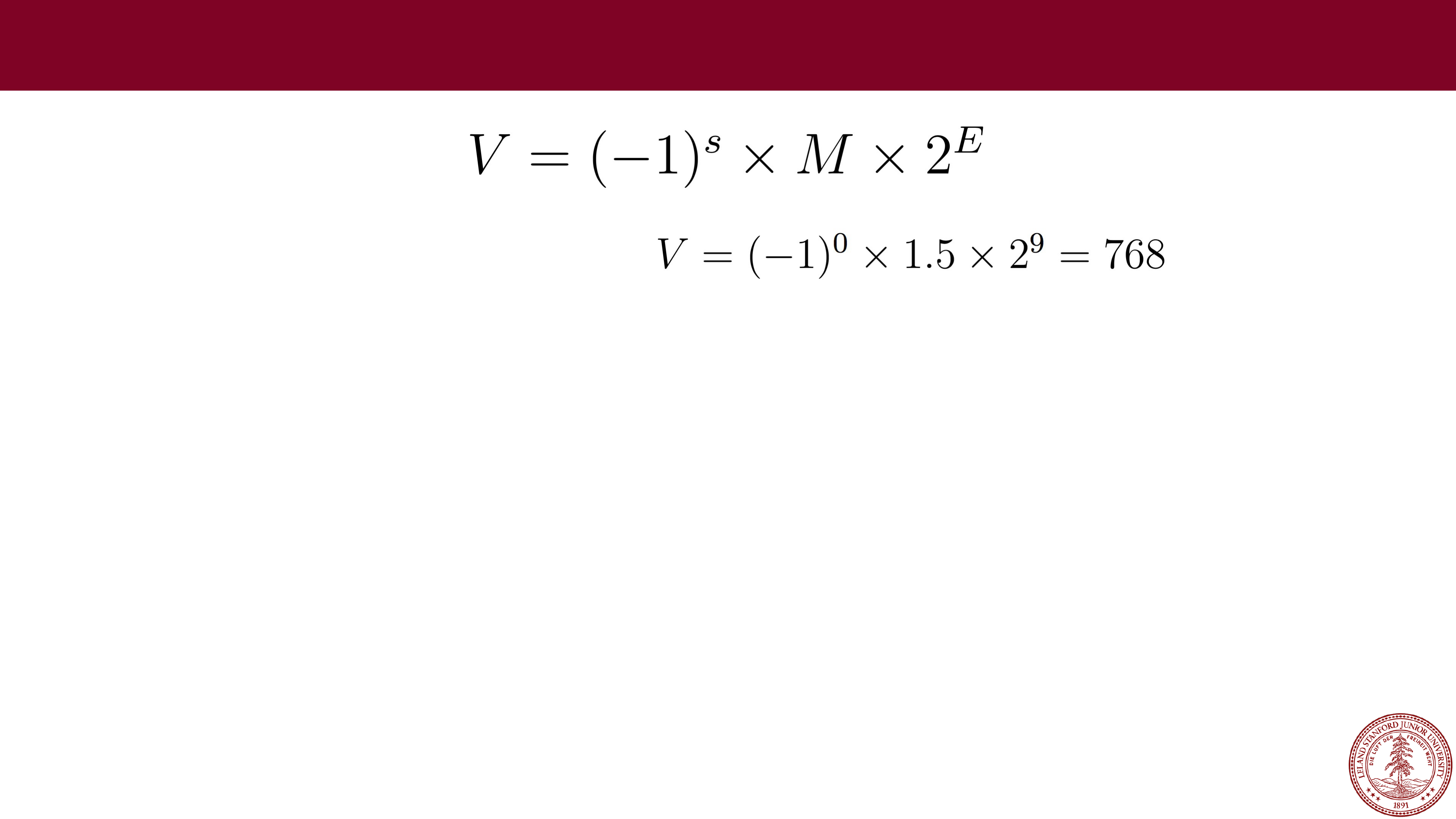
Example: For s=0, M=1.5, E=9:
Page 32
 IEEE Floating Point
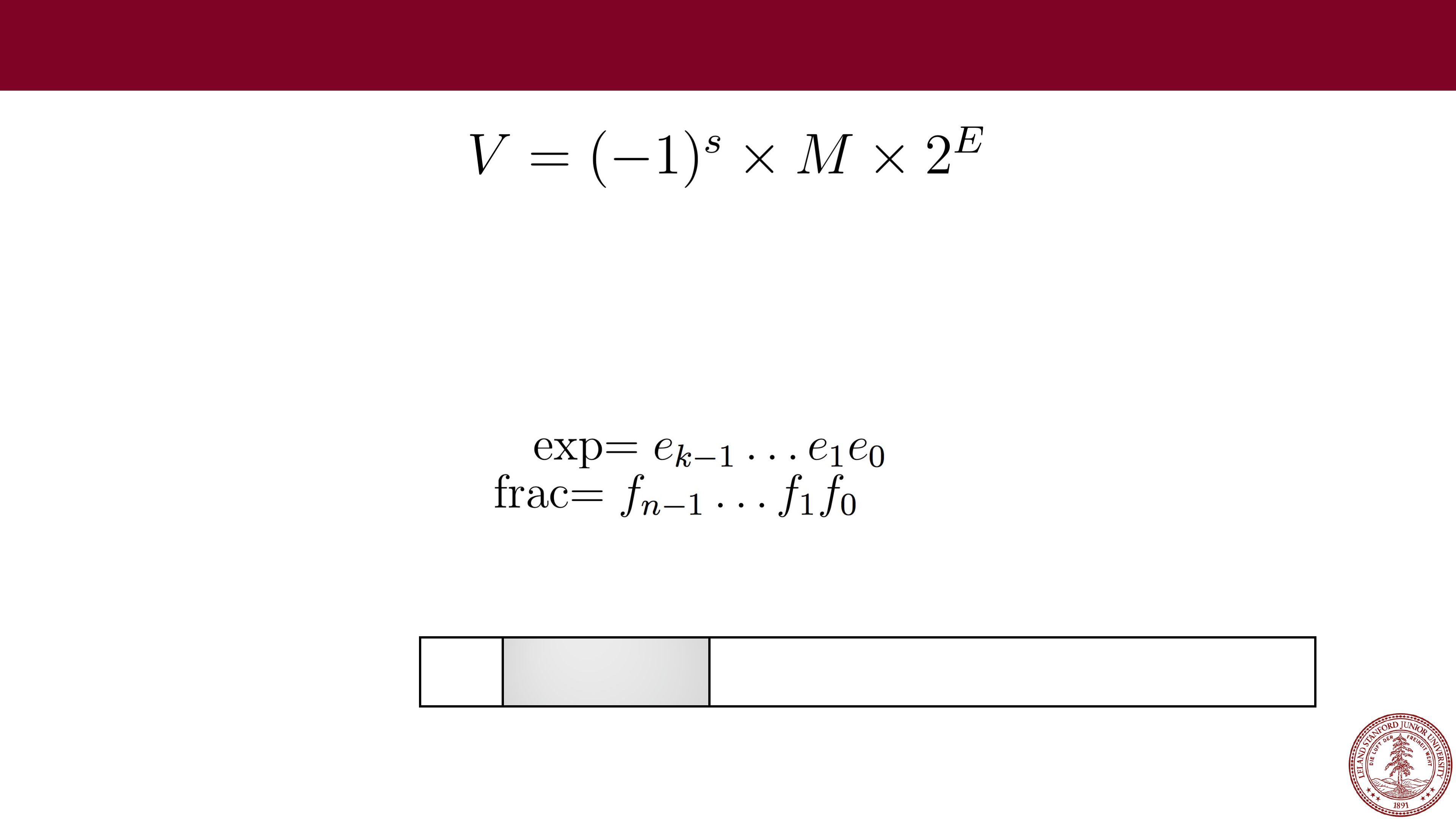
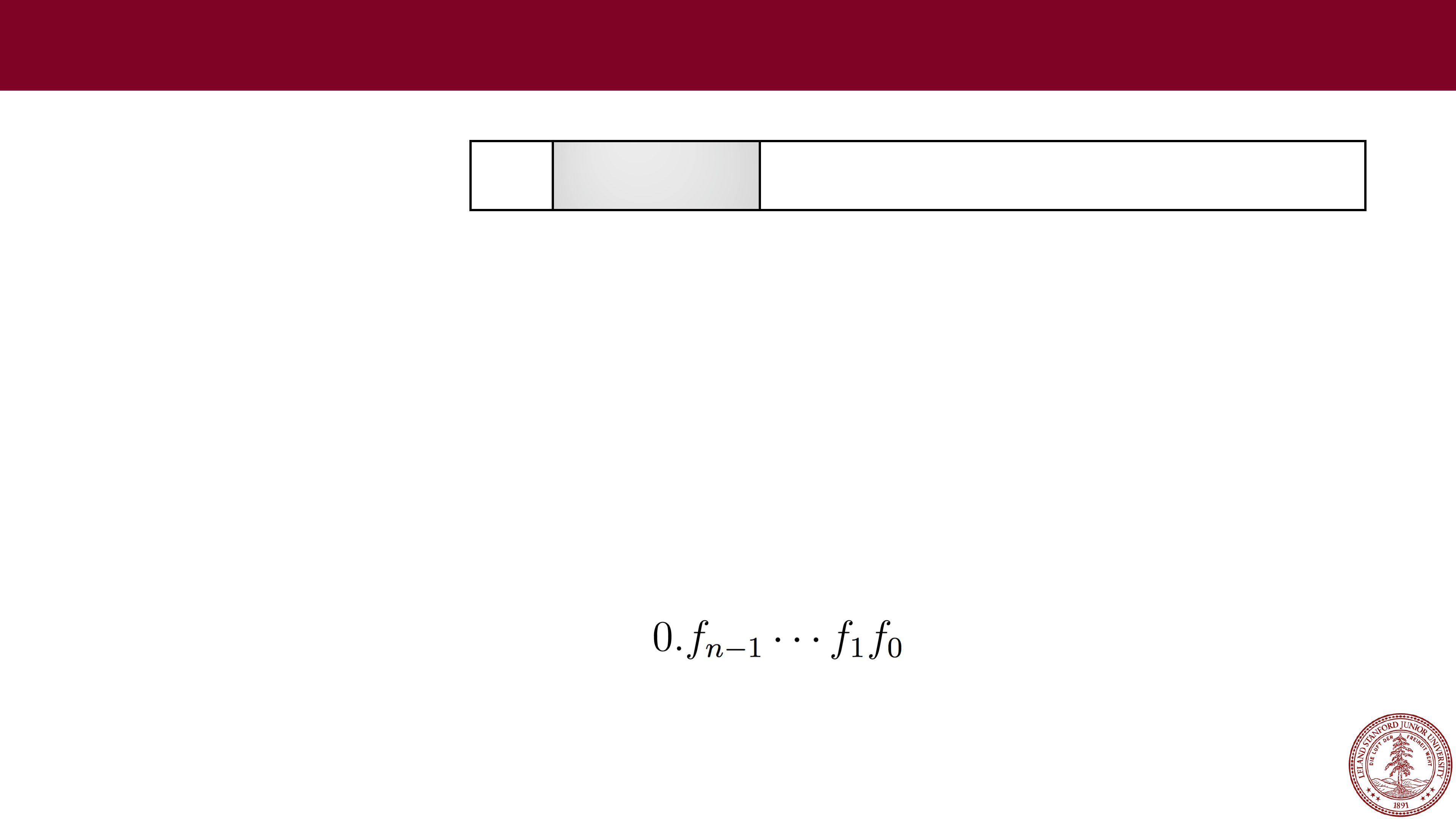
The bit representation of a floating point number is divided into three fields
to encode these values:
•
The single sign bit s directly encodes the sign s.
•
The k-bit exponent field, encodes the exponent E.
•
The n-bit fraction field encodes the significand M,
but the value encoded also depends on whether or not the exponent field
equals 0.
31
30
23
22
0
s
exp frac
Single precision (
float)
Page 33
Before We Continue
Right now, you're saying to yourself, "Uhh…this is going to be complicated."
31
30
23
22
0
s
exp frac
Single precision (
float)
Page 34
Before We Continue
Right now, you're saying to yourself, "Uhh…this is going to be complicated."
Yes, it does take some time to learn. We want you to appreciate a few things
about the IEEE floating point format:
1.
It is based on decisions and choices that were made, with good reason
(we will discuss those reasons).
2.
It is efficient, and attempts to eek out as much as it can from those 32 or
64 bits
— computing is often about efficiency, and the people who came
up with the standard really thought hard about it.
3.
We don't want you to think "I could never come up with that!" — rather,
we want you to appreciate it for what it is.
31
30
23
22
0
s
exp frac
Single precision (
float)
Page 35
 Normalized Floats
•
A float is considered to have a "normalized" value if the exponent is not all
0s and it is not all 1s, and is the most common case (e.g., bits 23
-
30 are
not the value 0 or the value 255).
•
The exponent is a signed integer in biased form. The exponent has a value
exp
- bias, where the "bias" is 2
k-
1
-
1, and where
k
is the number of bits in
the exponent (k=8 for floats, meaning that the bias is 2
7
-
1 = 127). For
floats, the exponent range is
-126 to +127.
•
The fraction is interpreted as having a fractional value
f
, where 0 ≤
f
< 1,
and having a binary representation of , with the binary point
to the left of the most significant bit.
•
The significand is defined to be M = 1 +
f
. This is an implied leading 1
representation
, and a trick for getting an additional digit for free!
31
30
23
22
0
s
exp frac
Single precision (
float)
Page 36
An extra bit of precision for free?
•
Yes! We can always adjust the exponent so that the significand is in the
range 1
≤
M < 2 (assuming no overflow), so we don't need to explicitly
represent the leading bit, because it is always 1 (very cool!)
•
Remember, the designers of IEEE Floating Point wanted the best system,
and this is a cool idea.
Example:
31
30
23
22
0
s
exponent (8 bits)
fraction (23 bits)
Single precision (
float)
31
30
23
22
0
0
01111110 00000000000000000000000
•
Sign: 0 (positive)
•
Exponent: 01111110 = 126 (biased), so exponent of 2 will be 126
-
127 =
-1
•
Fraction: 0, which is assumed to be 1.0 (binary), which is 1.0 decimal
•
Therefore, this number represents +1.0 x 2
-1
= 0.5
(to the converter!)
Page 37
 Let's try some more…
•
Example:
31
30
23
22
0
s
exponent (8 bits)
fraction (23 bits)
Single precision (
float)
31
30
23
22
0
0
10000100 01010000000000000000000
•
Sign: 0 (positive)
•
Exponent: 10000100 = 132 (biased), so exponent of 2 will be 132
-
127 = 5
•
Fraction: 0101, which is assumed to be 1.0101 (binary), which is:
•
Therefore, this number represents +1.3125 x 2
5
= 42.0
(to the converter!)
https://www.h
-schmidt.net/FloatConverter/IEEE754.html
http://web.stanford.edu/class/cs107/float/convert.html
Page 38
 Let's try some more…
•
Example:
31
30
23
22
0
s
exponent (8 bits)
fraction (23 bits)
Single precision (
float)
31
30
23
22
0
0
10000100 01011000000000000000000
•
Sign: 0 (positive)
•
Exponent: 10000100 = 132 (biased), so exponent of 2 will be 132
-
127 = 5
•
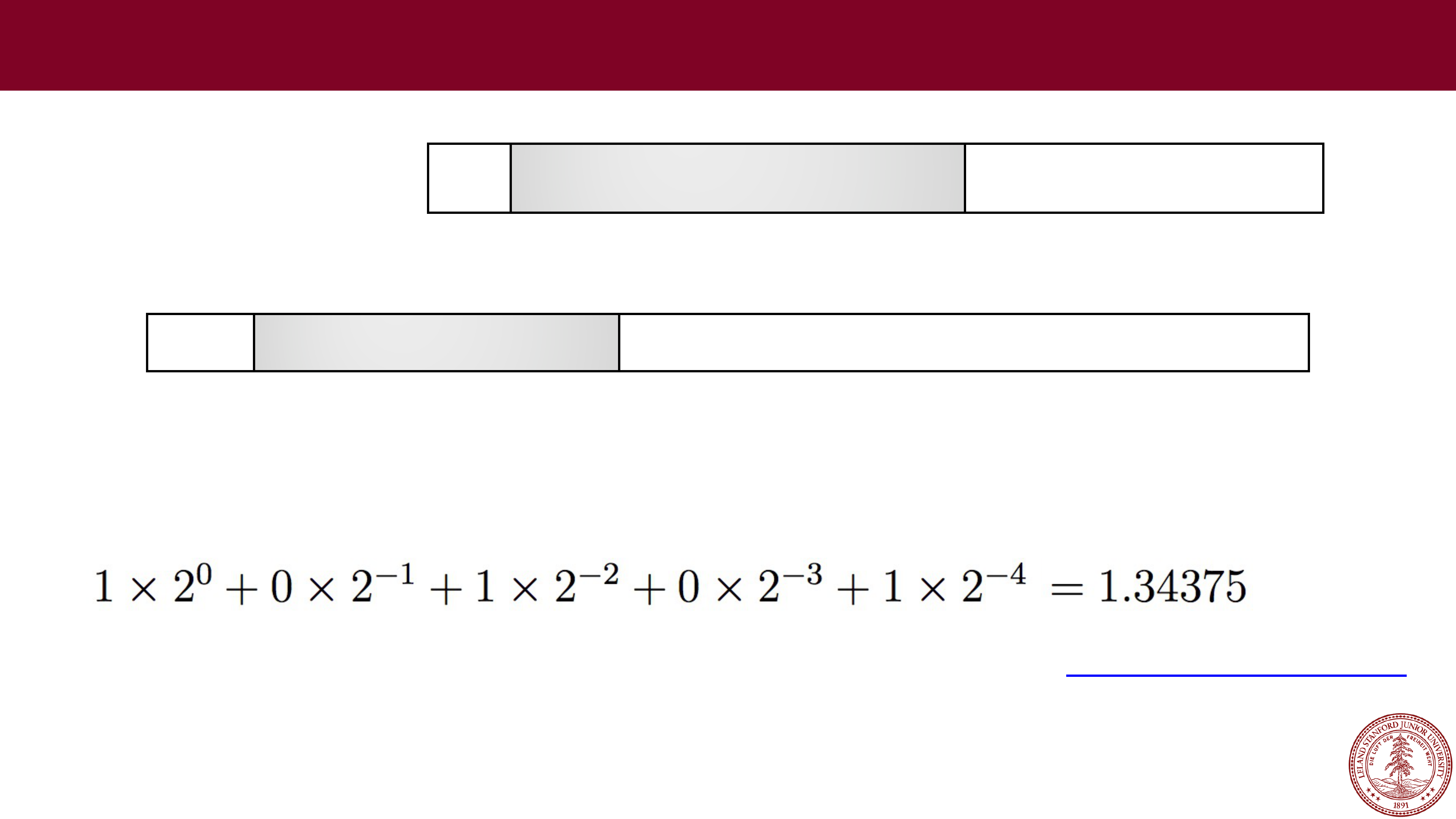
Fraction: 01011, which is assumed to be 1.01011 (binary), which is:
•
Therefore, this number represents +1.34375 x 2
5
= 43.0
(to the converter!)
Page 39
 Let's try some more…
•
Example:
31
30
23
22
0
s
exponent (8 bits)
fraction (23 bits)
Single precision (
float)
•
Sign: 1 (negative)
•
Exponent: 10000101 = 133 (biased), so exponent of 2 will be 133
-
127 = 6
•
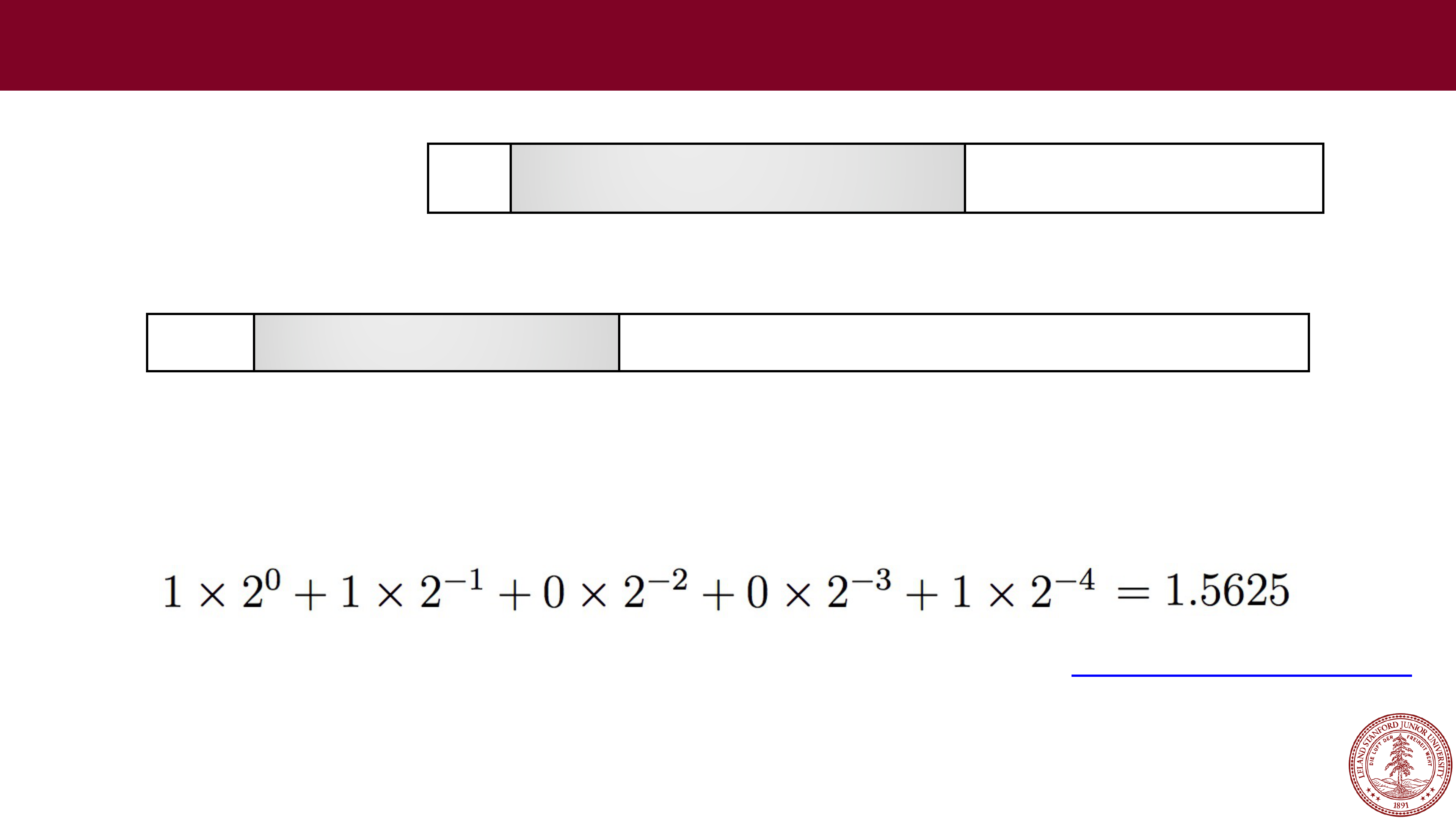
Fraction: 1001, which is assumed to be 1.1001 (binary), which is:
•
Therefore, this number represents
-
1.5625 x 2
6
=
-100.0 (to the converter!)
31
30
23
22
0
1
10000101 10010000000000000000000
Page 40
 Let's try some more…
•
Example:
31
30
23
22
0
s
exponent (8 bits)
fraction (23 bits)
Single precision (
float)
•
Sign: 0 (positive)
•
Exponent: 01111010 = 122 (biased), so exponent of 2 will be 122
-
127 =
-5
•
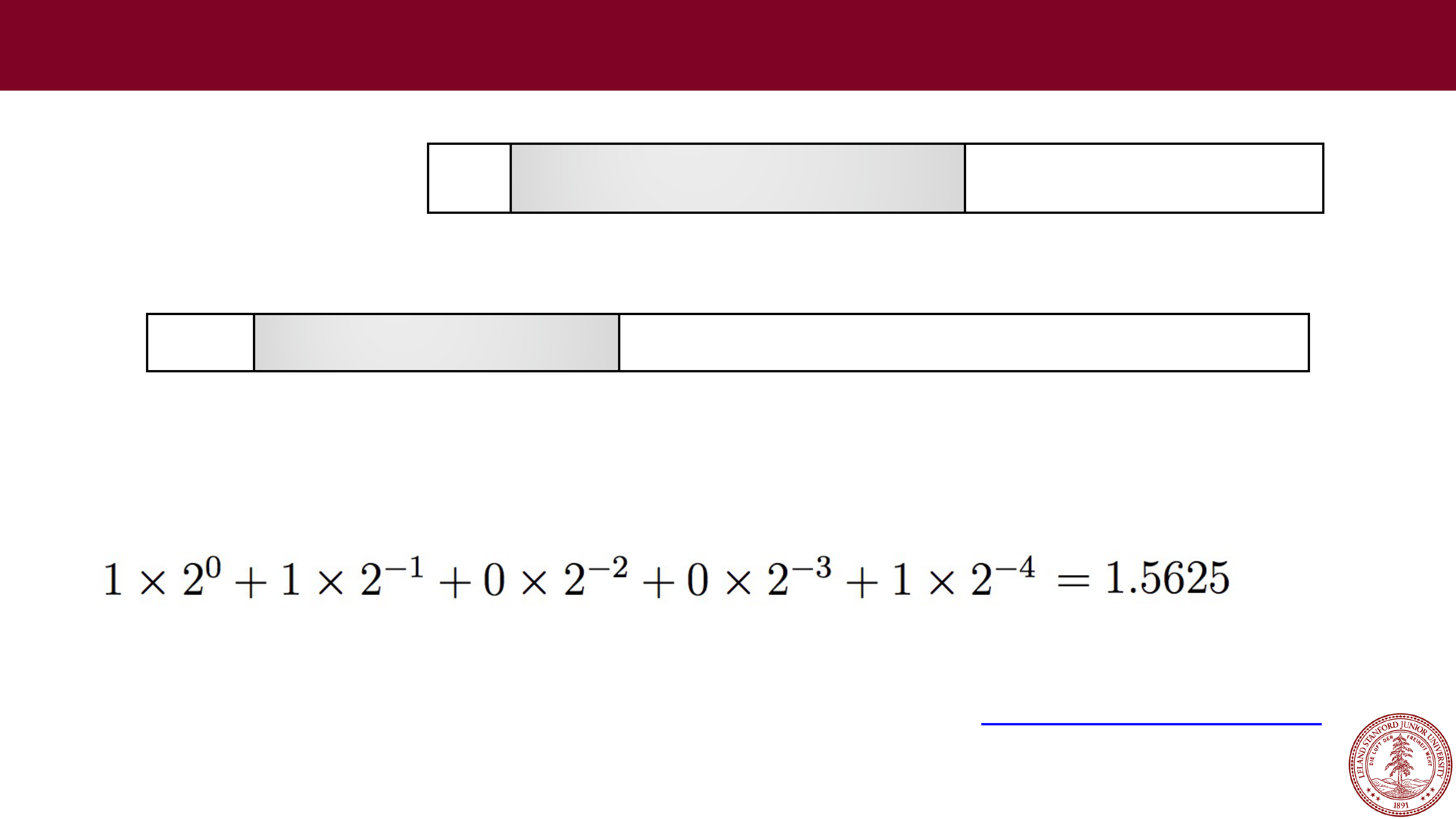
Fraction: 1001, which is assumed to be 1.1001 (binary), which is:
•
Therefore, this number represents +1.5625 x 2
-5
= 0.048828125
(to the converter!)
31
30
23
22
0
0
01111010 10010000000000000000000
Page 41
 3 minute break
Page 42
 When is a floating point value an integer?
•Before we tackle that question, let's ask another: what is the exponent
really doing to the significand?
31
30
23
22
0
s
exponent (8 bits)
fraction (23 bits)
Single precision (
float)
•
Remember:
•We are multiplying the significand (M) by a power of two…in other words,
we are shifting it.
•So…if the un-
biased exponent shifts the significand enough bits so that
none of the fractional bits are still fractions, then we have an integer.
Page 43
When is a floating point value an integer?
•
Example: Let's convert 1234567 decimal to floating point
•
We need to divide by a power of two such that we get a fraction that is between 1 and 2.
•
First, let's convert 1234567 to binary for the significand:
100101101011010000111 (
use this website for the conversion
)
•
Remove the leading 1 (it's free!), and add zeros at the end to get to 23 bits:
•
Now determine the amount we need to shift left to get the binary representation in the
form of 1.xxxx (in this case, 20), and add the bias: 20 + 127 = 147, and convert to binary
(also, add the sign bit, 0):
31
30
23
22
0
s
exponent (8 bits)
fraction (23 bits)
Single precision (
float)
31
30
23
22
0
00101101011010000111000
31
30
23
22
0
0
10010011 00101101011010000111000
Page 44
Denormalized Floats
•
When the exponent is all zeros, this is called "denormalized" form. We interpret the
exponent differently: the exponent is now 1
-Bias (or, you can think of the bias now being
1 less, or 126 instead of 127 in the case of 32
-bit floats). The significand value is simply
the fraction, without a leading 1.
•
Why do we do this?
•We now have a way to represent zero (all 0s). Technically, all 0s is +0.0, and a 1 followed
by all 0s is
-0.0.
•
There is "gradual underflow," meaning that it allows us to extend the lower range of
representable numbers, and to limit the amount of error with very small numbers. See
here for more information than you may ever want:
https://docs.oracle.com/cd/E19957-
01/816
-2464/ncg_math.html
31
30
23
22
0
s
00000000
fraction (23 bits)
Single precision (
float)
Page 45
Exceptional Floating Point Values
•
When the exponent is all ones, this is called "exceptional" form. These numbers are not
real numbers in the sense that we can calculate with them (except in very certain
circumstances).
•
Exceptional numbers can denote the infinities:
•
0 11111111 00000000000000000000000 is +infinity
•
1 11111111 00000000000000000000000 is -infinity
•
Exceptional numbers also define the "NaN" (Not a Number) numbers, which can have
special purposes, but are largely ignored (and there are millions of them!)
•
You can generate exceptional numbers in various ways:
•
The divisions 0/0 and ±∞/±∞
•
The multiplications 0×±∞ and ±∞×0.
•
The additions ∞ + (−∞), (−∞) + ∞ and equivalent subtractions.
•
The square root of a negative number.
•
See
https://en.wikipedia.org/wiki/NaN#Operations_generating_NaN
for more details.
31
30
23
22
0
s
11111111
fraction (23 bits)
Single precision (
float)
Page 46
Arithmetic with Floating Point Numbers
On the first day of class, we looked at the following program:
#include<stdio.h>
#include<stdlib.h>
int main() {
float a = 3.14;
float b = 1e20;
printf("(3.14 + 1e20) - 1e20 = %g\n", (a + b) - b);
printf("3.14 + (1e20 - 1e20) = %g\n", a + (b - b));
return 0;
}
$ ./floatMultTest
(3.14 + 1e20)
-
1e20 = 0.000000
3.14 + (1e20
-
1e20) = 3.140000
we now have the tools to see why this happens!
Page 47
Arithmetic with Floating Point Numbers
You might be thinking: oh, this is just overflowing. But it is more subtle than that.
float a = 3.14;
float b = 1e20;
printf("(3.14 + 1e20) - 1e20 = %f\n", (a + b) - b);
printf("3.14 + (1e20 - 1e20) = %f\n", a + (b - b));
Let's look at the binary representations for 3.14 and 1e20:
31
30
23
22
0
0
10000000 10010001111010111000011
3.14:
31
30
23
22
0
0
11000001 01011010111100011101100
1e20:
How are we going to add these numbers?
Page 48
Arithmetic with Floating Point Numbers
You cannot simply add the two significands together, you have to align their
binary points. If we wanted to add the decimal values, it would look like this:
3.14
+ 100000000000000000000.00
100000000000000000003.14
31
30
23
22
0
0
10000000 10010001111010111000011
3.14:
31
30
23
22
0
0
11000001 01011010111100011101100
1e20:
Let's see what this looks like in 32-bit IEEE format…
Page 49
Arithmetic with Floating Point Numbers
Let's see what this looks like in 32-bit IEEE format…
100000000000000000003.14
First: Convert to proper binary
(http://web.stanford.edu/class/cs107/float/convert.html)
:
1010110101111000111010111100010110101100011000100000000000000000011.001000111101011100001010001111010111…
Second: Find the most significant 1 and take the next 23 digits after the 1 (we get the 1 for free!). We round up if the rest
Third: Count how many places we need to shift
left
to put the number in 1.xxx format. In this case it is 66. We add 127 to this number, which gives us 127 + 66 = 193, which is
Fourth: if the sign is positive, the sign bit will be
0
, otherwise
1
.
Page 50
Arithmetic with Floating Point Numbers
So, we are left with the following for 100000000000000000003.14 decimal:
31
30
23
22
0
0
11000001 01011010111100011101100
Let's compare this to 1e20 that we had before:
31
30
23
22
0
0
11000001 01011010111100011101100
Identical!
We didn't have enough bits to differentiate between 1e20 and 100000000000000000003.14
Page 51
Arithmetic with Floating Point Numbers
Back to our original example:
float a = 3.14;
float b = 1e20;
printf("(3.14 + 1e20) - 1e20 = %f\n", (a + b) - b);
printf("3.14 + (1e20 - 1e20) = %f\n", a + (b - b));
$ ./floatMultTest
(3.14 + 1e20)
-
1e20 = 0.000000
3.14 + (1e20
-
1e20) = 3.140000
Clearly,
1e20 - 1e20
will produce
0
(no need to shift the binary points). What
this really means is that
floating point arithmetic is not associative
. In other
words, the order of operations matters.
Page 52
Arithmetic with Floating Point Numbers
Here is another example:
The rounding that happens during the calculation of 0.1 + 0.2 produces a different
number than 0.3!
int main()
{
double a = 0.1;
double b = 0.2;
double c = 0.3;
double d = a + b;
printf("0.1 + 0.2 == 0.3 ? %s\n", a + b == c ? "true" : "false");
return 0;
}
$ ./floatEquality
0.1 + 0.2 == 0.3 ? false
Page 53
Arithmetic with Floating Point Numbers
int main()
{
double a = 0.1;
double b = 0.2;
double c = 0.3;
double d = a + b;
printf("0.1 + 0.2 == 0.3 ? %s\n", a + b == c ? "true" : "false");
printf("0.1:\t%.50g\n",a);
printf("0.2:\t%.50g\n",b);
printf("0.3:\t%.50g\n",c);
printf("a + b:\t%.50g\n",d);
return 0;
}
$ ./floatEquality
0.1 + 0.2 == 0.3 ? false
0.1:
0.1000000000000000055511151231257827021181583404541
0.2:
0.2000000000000000111022302462515654042363166809082
0.3:
0.2999999999999999888977697537484345957636833190918
a + b:
0.30000000000000004440892098500626161694526672363281
See extra slide for gdb run.
Page 54
Arithmetic with Floating Point Numbers
Here is another example:
#include<stdio.h>
#include<stdlib.h>
int main()
{
printf("16777224.0f == 16777225.0f ? %s
\
n",
16777224.0f == 16777225.0f ? "true" : "false");
return 0;
}
Page 55
Arithmetic with Floating Point Numbers
Here is another example:
It turns out that
16777225
is an integer that you cannot represent as a 32-bit float.
#include<stdio.h>
#include<stdlib.h>
int main()
{
printf("16777224.0f == 16777225.0f ? %s
\
n",
16777224.0f == 16777225.0f ? "true" : "false");
return 0;
}
$ ./floatEquality2
16777224.0f == 16777225.0f ? true
Page 56
Floating Point Takeaways
•
The IEEE Floating Point Standard was a carefully thought-out way to get the
most out of a discrete set of bits. It may not be simple, but it is a great study in
good engineering design.
•
Floating point numbers represent a very large range, in a limited number of bits.
A 32-bit float can only hold a bit over 4 billion numbers and has a range of
-
3.4E+38 to +3.4E+38
. Not only is this literally an infinite number of reals that
the format must try and represent, but that is a phenomenal range of numbers.
The 64
-bit double range is -1.7E+308 to +1.7E+308
(!)
•
Most numbers are, therefore, only represented approximately in float format,
including many integers. Example:
•
1 trillion = 1,000,000,000,000, and in 32-bit floating point, it is actually
represented by the value 999,999,995,904, off by 4096!
•
You almost certainly don't want to use floats for currency!
Page 57
Floating Point Takeaways
•
You have to be very careful with your arithmetic when you are dealing with floats:
•
Associativity does not hold for numbers far apart in the range.
•
Many numbers are not exact (e.g., 0.1, 0.4, etc.)
•
Equality comparison operations are often unwise.
Page 58
References and Advanced Reading
•
References:
•
IEEE 754: https://en.wikipedia.org/wiki/IEEE_754
•
IEEE Floating point: http://steve.hollasch.net/cgindex/coding/ieeefloat.html
•
Floating point arithmetic: https://en.wikipedia.org/wiki/Floating-
point_arithmetic#Dealing_with_exceptional_cases
•
Advanced Reading:
•
Comparing floats using equality:
https://stackoverflow.com/questions/1088216/whats-wrong-with-using-
to
-
compare-floats-in-java
•
Floating point converter: https://www.h-
schmidt.net/FloatConverter/IEEE754.html
•
What Every Computer Scientist Should Know About Floating-Point Arithmetic
•
Floating point rounding errors:
https://softwareengineering.stackexchange.com/questions/101163/what-
causes
-floating-point-rounding-errors
•
Why do we have a bias in floating point exponents?
Page 59
Extra Slides
Extra Slides
Page 60
gdb run for 0.1 + 0.2 != 0.3
$ gdb floatEquality
The target architecture is assumed to be i386:x86
-
64
Reading symbols from floatEquality...done.
(gdb) break main
Breakpoint 1 at 0x400535: file floatEquality.c, line 5.
(gdb) run
Starting program: /afs/ir.stanford.edu/class/cs107/samples/lect10/floatEquality
Breakpoint 1, main () at floatEquality.c:5
5
double a = 0.1;
(gdb) n
6
double b = 0.2;
(gdb)
7
double c = 0.3;
(gdb)
8
double d = a + b;
(gdb)
9
printf("0.1 + 0.2 == 0.3 ? %s
\
n", a + b == c ? "true" : "false");
(gdb) x/gt &c
0x7fffffffe9e0:
0011111111010011001100110011001100110011001100110011001100110011
(gdb) x/gt &d
0x7fffffffe9e8:
0011111111010011001100110011001100110011001100110011001100110100
(gdb)