Our three tasks
Farmers market sellers and independent producers like Jenny, a honey vendor, win customers by telling their food’s story in person, but they lack the time and know-how to keep that going online. Telly turns a quick photo or 30-second voice memo into posts and replies in the vendor’s own voice, and nothing goes out without the vendor’s approval.
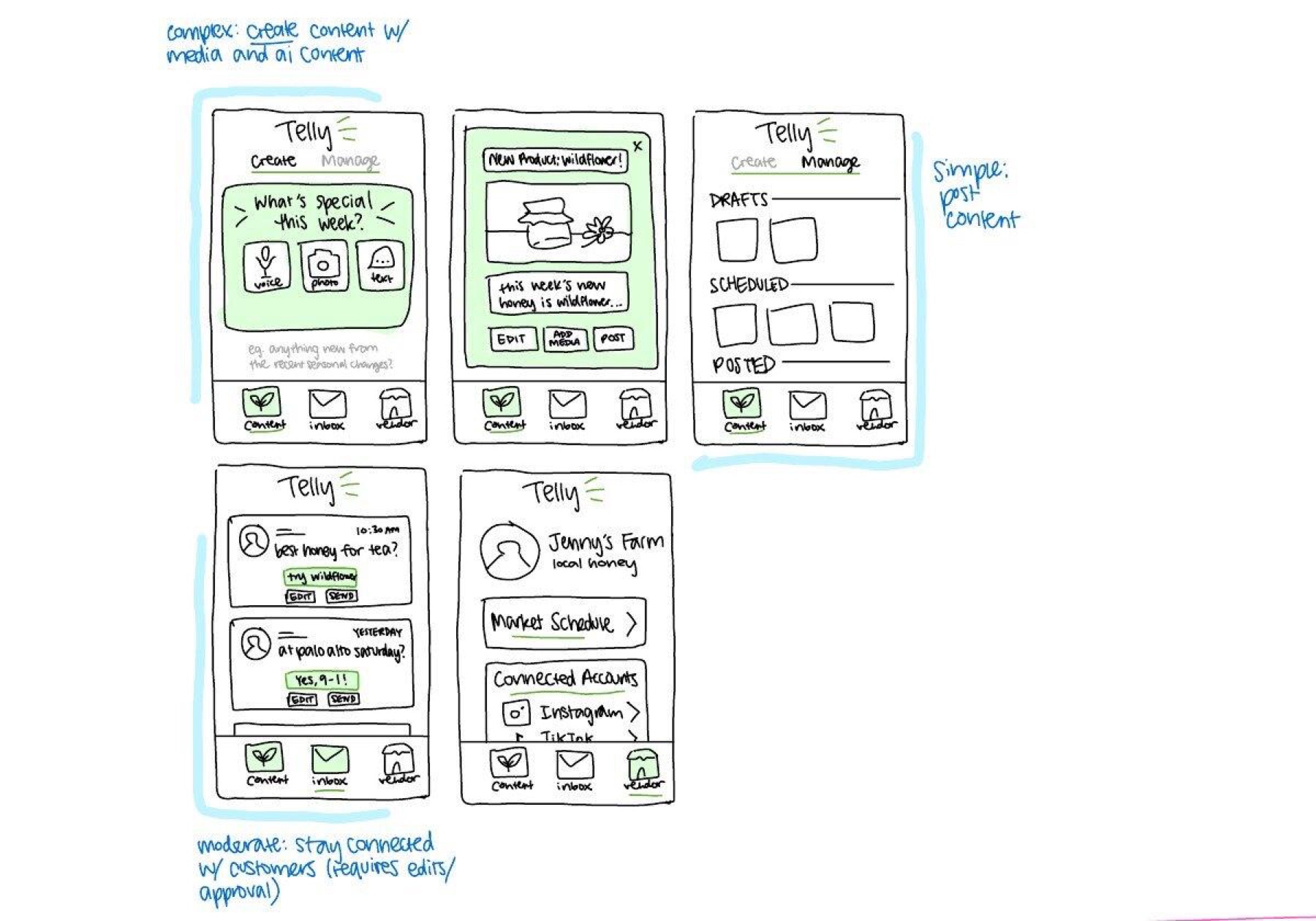
| Task | Difficulty | Why this level |
|---|---|---|
| Share what you’re selling this week | Simple | The most frequent task: Telly has already drafted the post, so the vendor only reviews it and picks where it goes. |
| Keep in touch with customers between markets | Moderate | One-way posting becomes two-way conversation. Each reply is small, but the vendor must check it is accurate and sounds like her, and edit when it doesn’t. |
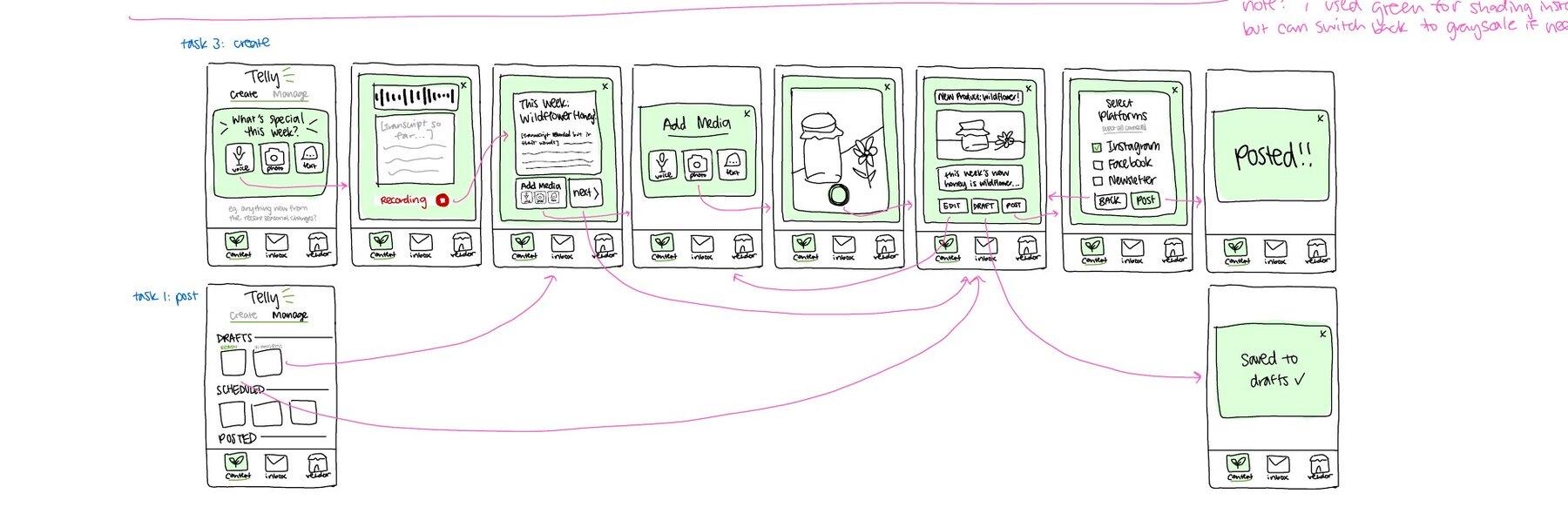
| Tell your food’s story in your own voice | Complex | The vendor creates content from scratch: she records her story, adds her own photo, reviews the AI’s wording against what she said, then publishes across platforms. |
40 solution ideas
We sketched 40 ideas across five sheets, deliberately spanning form factors from phones and voice calls to wearables, AR/VR and in-stall hardware.
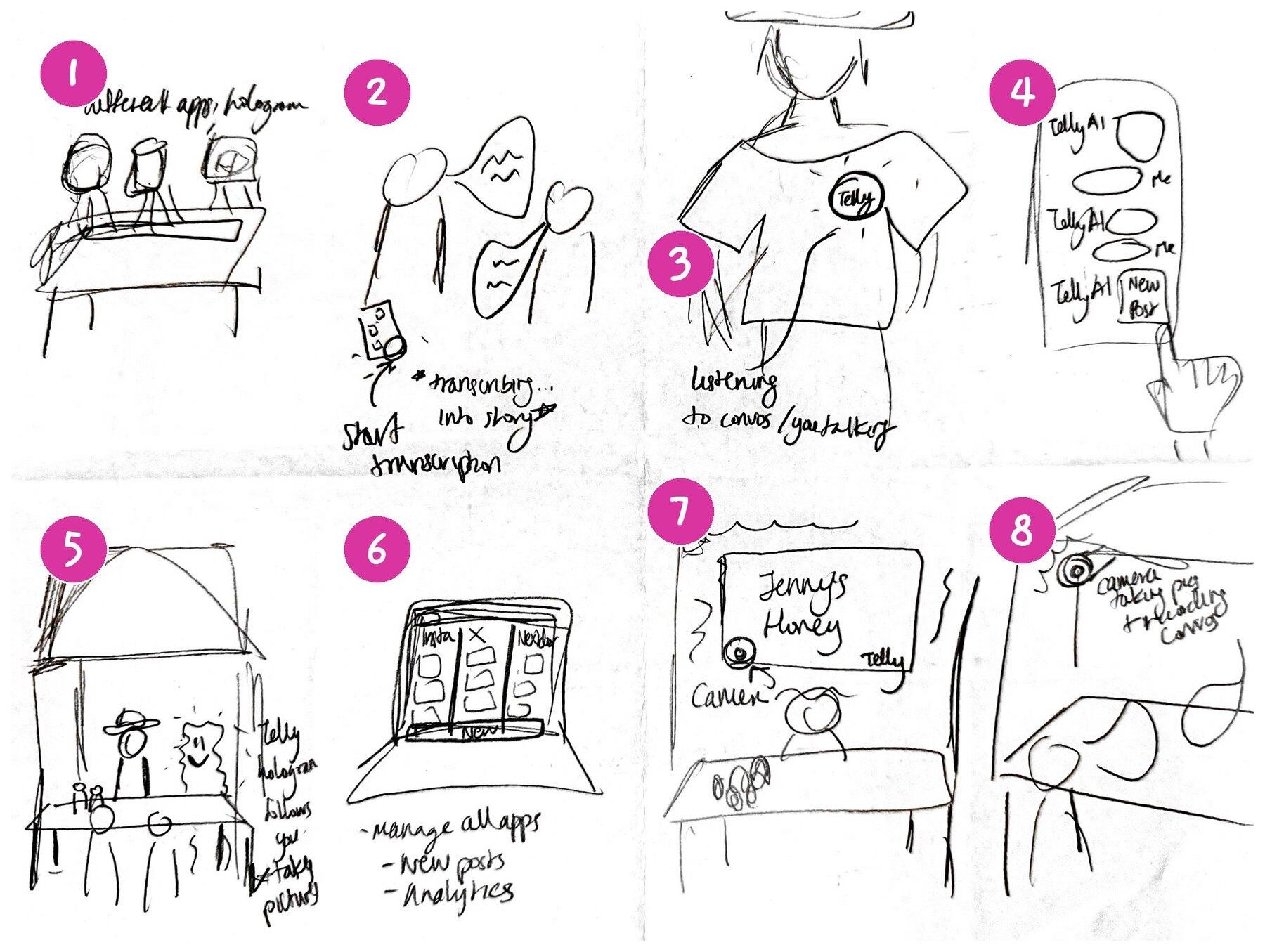
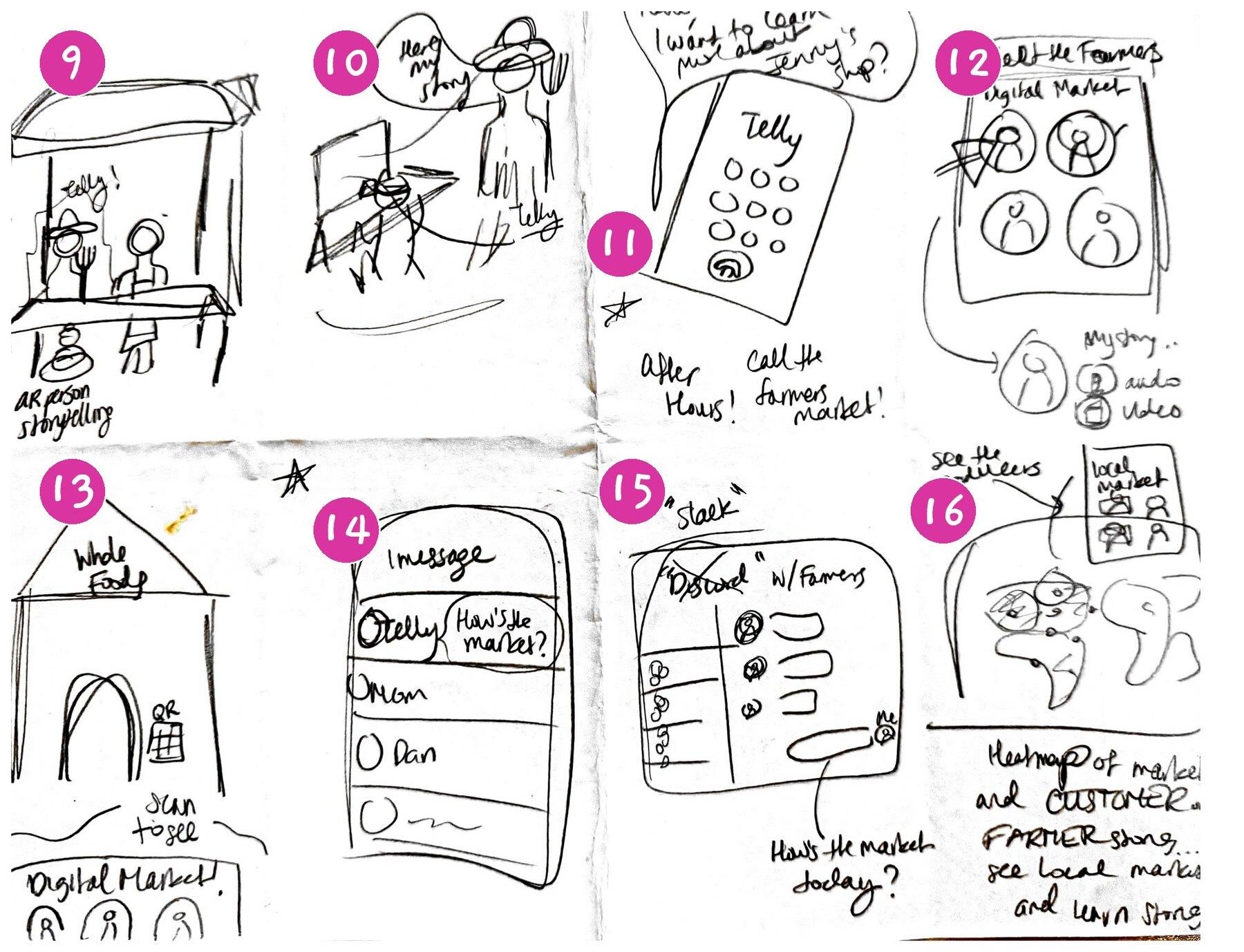
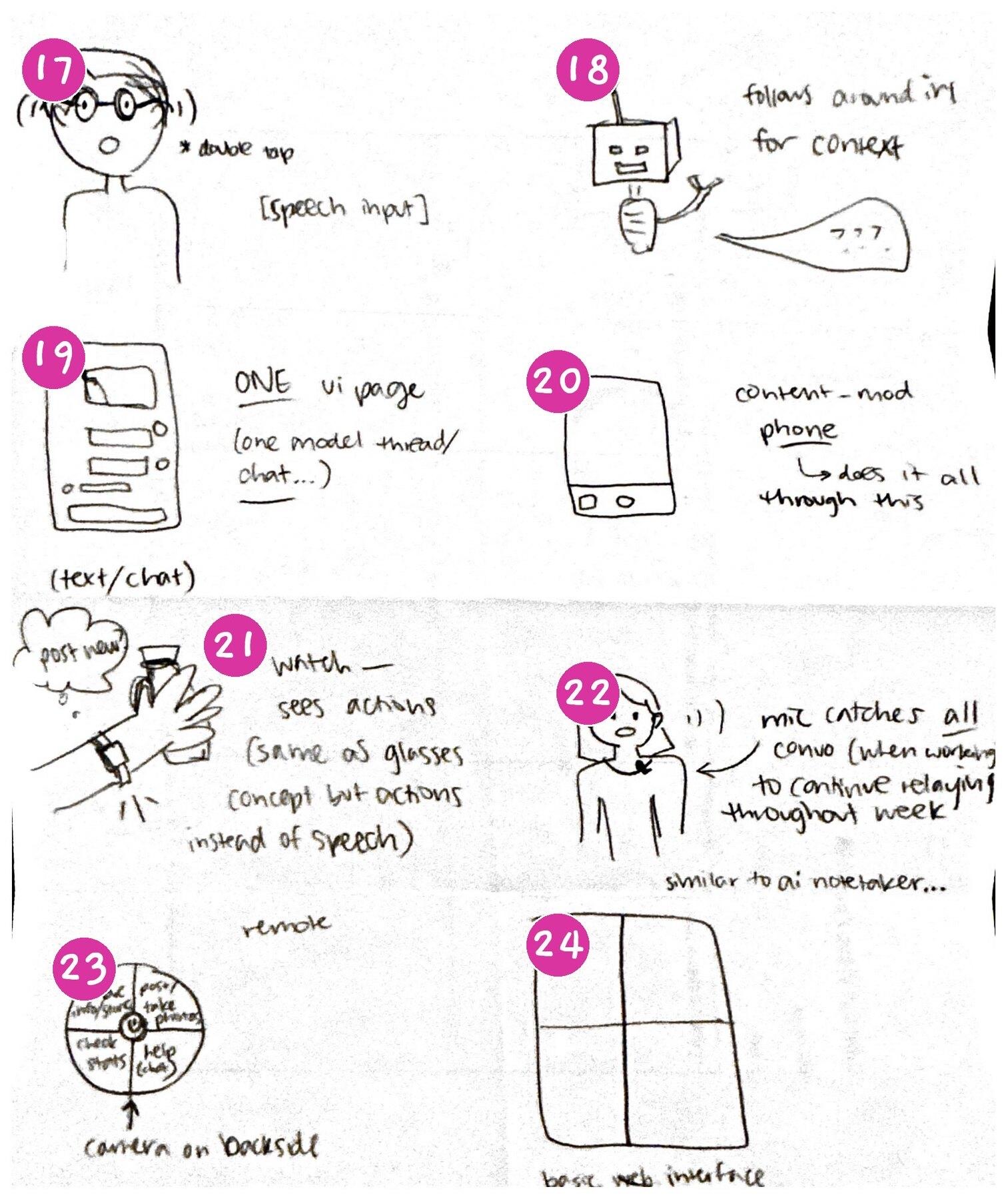
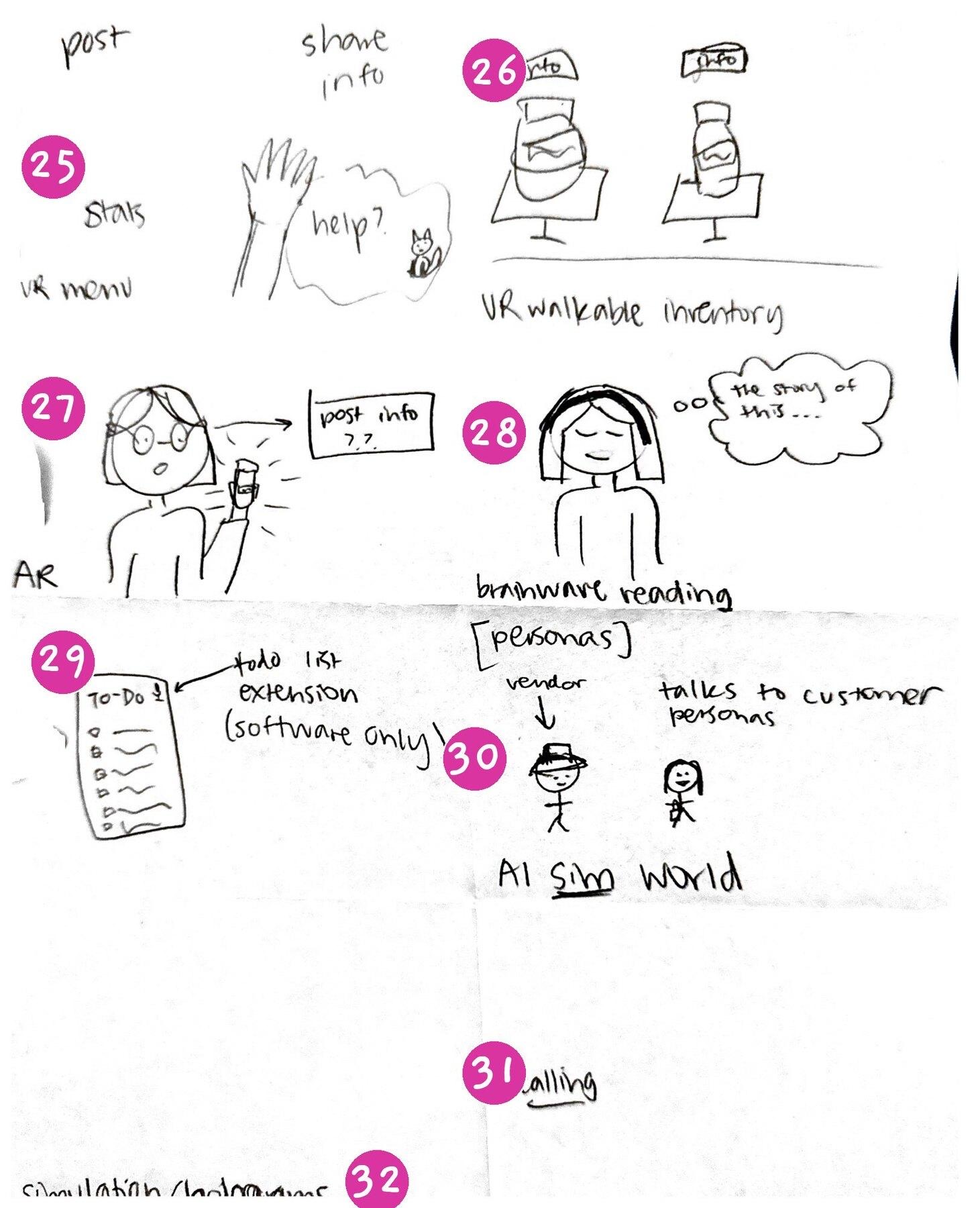
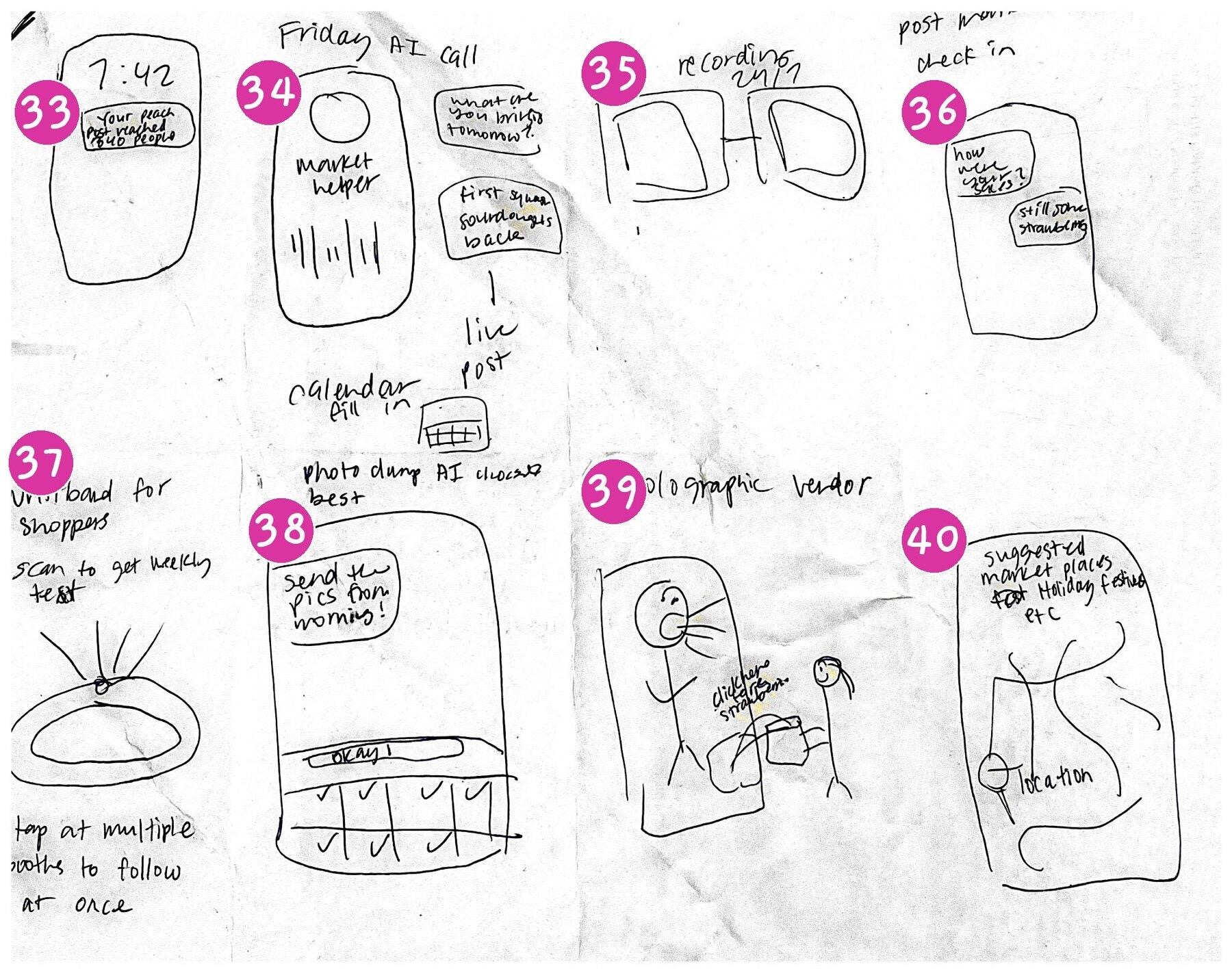
Three interface concepts
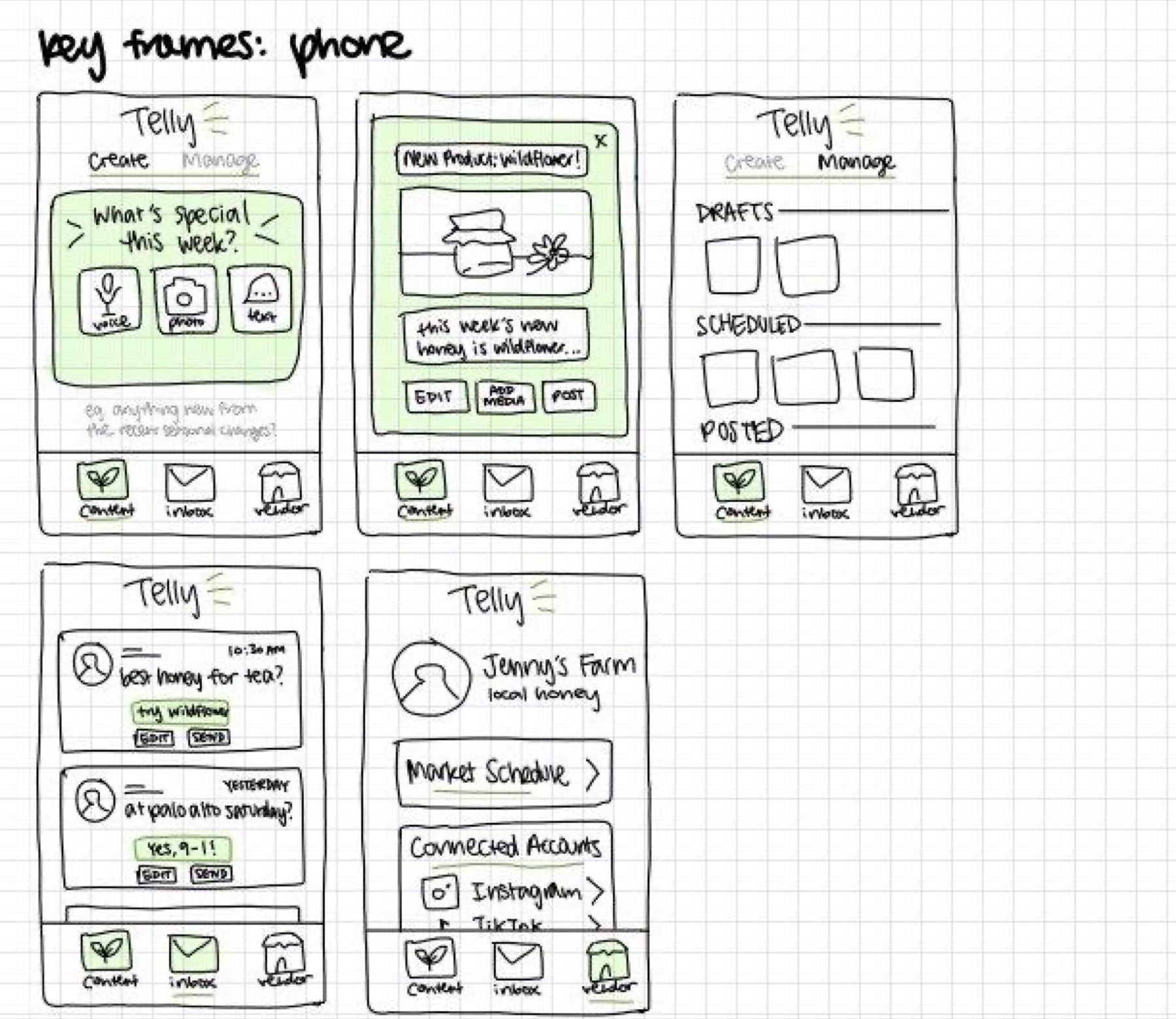
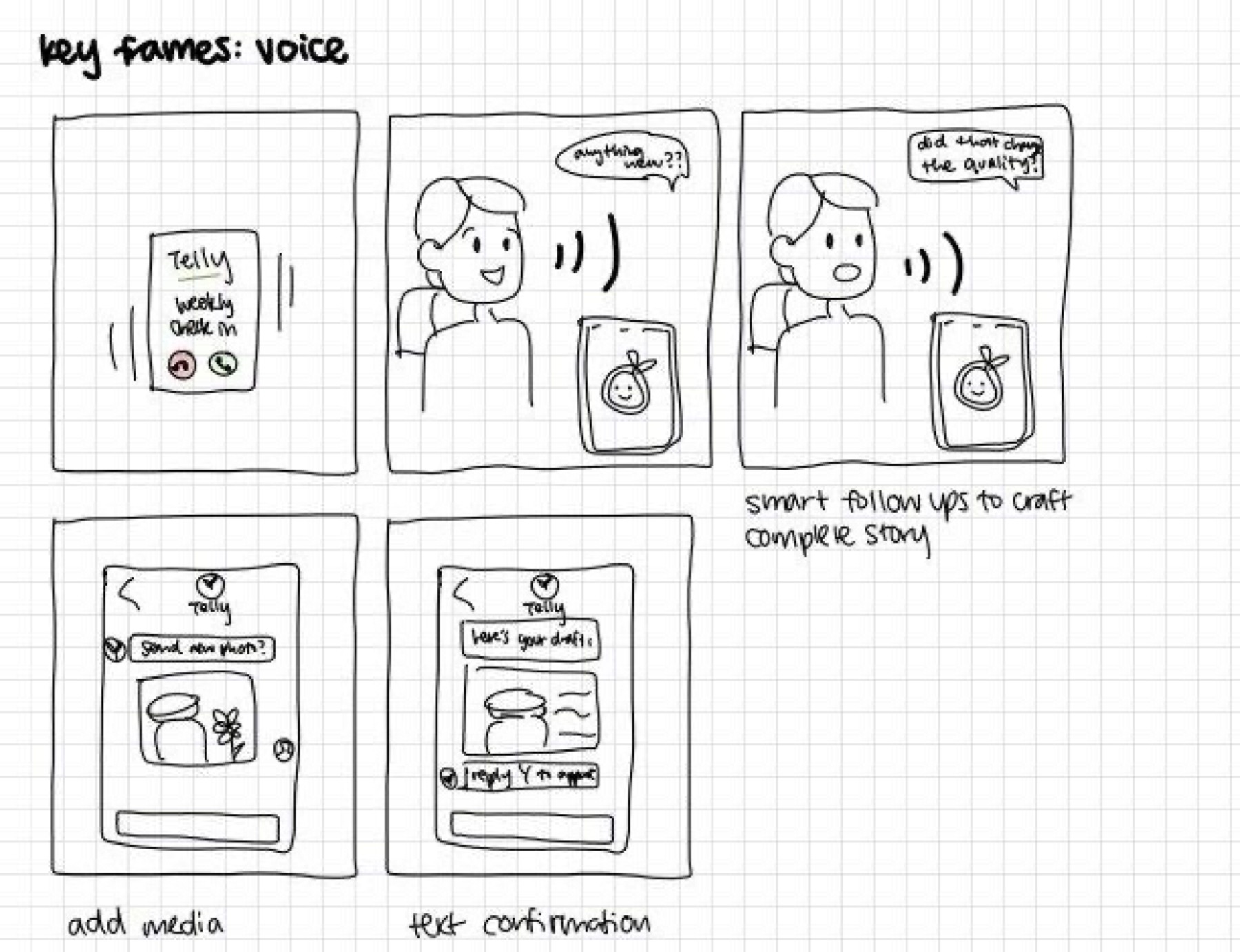
From the 40 ideas we developed three concepts on different platforms, each sketched through our tasks: smart glasses (hands-free capture), a phone app (create, inbox, manage) and a voice agent (talk to Telly like a person).
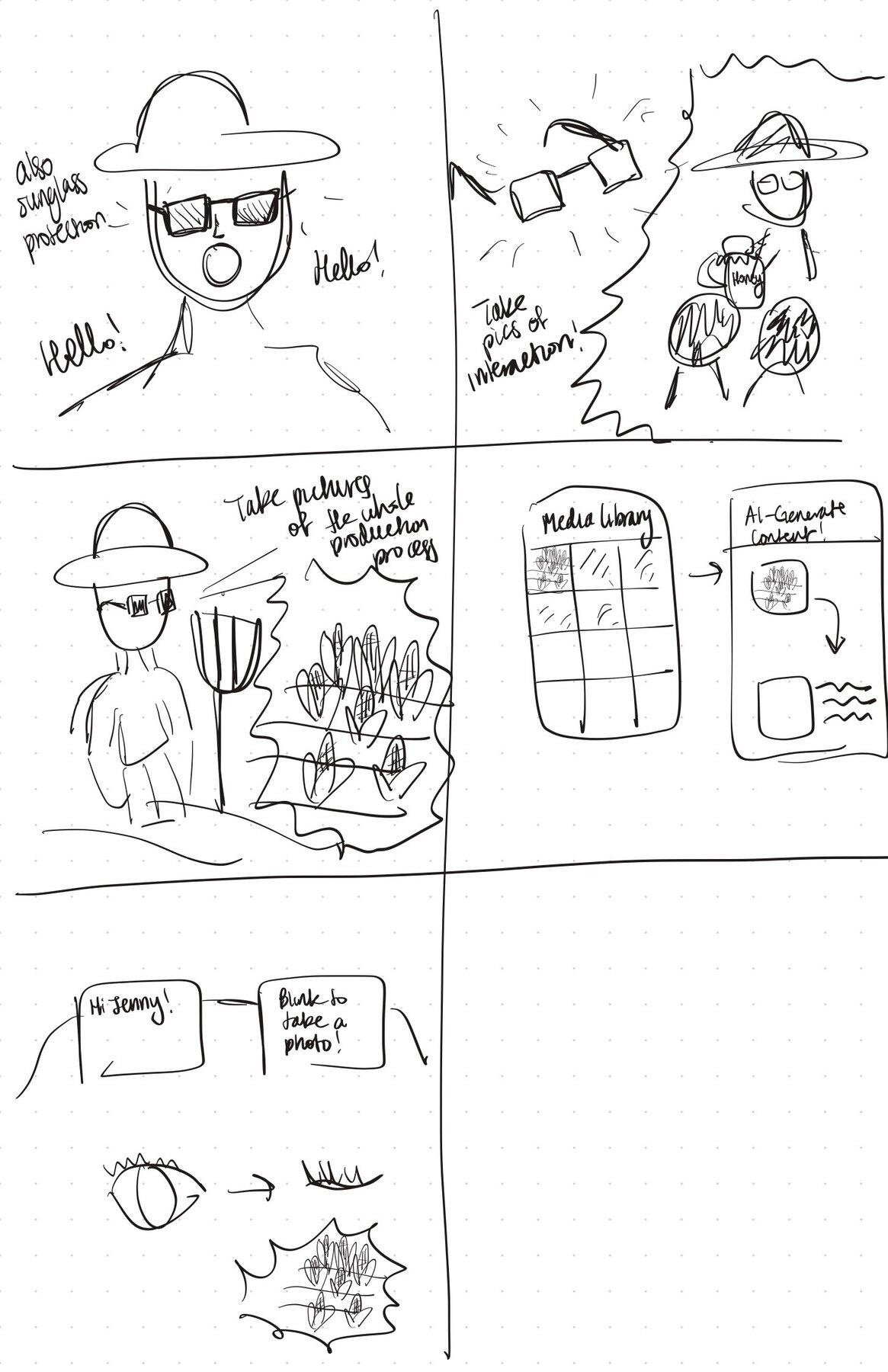
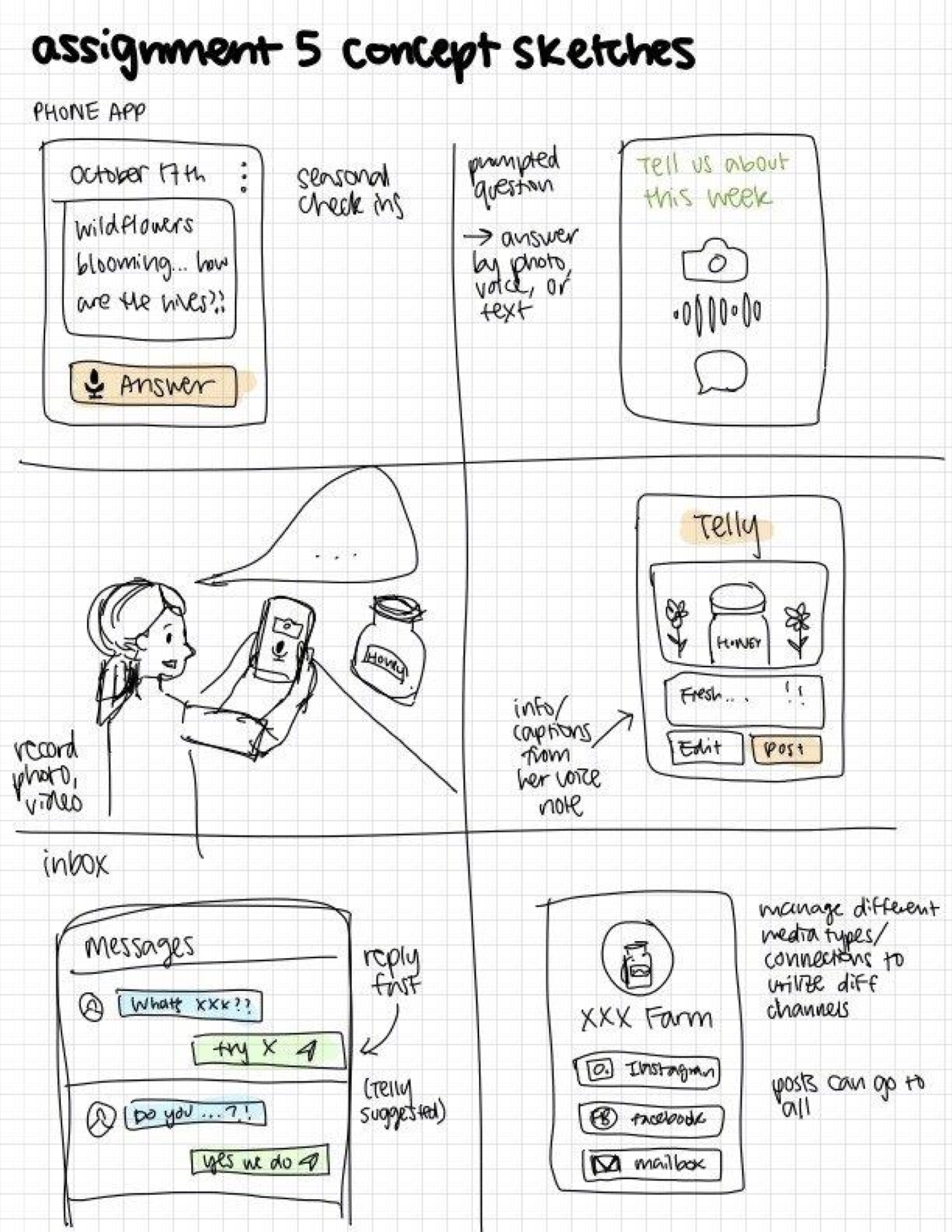
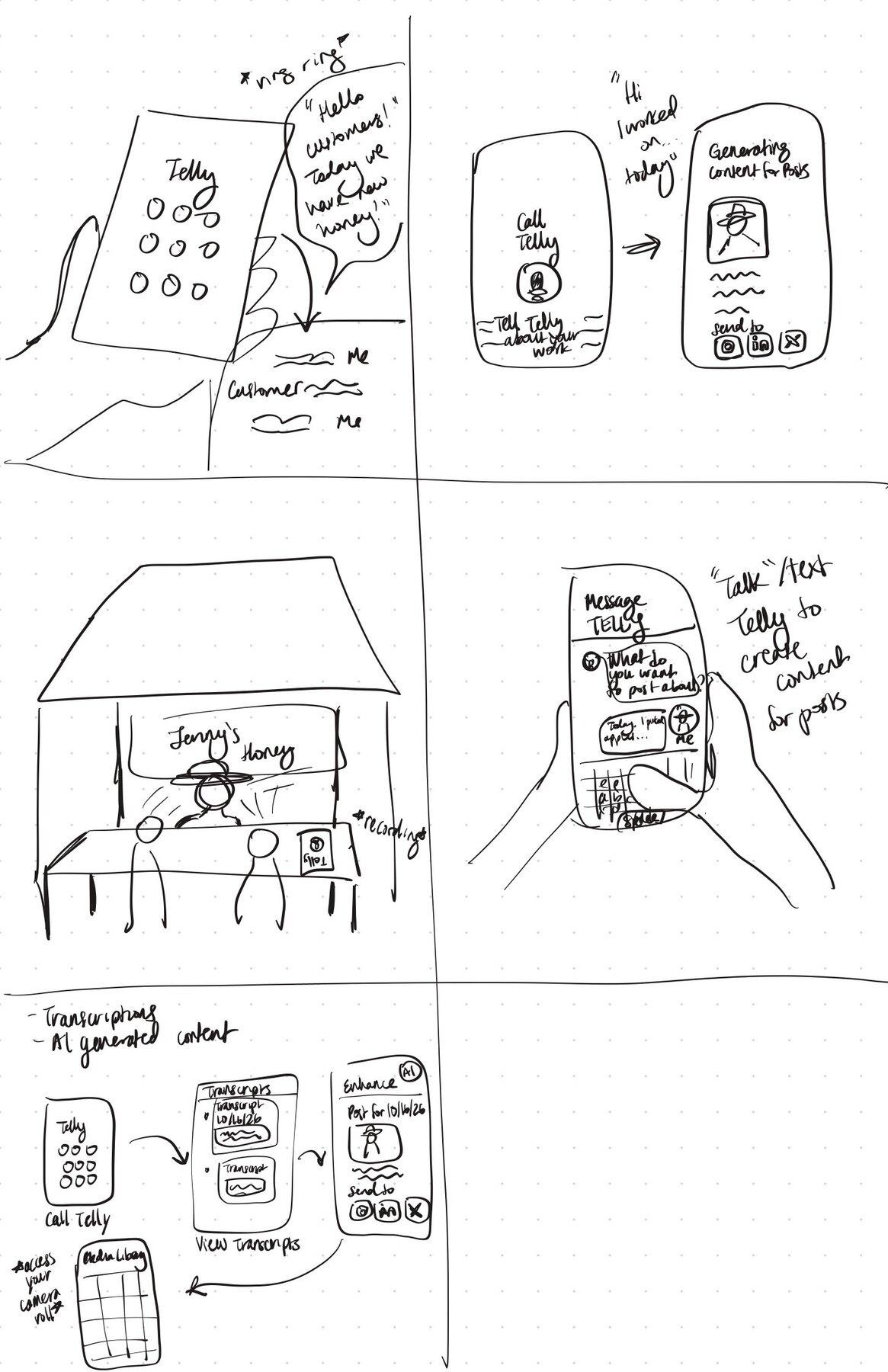
We dropped the glasses early. They were the most hands-free option at a busy stall, but they record customers who never agreed to it, cost far more than a phone vendors already own, and give no good surface for reviewing drafts. We sketched key frames for the phone app and the voice agent to compare how each carries the core moments of our tasks.
Choosing the phone app
| Phone app | Voice agent | |
|---|---|---|
| Pros | Vendors already own a phone · every draft and reply is visible before posting · photo, voice, and text input in one place · inbox, drafts, and accounts live together | Lowest effort: talking feels like telling the story at the stall · works for vendors new to social media · follow-up questions draw out a fuller story |
| Cons | More screens to learn · typing edits is slow at the stall · busy vendors may ignore notifications | Hard to review a post you can only hear · approving by replying “Y” risks unread posts · awkward at a noisy market · weak for managing many accounts |
We chose the phone app: it is the only concept where vendors can see and approve every post and reply before it goes out, while still capturing stories by voice. The voice agent’s best idea, talking instead of typing, carries over as the app’s voice button.
Task-flow storyboards
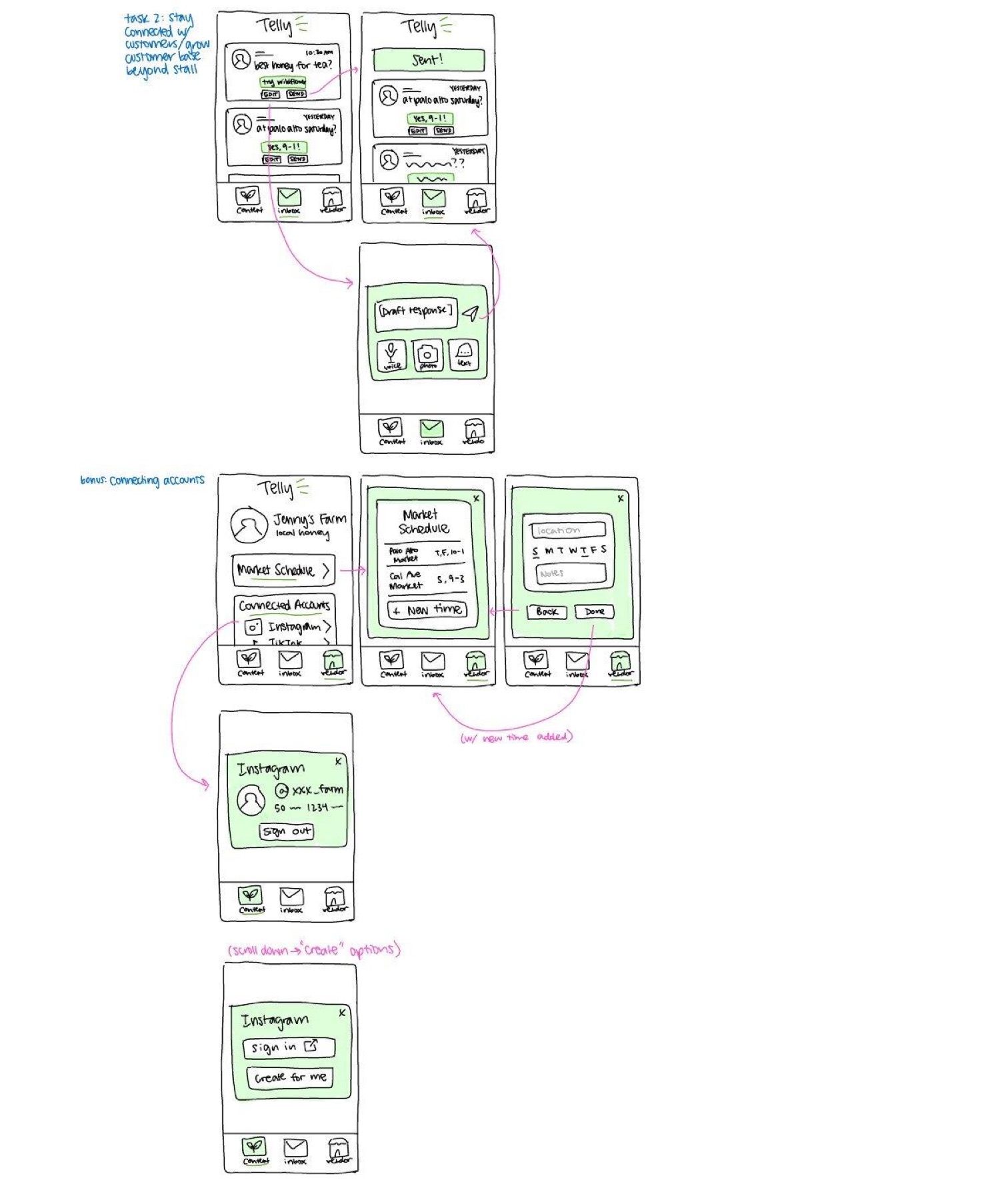
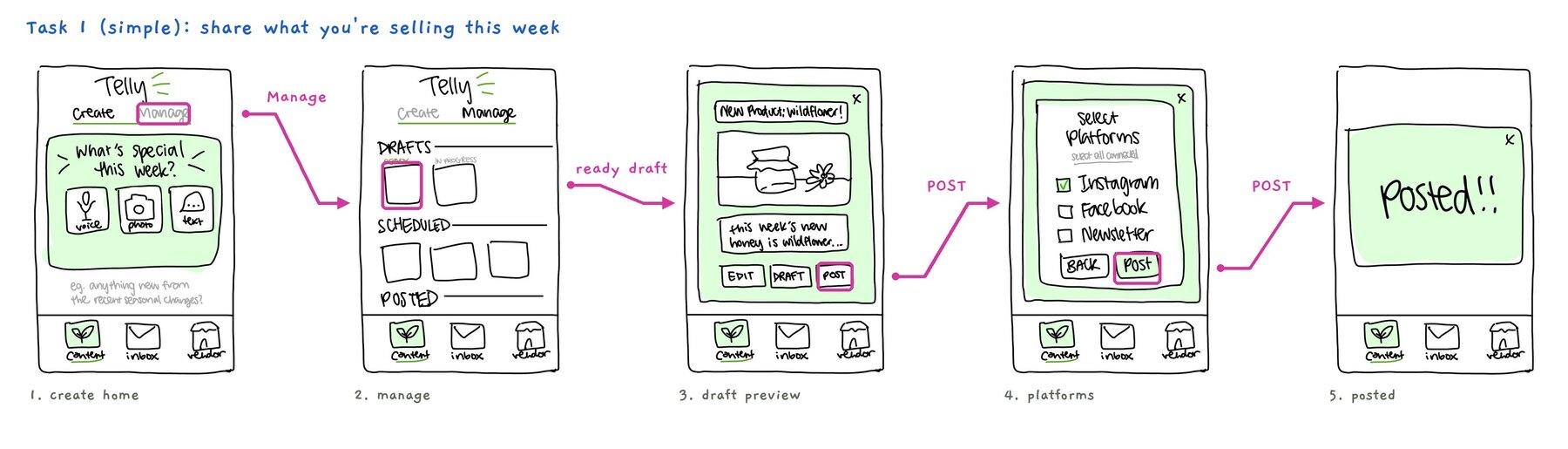
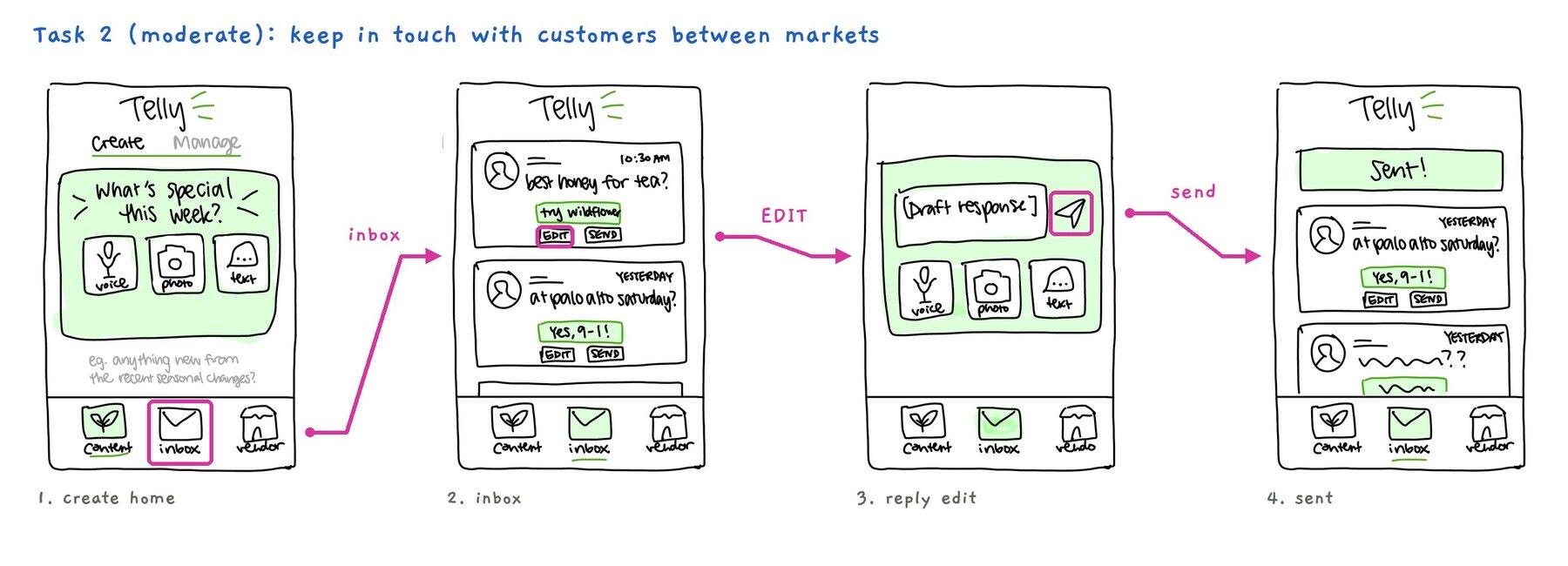
We grouped the phone key frames by task, then storyboarded each task screen by screen, with pink arrows showing where every tap leads. These storyboards became the screens of our prototype.
The low-fi prototype
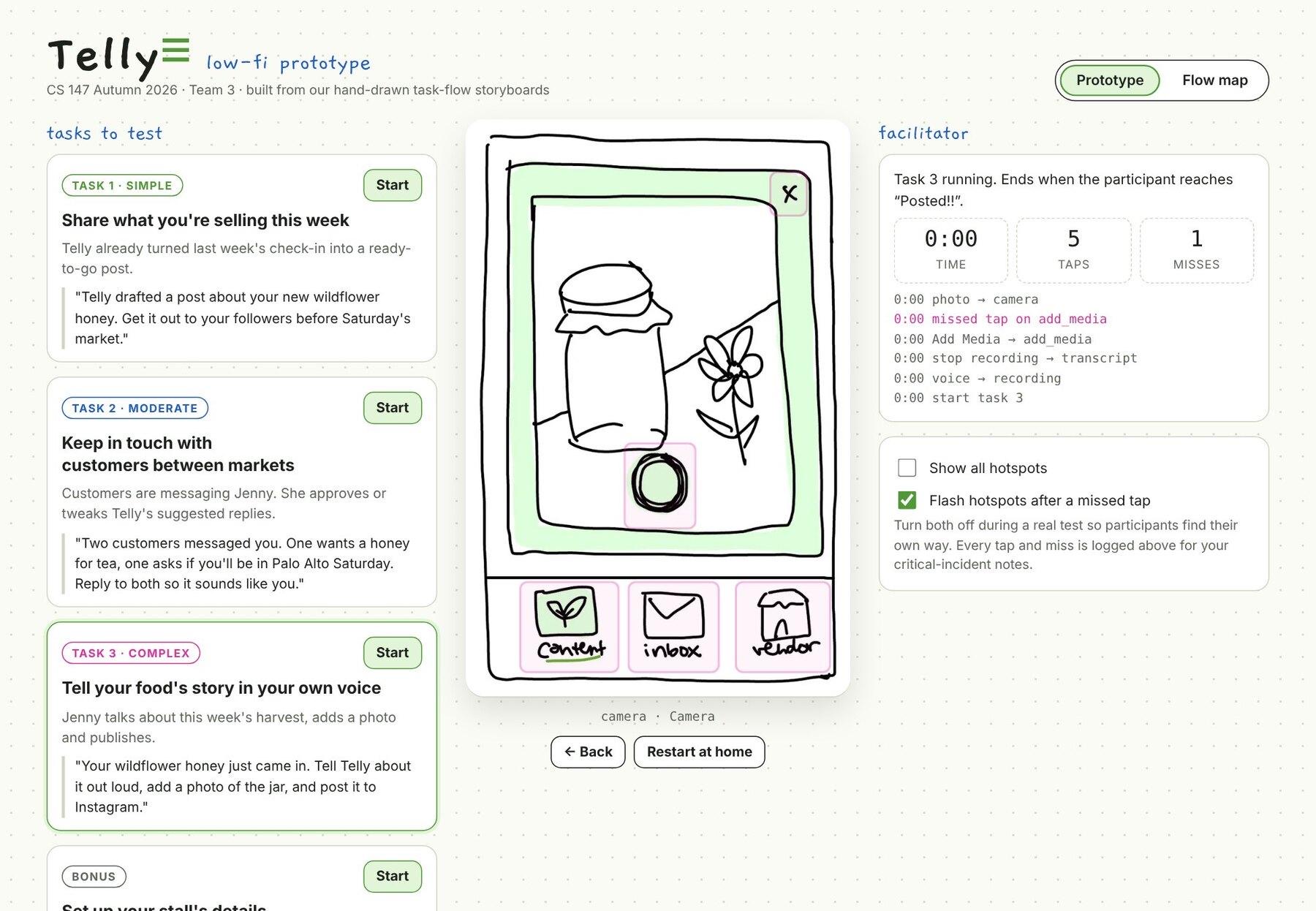
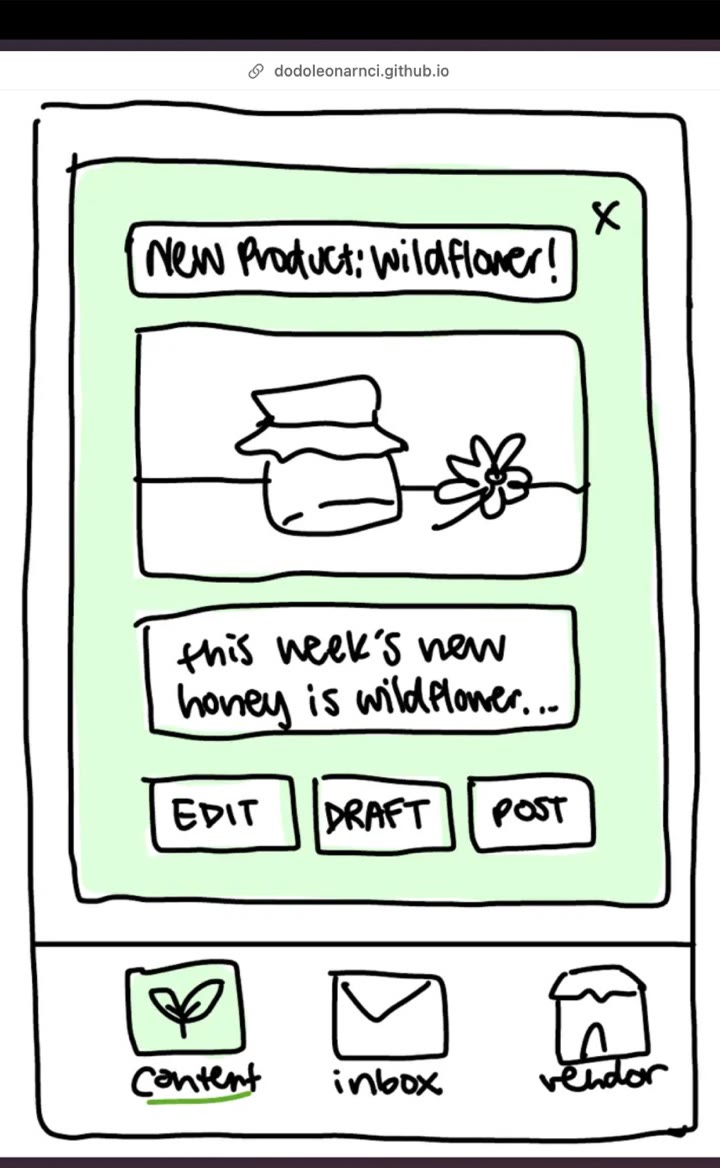
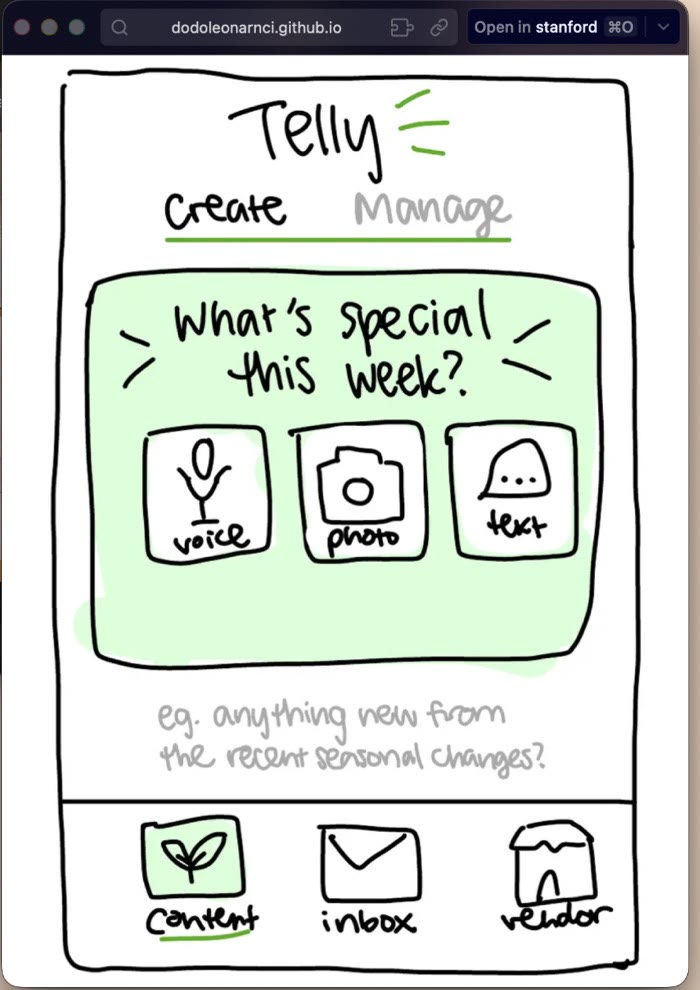
Our prototype is the 18 hand-drawn screens from the cleaned storyboards, wired into a clickable web prototype: tapping a sketched button opens the next sketch. We kept every screen as a rough sketch so testers react to the flow, not the visuals. For testing, the page has a task launcher with a script line to read aloud for each task, and a facilitator panel that times the task and logs every tap and missed tap. Vendors used the mobile view on an iPad.
Testing with vendors
We tested at the Stanford Farmers’ Market, at each vendor’s own stall during market hours, with customers around. One returning participant (Jenny, the honey vendor) and three new ones were recruited in person at their stalls; no monetary compensation was given. The mobile prototype ran on an iPad while a phone filmed their hands.
| Vendor | Sells | Social media experience |
|---|---|---|
| Jenny | Honey · returning | Beginner. Sells honey with John and leaves the posting to him. |
| Andy | Chinese food · new | Beginner. Sells cold noodles and egg rolls. Not very techie. |
| John | Honey · new | Experienced. Runs the stall’s social media and newsletter; an assistant answers customers. |
| Sidney | Jewelry · new | Expert. Runs social media for her shop and partner businesses; uses AI tools. |
Results: every vendor posted on their own
| Goal | Target | What happened |
|---|---|---|
| Efficient (met) | Task 3 in under 3 minutes, 12 taps or fewer | 12 of 12 tasks done without help, never shown where to tap. Andy did all 3 tasks in 2:03. |
| Fewer errors (half met) | 1 error or fewer per vendor, fixed on their own | Andy and John: 0. Jenny and Sidney: 2 each. 4 of 4 errors fixed with no hint. |
Implications
- The core flow works, even for a non-techie. New features can’t bury that simple path.
- Vendors need proof it worked. Every post should end by showing what went out, without breaking our Efficient goal.
- The vendor’s real voice is Telly’s edge, which AI can’t take over.
- Experience didn’t predict who got stuck. Beginners follow the path; experts bring habits from other apps.
Medium-fi build plan
What we’ll build, in priority order:
- Finish screen with next steps; “+ New post” always visible
- Real buttons, every word editable, real camera, photo picker
- “Post later” button synced with market schedule, offers optimal posting time
- Shared inbox: a helper can reply, and each reply shows who sent it