Find your roots.

Nurture communities through shared goals

View our process

Give the app a try!

Download the Expo Go app and scan the QR code below and read the README for instructions.

What is root?

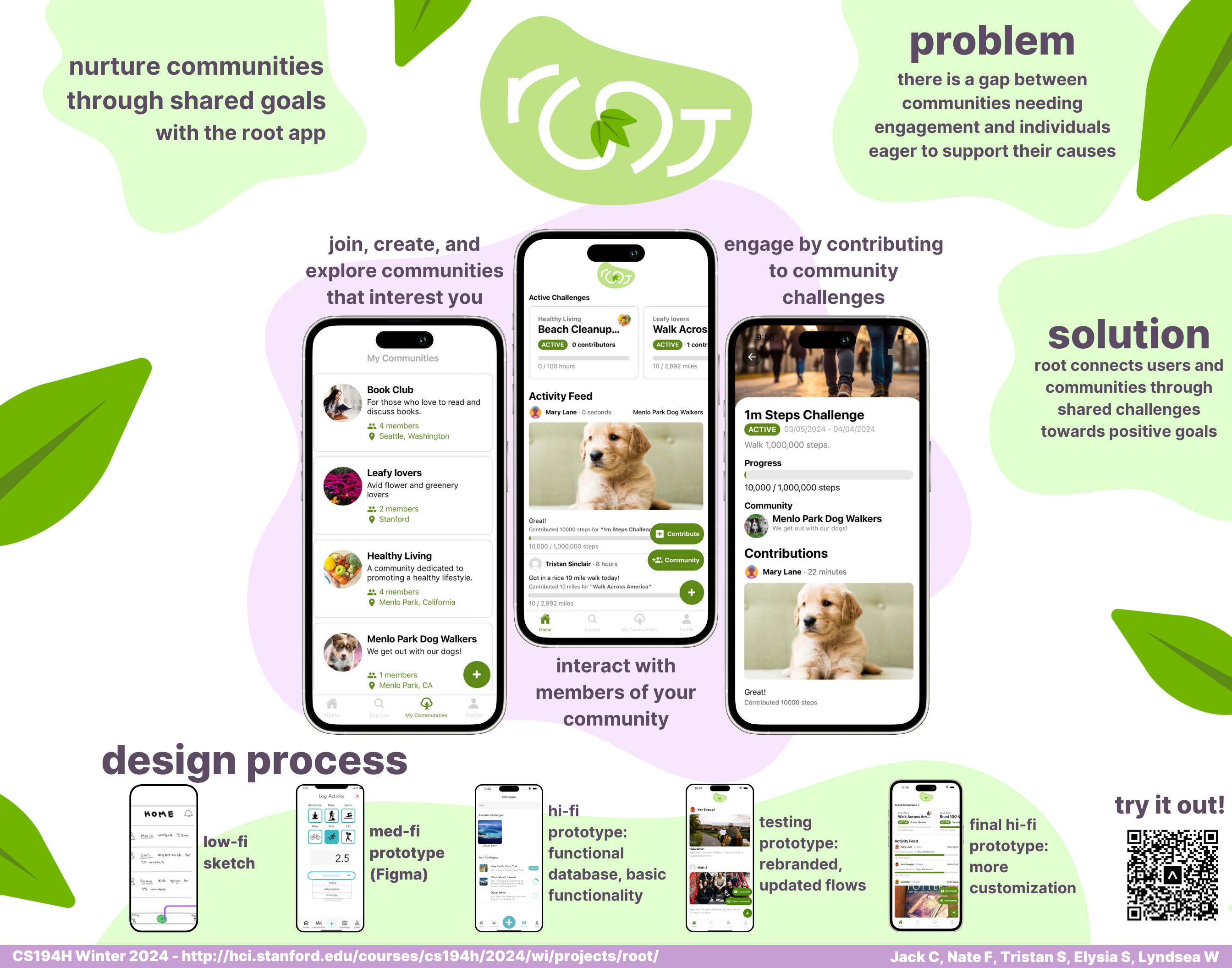
root is an iOS app developed by a group of Stanford students who are passionate about togetherness and making an impact. With root, users discover communities and participate in challenges towards collective health goals. It is a way for humans to connect both online and out in their communities.

Our Mission

root aims to bring communities together through new ways to connect, engage, and live.

We made a fun promotional video

Contribute to community challenges

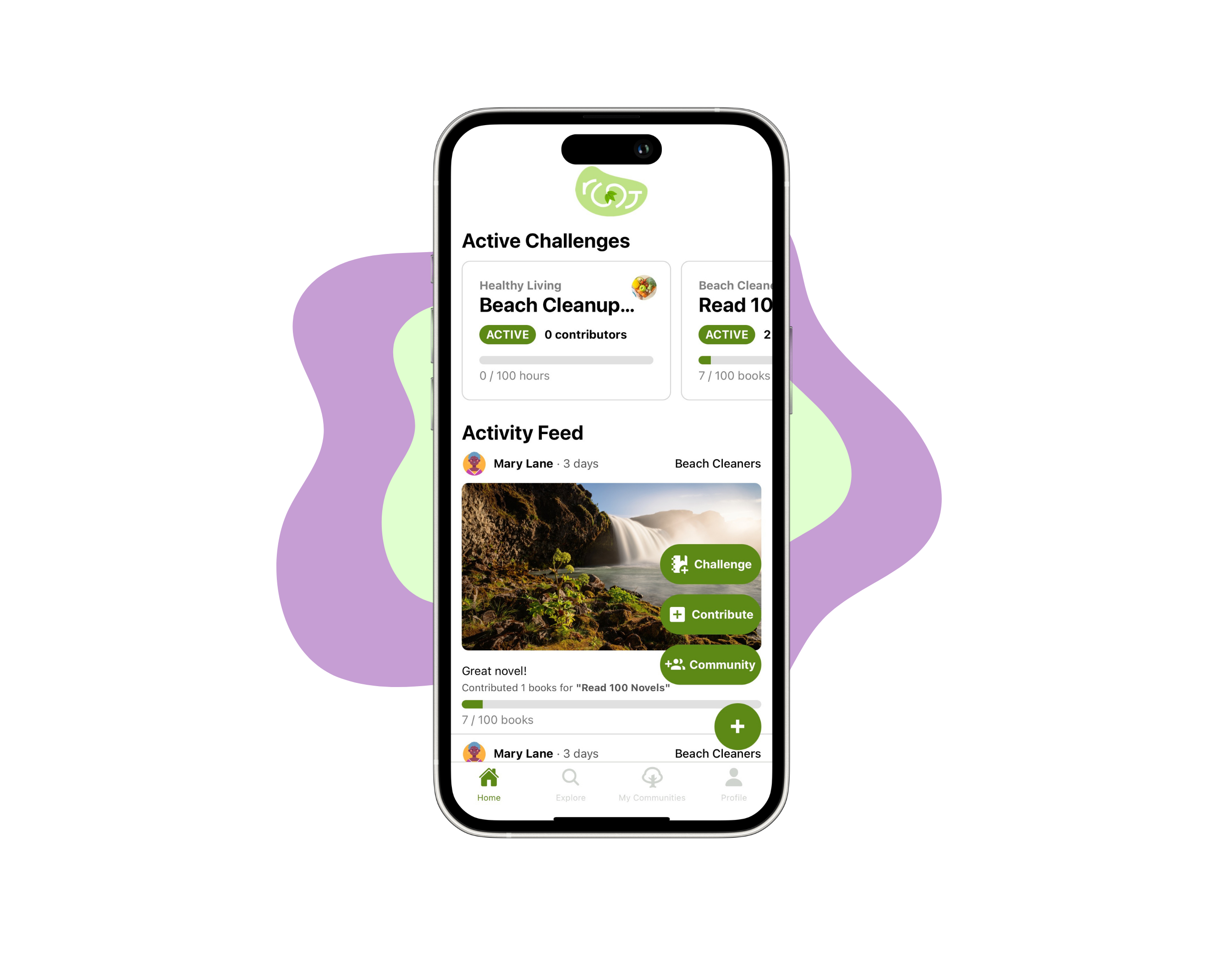
Contribute to quantifiable community goals through the Contribution function.

Create communities

Communities are the central point for activities, goals, and fun events! Discover communities and create your own with friends.

Create your own challenges

Challenges are the best way to engage a community, and they can be anything, from "Climb Everest" or "Read 100 novels".

1: Project Recap Presentation

This is a summary of our progress with the app formerly known as enosi over Autumn 2023 in CS147.

  • Click to view the Google Drive link to our full presentation.

  • Click to download the PDF for our full presentation.

2: Lab Usability Study

We tested our Hi-Fi prototype from CS147 on 4 study participants, assessing painpoints over 3 core task flows.

  • Click to view the Google Drive link to our full presentation.

  • Click to download the PDF for our full presentation.

3: Hi-Fi Prototype V2

We leveraged user feedback to inform new design and and flow choices, culminating in V2 of the Hi-Fi prototype. We also rebranded enosi and root! Scan the QR code to test it out.


  • Click to view the Google Drive link to our README.

  • Click to download the PDF for our README.

  • Click to view the Google Drive link to our full writeup.

  • Click to download the PDF for our full writeup.

4: "Pilot" Field Usability Study

We tested our Hi-Fi prototype V2 on 5 study participants, assessing painpoints over 3 core task flows.

  • Click to view the Google Drive link to our full writeup.

  • Click to download the PDF for our full writeup.

5: Hi-Fi Prototype V3

We further iterated on our V2 prototype, taking into account feedback from the Field Usability Study.

  • Click to view the Google Drive link to our full writeup.

  • Click to download the PDF for our full writeup.

6: Hi-Fi Video Prototype

We created a promotion video for our final prototype.

  • Click to view the link to our Hi-Fi Video Prototype.

7: Final Project Poster, Presentation, and Report

We developed a series of final deliverables for CS194H. Read all about them at the links on the right. Scan the below QR code to try out the app with Expo Go!

  • Click to view the Google Drive link to our Final Report.

  • Click to download the PDF for our Final Poster.

  • Click to download the image file of our final poster.

  • Click to view the Google Drive link to our Final Presentation.

  • Click to download the PDF for our Final Presentation.

  • Click to view the Google Drive link to our README

  • Click to download the PDF for our README

  • Click to view our Demo Video

1: Needfinding

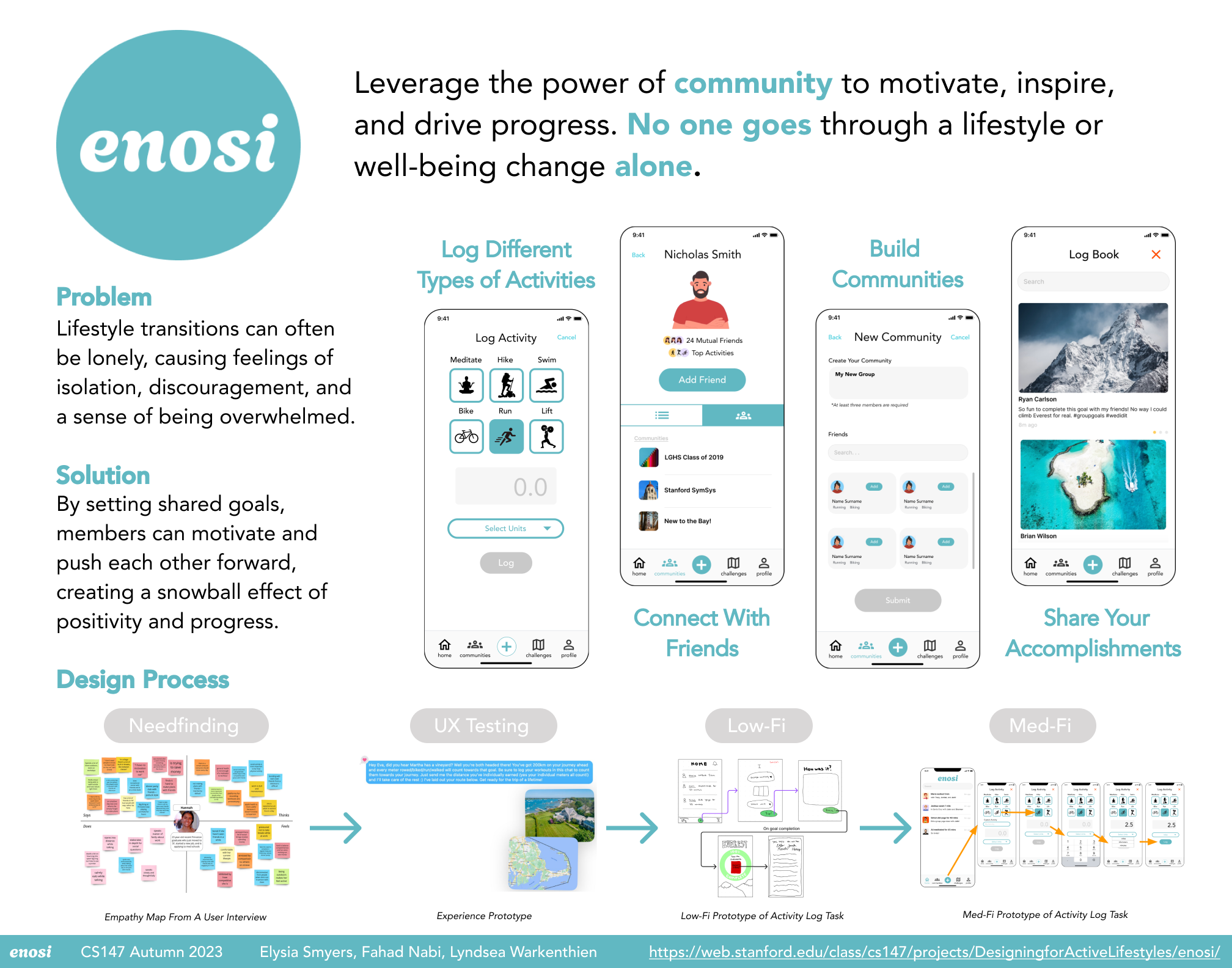
We interviewed people who had a desire to maintain active lifestyles through major life changes like moving to a new city or having a child.

  • Click to view the Google Drive link to our full writeup.

  • Click to download the PowerPoint for our full writeup.

  • Click to download the PDF for our full writeup.

2: POVs and Experience Prototypes

We tested 3 different experience prototypes: 1) a physical activity recommender; 2) a social media exercise platform, 3) group fitness goals

  • Click to view the Google Drive link to our full writeup.

  • Click to download the PDF for our full writeup.

3: Concept Video

We made a concept video highlighting the group engagement elements of enosi.

4: Lo-Fi Prototype

We iterated from a series of brainstorm sketches to a functional paper prototype with which we could test user flows for our core tasks.

  • Click to view the Google Drive link to our full writeup.

  • Click to download the PowerPoint for our full writeup.

  • Click to download the PDF for our full writeup.

5: Med-Fi Prototype

We developed an interactive Medium-Fi prototype on Figma where we aimed to embody our usability goals of Fun, Learnability, and Efficiency.

  • Click to view the Google Drive link to our full writeup.

  • Click to download the PowerPoint for our full writeup.

  • Click to download the PDF for our full writeup.

6: Heuristic Evaluation

We addressed Heuristic feedback from other CS147 groups and made UI and UX changes ahead of our hi-fi prototype.

  • Click to view the Google Drive link to our Heuristic Evaluation summary.

  • Click to download the PDF for our Heuristic Evaluation summary.

7: Hi-Fi Prototype

From our Figma prototype, we develop a fully interactive Hi-Fi prototype with React Native, Expo Go, and a fleshed out Supabase backend.

  • Click to view the Google Drive link to our full writeup.

  • Click to download the PowerPoint for our full writeup.

  • Click to download the PDF for our full writeup.

8: Poster and Pitch Slide

For our final project expo, we presented a 30-second pitch to draw the audience to our poster presentation.
  • Click to view the Google Drive link to our Pitch Slide.

  • Click to download the PDF format for our Pitch Slide.

  • Click to view the Google Drive link to Final Poster.

  • Click to download the image file of our final poster.

About Us

CS194H Members

Tristan Sinclair
UI/Engineer/Backend
BS CS AI '23
MS CS HCI '24
Jack Clark
Designer/PM/Brand
BS MS&E '23
BS CS HCI '24
Lyndsea Warkenthein
PM/Engineer/Backend
BS CS AI '24
Elysia Smyers
UI/Engineer/Backend
BS SYMSYS '23
MS CS HCI '24
Nate Flesichli
Engineer/PM/Strategy
BS CS AI '23
MS CS HCI '24

CS147 Members

Fahad Nabi
Designer/Engineer
BS CS HCI '23
MS CS HCI '24