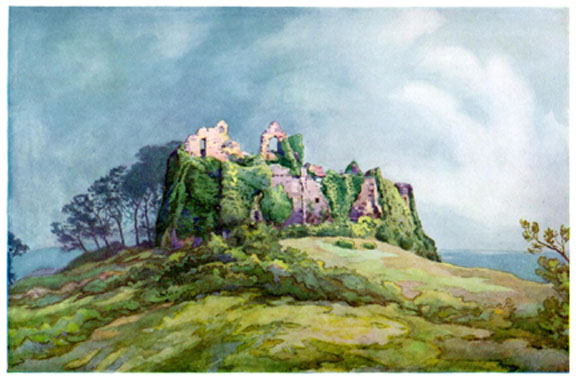
Another attribute to the Graphics tag is to change the size of the graphic as it appears on the Web page. Here is a graphic at its full size:
Kind of large for most Web pages. So, what to do about it?
BEST ANSWER:
Go into a graphics program and change the size to something more useful.
NOT AS-BEST ANSWER:
Change the size at which Netscape will display the graphic like this:
So, how do you do this? By modifying the graphics tag:
<img src="castle.jpg" height="190" width="290">
You have to specify the height and width in PIXELS (the dots that make up an inch of text on a page).
You can figure out the dimensions of your graphic quite simply by viewing the graphic in Netscape as follows:
Tips:
Web Graphics are considered in-line. This means that they are meant to be part of a line of text. Like this . . .  . The basic options for lining up the text work this way:
 ALIGN=TOP
ALIGN=MIDDLE
ALIGN=BOTTOM
These choices don't allow for much flexibility -- such as wrapping text around the graphic which is a feature many people want. Later versions of HTML allowed for this in minimal ways:
ALIGN=LEFT (graphic on right, text on left)
Castle
A fortified residence, especially that of a prince or nobleman; a fortress.
The house of every one is to him castle and fortress, as well as for his defense againts injury and violence, as for his repose.
--Coke
Our castle's strengthwill laugh a siege to scorn.
-- Shakespeare
ALIGN=RIGHT (graphic on left, text on right)
Castle
A fortified residence, especially that of a prince or nobleman; a fortress.
The house of every one is to him castle and fortress, as well as for his defense againts injury and violence, as for his repose.
--Coke
Our castle's strengthwill laugh a siege to scorn.
-- Shakespeare
So, how do you achieve these effects? By modifying the graphics tag:
<img src="castle.jpg" align="right"> (or top, middle, bottom, left)
Because we are used to the align tag allowing us to CENTER things on the page, it needs mentioning that it does not work that way with graphics. In order to center graphics, you need to place the graphic into a paragraph and center that paragraph as follows:
<P ALIGN="center">
<img src="castle.jpg" height="190" width="290">
</P>
The result will be a center graphic like this:
Not exactly a graphic but certainly a graphical element, the HORIZONTAL RULE tag lets you place a clean line across your page. The HORIZONTAL RULE appears on its own line, text following it will start on the next line.
<HR>
Options:
<HR NOSHADE>
<HR WIDTH="80%">
<HR WIDTH="365">
<HR HEIGHT="15">
<HR WIDTH="365" ALIGN="LEFT">
Or of course, combining all of these:
<HR NOSHADE WIDTH="50%" ALIGN="RIGHT" HEIGHT="15">