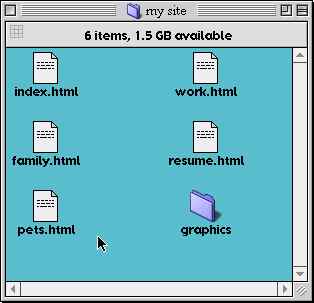
This site organization reflects the URLs that will point to these resources once they are moved to a web server. If your webserver address is http://www.whatever.com/, the URL for your site might be something like this:
http://www.whatever.com/~mysite/index.html
If you were pointing people directly to your resume, the URL would be:
http://www.whatever.com/~mysite/resume.html
The above is called a fully qualified URL. It contains all the information necessary to get to that particular web resource from anywhere on the Internet.
To make links between documents in your OWN site, you would not have to specify the entire URL, but rather could simply point to the document in question as follows. To make a link to the pets.html page from your index.html page, the code would look like:
<A HREF="pets.html">My pets</A>
This is an example of a relative URL. It only contains the information necessary to get you to that resource if you know the fuly qualified URL for the referring page (in this case, the index.html page). If you were pointing to something in the graphics folder, you would do it as follows:
<A HREF="graphics/mycat.gif">Picture of my cat, Mr. Wuggles</A>