As mentioned earlier, choosing "right" MEDLINE system should depend on what you're looking for -- different systems have different capabilities.
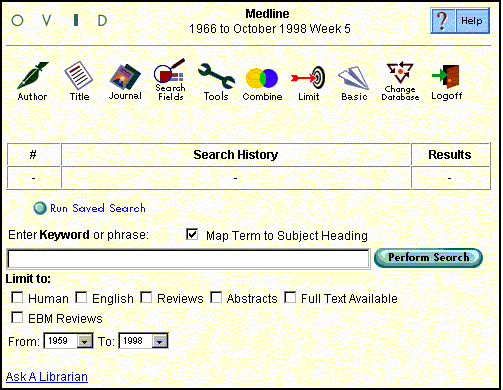
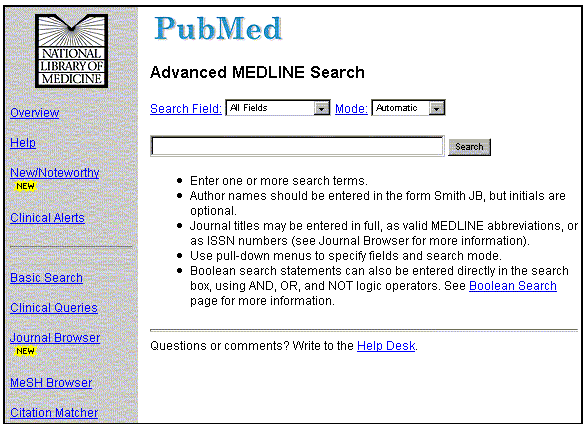
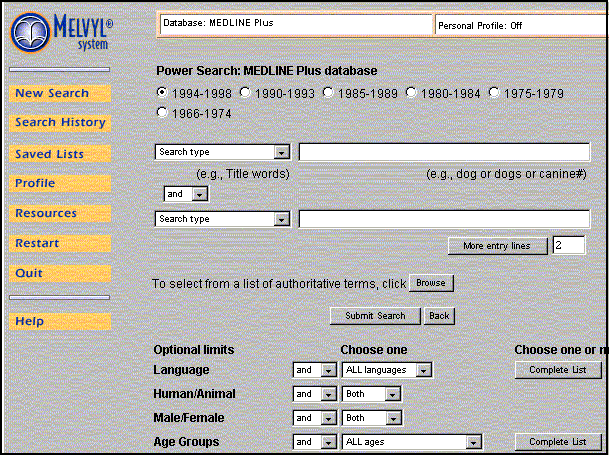
Although Lane's MEDLINE comparison chart is helpful in giving you some idea of the informational capabililties of different systems, it doesn't show you what the systems look like. Below is a quick look at the three MEDLINE systems actively supported by Lane Library:
OVID
Fast
Easy-to-use interface
MEDLINE links to 92 full text journals
Access for Stanford folks only
Access to lots of other databases
The following image shows the Advanced Medline searching interface
PreMedline not included
PUBMED
Fast
Interface is (in my opinion) less intuitive than OVID's
MEDLINE links to some full text journals
Free to everyone
Four ways of searching (including "See Related Articles" which uses a fancy weighting algorhythm to determine "relevancy")
PreMedline has been incorporated DIRECTLY into regular MEDLINE
The following image shows the Advanced Medline searching interface
MELVYL MEDLINE
Not terribly fast
Somewhat complicated interface, though adding search limits (e.g., Age Groups, Publication Types, etc.) is fairly straightforward
Access for University of California and Stanford folks only
Links citations to Stanford University journal holdings information
Provides access to several other databases
PreMedline included as a SEPARATE database
The following image shows some of the Power Medline searching interface