Illustrate padding and cropping of the OI in ISETCam
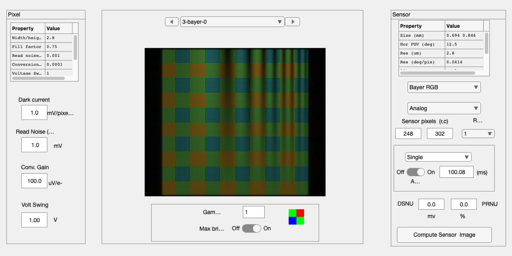
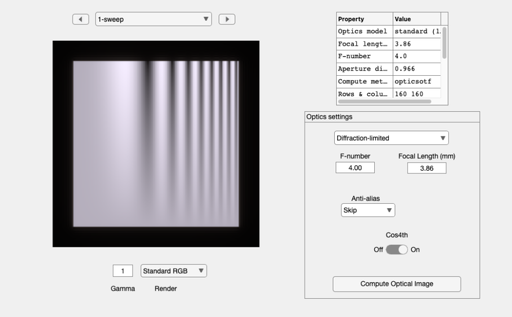
By default, ISETCam pads the OI to show the light that is spread beyond the edge of the scene. The OI image is padded to be 1.25 times the field of view of the scene.
We can crop that padded region with the code illustrated below.
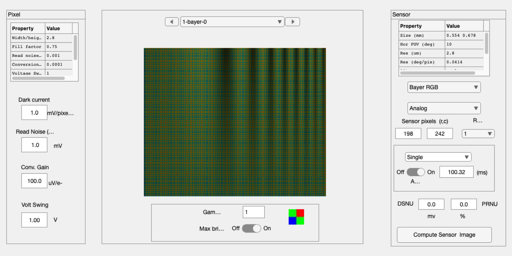
In the case of the sensor image, it is not necessary to crop. You can set the sensor size so that its field of view matches the field of view of the original scene, and thus you will not measure the padded region. Or you can set the sensor FOV to be a little bit bigger. Your choice, depending on what you are interested to do.
NC introduced a useful and more general method based on the oiPadParams function in ISETBio. We should probably shift to that at some point in time.
BW, SCIEN, 2018
Contents
ieInit
This will work for any scene, I think (BW).
scene = sceneCreate('sweep frequency');
oi = oiCreate;
oi = oiCompute(oi,scene);
oiWindow(oi);
Eliminate the default padding in the OI
The oi has been padded by 1/8 the size of the original oi on both sides. That is the black region in the image.
paddedSize = (1.25 * originalSize)
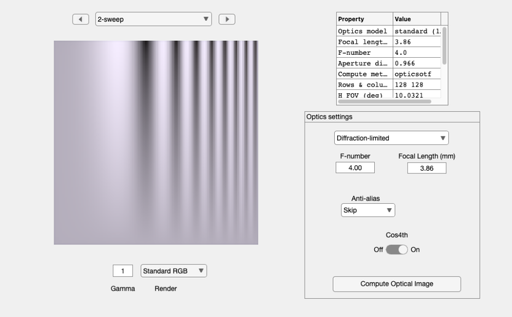
To eliminate the padding we compute with oiCrop
paddedSize = oiGet(oi,'size');
originalSize = paddedSize/1.25;
offset = (paddedSize - originalSize) / 2;
rect = [offset(2)+1 offset(1)+1 originalSize(2)-1 originalSize(1)-1];
oiCropped = oiCrop(oi,rect);
oiWindow(oiCropped);
Notice that for sensors, you can crop just by setting the FOV
sensor = sensorCreate;
sensor = sensorSet(sensor,'fov',sceneGet(scene,'fov'),oi);

% The oi has the padding.  But the sensor is cropped
sensor = sensorCompute(sensor,oi);
sensorWindow(sensor);
So you will have the same result with the cropped oi
sensor = sensorCompute(sensor,oiCropped);
sensorWindow(sensor);
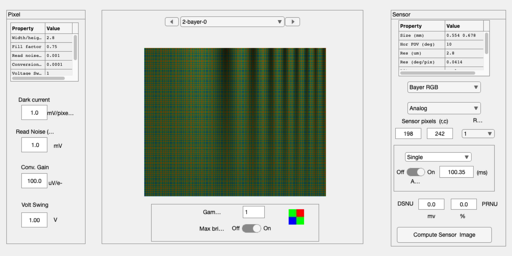
Here is the padded image.
% Notice, however, that the FOV is always the horizontal field of view, so
% we do not get padding in the vertical direction for a rectangular image.
% Only for a square image.
sensor = sensorSetSizeToFOV(sensor,oiGet(oi,'fov'),oi);
sensor = sensorCompute(sensor,oi);
sensorWindow(sensor);