Illustrate sensor aliasing using a monochrome sensor
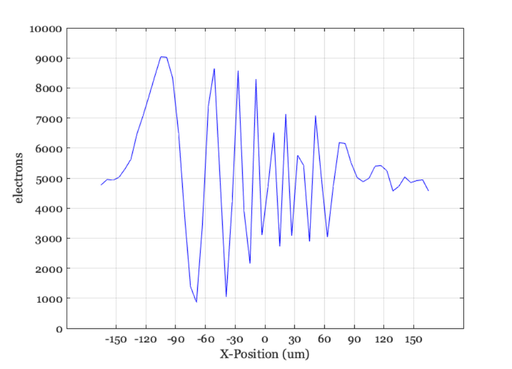
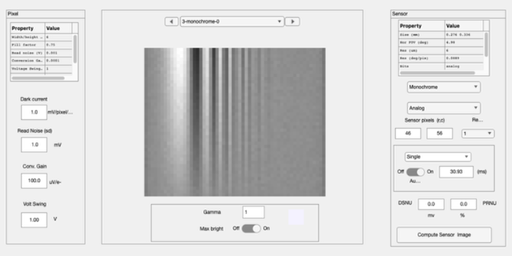
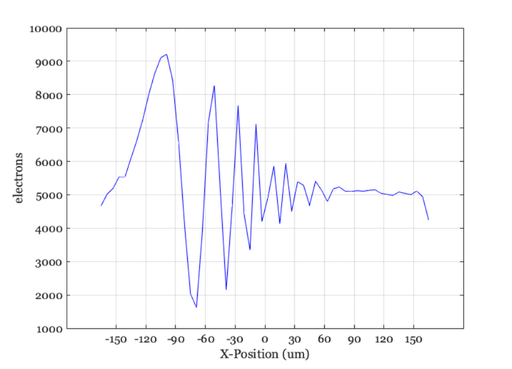
When the acuity of the lens exceeds the sampling rate of the sensor, aliasing patterns emerge. These are low frequency patterns in the sensor response that are caused by the high frequency patterns in the original image but under-sampled by the sensor.
To protect against aliasing, you can use a lens that does not pass the high frequency terms.
The aliasing artifacts illustrated here are for a monochrome sensor. When the same problem arises from a color CFA, the artifacts emerge as unwanted colors (chromatic aliasing).
Copyright Imageval Consulting, LLC, 2016
Contents
- Set up a sweep frequency
- Set up a high resolution lens
- We use a small pixel size and see the scene come through correctly
- Make the sensor pixel under-sample by creating a large pixel.
- Now, protect from aliasing by using a blurry lens
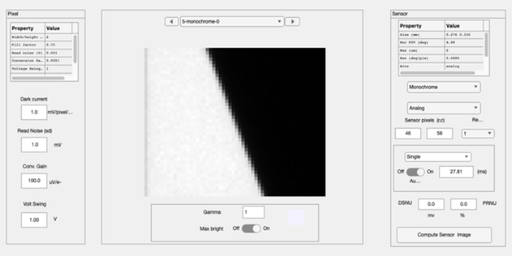
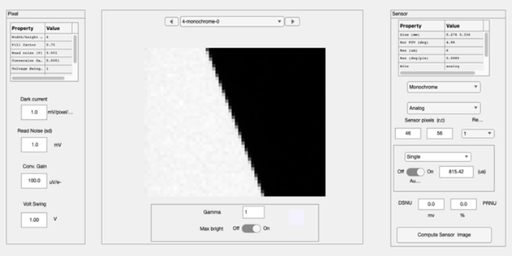
- This is what aliasing looks like for the slanted bar target
- If we protect against aliasing
- END
ieInit
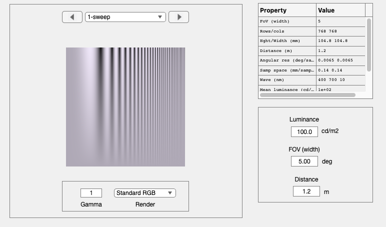
Set up a sweep frequency
fov = 5;
scene = sceneCreate('sweep frequency',768,30);
scene = sceneSet(scene,'fov',fov);
sceneWindow(scene);
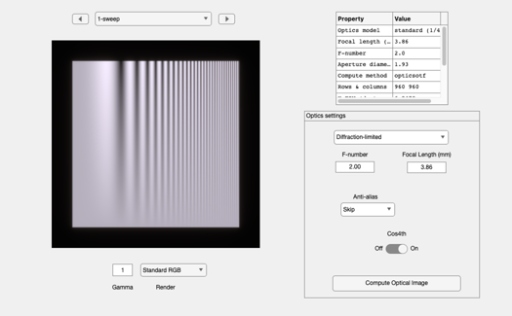
Set up a high resolution lens
oi = oiCreate('diffraction limited');
oi = oiSet(oi,'optics fnumber', 2);
oi = oiCompute(oi,scene);
oiWindow(oi);
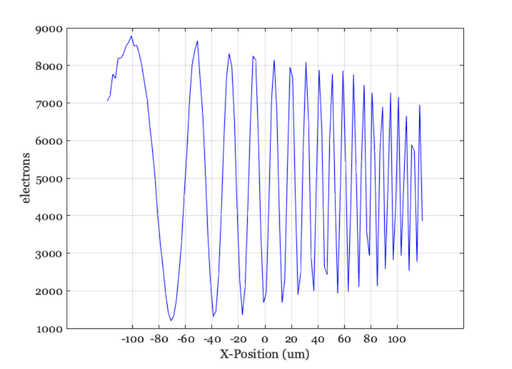
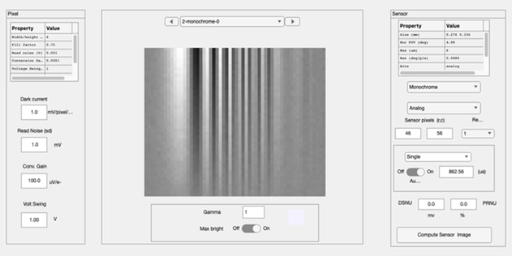
We use a small pixel size and see the scene come through correctly
sensor = sensorCreate('monochrome');
sensor = sensorSetSizeToFOV(sensor,fov,oi);

% Set a two micron pixel
sensor = sensorSet(sensor,'pixel size constant fill factor',2e-6);
sensor = sensorCompute(sensor,oi);
sensorWindow(sensor);

sensorPlot(sensor,'electrons hline',[5 1]);
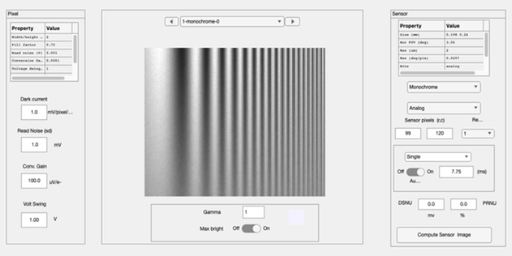
Make the sensor pixel under-sample by creating a large pixel.
% Now, notice the aliased signal on the right.  The scene and oi are high
% spatial frequency, but the sensor capture appears to be low spatial
% frequency.
sensor = sensorSet(sensor,'pixel size constant fill factor',6e-6);
sensor = sensorSetSizeToFOV(sensor,fov,oi);
sensor = sensorCompute(sensor,oi);
sensorWindow(sensor);

sensorPlot(sensor,'electrons hline',[5 1]);
Now, protect from aliasing by using a blurry lens
oi = oiSet(oi,'optics fnumber', 12);
oi = oiCompute(oi,scene);
sensor = sensorCompute(sensor,oi);
sensorWindow(sensor);

sensorPlot(sensor,'electrons hline',[5 1])
ans =

  struct with fields:

     pixPos: [-165.0000 -159.0000 -153.0000 -147.0000 -141 … ] (1×56 double)
    pixData: [4681 5022 5193 5540 5542 6097 6637 7266 8016 … ] (1×56 single)
This is what aliasing looks like for the slanted bar target
% This is why people sometimes say 'aliasing' creates 'jaggies'
scene = sceneCreate('slanted bar',1024);
scene = sceneSet(scene,'fov',fov);

oi = oiSet(oi,'optics fnumber', 2);
sensor = sensorSet(sensor,'pixel size constant fill factor',6e-6);
sensor = sensorSetSizeToFOV(sensor,fov,oi);
oi = oiCompute(oi,scene);
sensor = sensorCompute(sensor,oi);
sensorWindow(sensor);
If we protect against aliasing
oi = oiSet(oi,'optics fnumber', 12);
oi = oiCompute(oi,scene);
sensor = sensorCompute(sensor,oi);
sensorWindow(sensor); drawnow;