Burst photography example
Burst photograph has become common. Here is an example of combining multiple exposures of the same duration in ISETCam. This case is simple because there is no motion in the scene. For general burst photography, objects (and the camera) move and the full algorithm has to include alignment code.
Wandell, 2019
See also sensorComputeMEV, t_sensorMultipleExposure
Contents
ieInit
wbState = ieSessionGet('waitbar');
ieSessionSet('waitbar',false);  % Dealing with a waitbar/Matlab issue.
Set up the default scene and the oi
% We will use an HDR scene before long, rather than this default.
% scene = sceneCreate;
scene = sceneFromFile('Feng_Office-hdrs.mat','multispectral');
% sceneWindow(scene); sceneSet(scene,'display mode','hdr');
oi = oiCreate; oi = oiCompute(oi,scene);
Reading multispectral data with mcCOEF.
Saved using svd method
Run the sensor simulation
% First in auto exposure mode.  Kind of a lousy image.
sensor = sensorCreate;
sensor = sensorSet(sensor,'fov',sceneGet(scene,'fov'),oi);
sensor = sensorCompute(sensor,oi);

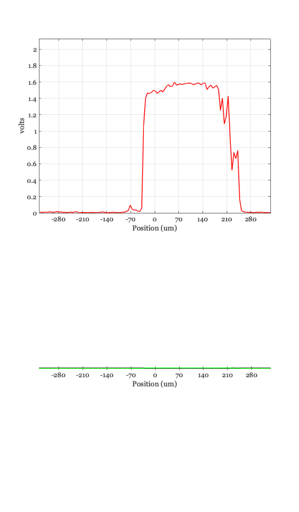
% Line is (x,y), not row,col.  (1,1) is upper left corner.
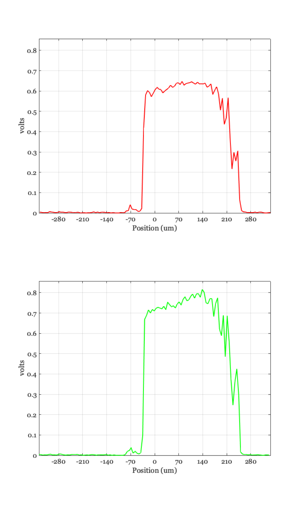
% The bright region is the window in the image.
sensorPlot(sensor,'volts hline',[1,55]);

sensor = sensorSet(sensor,'name','Auto exposure');
sensorWindow(sensor);
sensorSet(sensor,'gamma',0.3);
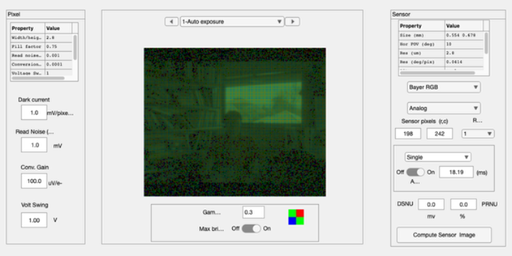
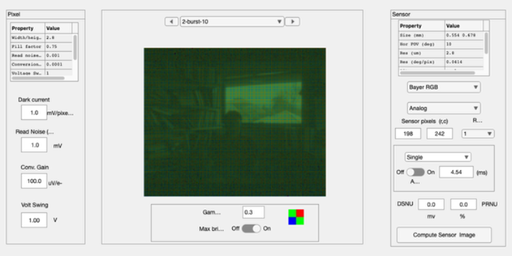
Now in burst mode. Turned off all the sensor noise
% There is still remaining noise

% Still kind of noisy.
nBursts     = 10;
expTime     = autoExposure(oi,sensor,0.95,'default')/4;
burstTiming = repmat(expTime,1,nBursts);

sensor      = sensorSet(sensor,'exp time',burstTiming);
sensorBurst = sensorCompute(sensor,oi);
sensorBurst = sensorSet(sensorBurst,'noise flag',-1);
sensorBurst = sensorSet(sensorBurst,'name',sprintf('burst-%d',numel(burstTiming)));
sensorBurst = sensorSet(sensorBurst,'exp time',burstTiming(1));

volts = sensorGet(sensorBurst,'volts');
volts = mean(volts,3)*nBursts;
sensorBurst = sensorSet(sensorBurst,'volts',volts);
sensorWindow(sensorBurst);

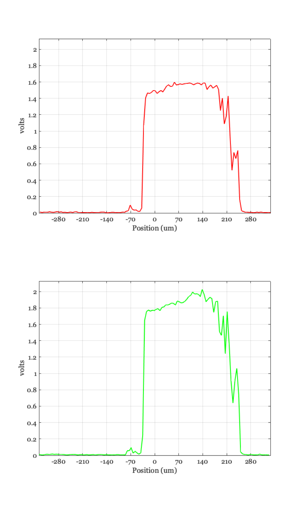
% Line is (x,y), not row,col.  (1,1) is upper left corner.
sensorPlot(sensorBurst,'volts hline',[1,55]);
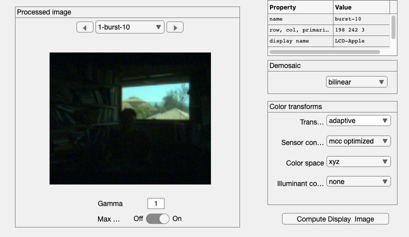
Convert through image processing
ip  = ipCreate;
ip  = ipCompute(ip,sensorBurst);
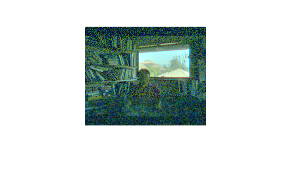
rgb = ipGet(ip,'srgb');
rgb = hdrRender(rgb);
ieNewGraphWin; imagescRGB(rgb);

ipWindow(ip);
ieSessionSet('waitbar',wbState); % Dealing with a waitbar/Matlab issue.