Multiple exposures
Multiple capture (e.g., bracketing) are common. Here is an example of combining multiple exposures in ISETCam.
Wandell, 2019
See also sensorComputeMEV, t_sensorBurst
Contents
ieInit
wbState = ieSessionGet('waitbar');
ieSessionSet('waitbar',false);
Set up the default scene and the oi
% We will use an HDR scene before long, rather than this default.
% scene = sceneCreate;
scene = sceneFromFile('Feng_Office-hdrs.mat','multispectral');
% sceneWindow(scene); sceneSet(scene,'display mode','hdr');
oi = oiCreate; oi = oiCompute(oi,scene);
Reading multispectral data with mcCOEF.
Saved using svd method
Run the sensor simulation
% First in single auto exposure mode
sensor = sensorCreate;
sensor = sensorSet(sensor,'fov',sceneGet(scene,'fov'),oi);
sensor = sensorCompute(sensor,oi);
sensor = sensorSet(sensor,'name','Auto exposure');
sensorWindow(sensor);
sensorSet(sensor,'gamma',0.3);
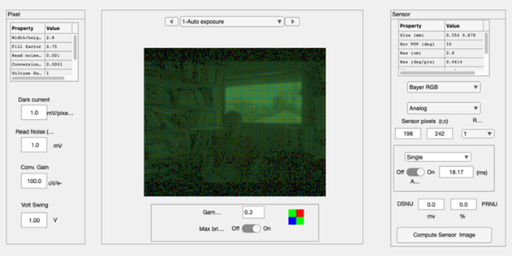
ip = ipCreate;
ip = ipCompute(ip,sensor); ipWindow(ip);
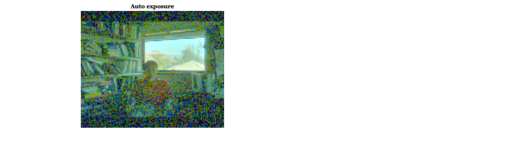
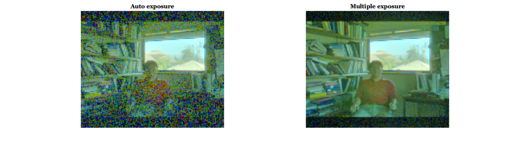
rgb = hdrRender(ipGet(ip,'srgb'));
figH = ieNewGraphWin([],'wide');
subplot(1,2,1); imagescRGB(rgb); title('Auto exposure')
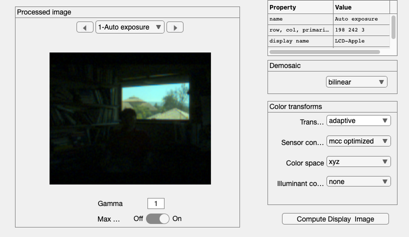
Now in MEV mode
You might find a maximum time this way. expTime = autoExposure(oi,sensor);
maxTime = 0.2;   % seconds

% Simple bracketing case.  Increasing order of equally scaled exposure
% times.
expTimes  = [maxTime/10, maxTime];
sensorMEV = sensorSet(sensor,'exp time',expTimes);

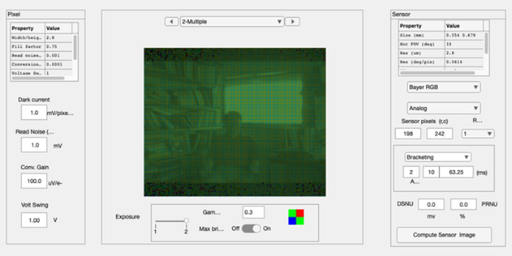
% Get the multiple exposures.  This will display in bracketing mode
sensorMEV = sensorCompute(sensorMEV,oi);
sensorMEV = sensorSet(sensorMEV,'name','Multiple');
sensorWindow(sensorMEV);
One combination method
% Get the voltages from the multiple exposures
volts      = sensorGet(sensorMEV,'volts');
vSwing     = sensorGet(sensorMEV,'pixel voltage swing');
nExposures = sensorGet(sensorMEV,'n exposures');
expTimes   = sensorGet(sensorMEV,'exp time');
maxTime    = max(expTimes(:));

% Start out with the volts from the longest exposure time
combinedV = volts(:,:,end);

% Find the saturated pixels and replace them with estimates from
% shorter durations.  These may be saturated, too.  So, we loop down until
% there are no saturated pixels
thisExp = 1;
maxV = vSwing*0.95;
for thisExposure = (nExposures - 1):-1:1
    % Find the saturated pixels for this level
    lst = (combinedV > maxV);
    fprintf('Exposure %d.  Replacing %d pixels\n',thisExposure,sum(lst(:)));
    if sum(lst(:)) == 0, break
    else
        % Scaled volts for the shorter duration.
        sFactor = (maxTime/expTimes(thisExposure));
        theseV  = volts(:,:,thisExposure)*sFactor;
        combinedV(lst) = theseV(lst);
        maxV = maxV*sFactor;
        thisExp = thisExp + 1;
    end
end
Exposure 1. Replacing 4499 pixels
Notice that there is less noise in the dark regions
sensor = sensorSet(sensor,'pixel voltage swing',max(combinedV(:))/0.95);
sensor = sensorSet(sensor,'volts',combinedV);
sensor = sensorSet(sensor,'name','combined');
sensorWindow(sensor);
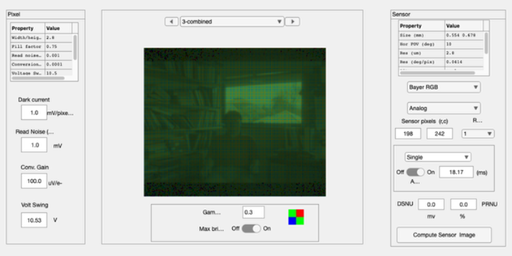
For comparison with multiple exposure
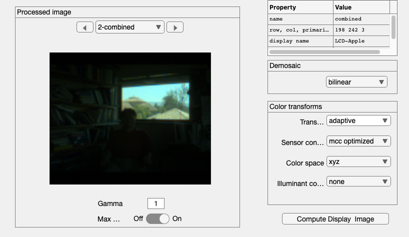
ip = ipCompute(ip,sensor); ipWindow(ip);
rgb = hdrRender(ipGet(ip,'srgb'));
figure(figH);
subplot(1,2,2); imagescRGB(rgb); title('Multiple exposure')
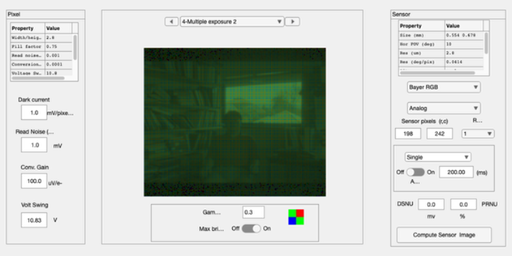
This is the same computation but using the sensorComputeMEV method
maxTime  = 0.2;   % seconds
expTimes = [maxTime/10, maxTime];
sensor   = sensorSet(sensor,'exp time',expTimes);

sensorMEV = sensorComputeMEV(sensor,oi);
sensorMEV = sensorSet(sensorMEV,'name','Multiple exposure 2');
sensorWindow(sensorMEV);
ieSessionSet('waitbar',wbState);