t_sensorReadRaw
Illustrates how to read a dng file and place it into a sensor struct.
See also dcrawRead, imfinfo
Dependencies: isetg repository, only for
Contents
This file is from the Pixel 4 camera. It is checked in and we can always test with this one.
fname = fullfile(isetRootPath,'data','images','rawcamera','MCC-centered.dng');

% These worked too, once.
%{
 fname = fullfile(isetRootPath,'local','cornell_box.dng');
 fname = fullfile(igRootPath,'local','mcc','IMG_20200926_110536_1.dng');
%}
Metadata
if ~exist(fname,'file')
    error('No file found %s\n',fname);
else
    [img]        = dcrawRead(fname);
    info         = imfinfo(fname);
    isoSpeed     = info.DigitalCamera.ISOSpeedRatings;
    exposureTime = info.DigitalCamera.ExposureTime;
end
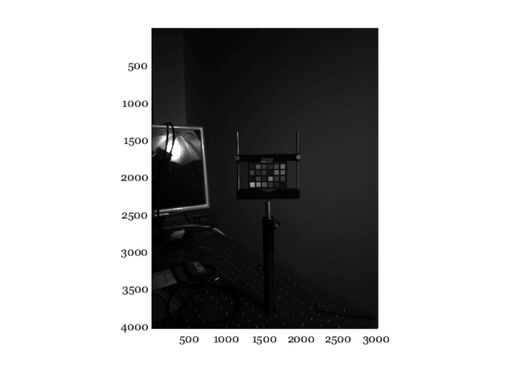
These are the raw data
ieNewGraphWin;
imagesc(double(img).^(1/2.2)); axis image;
colormap(gray(64))
We remove the digital offset
blackLevelDigital = 1024;
img = img - blackLevelDigital;
Stuff the measured raw data into a simulated sensor
measSensorSize = size(img);
sensorM = sensorCreate('IMX363');

% sensorM = sensorIMX363('isospeed', isoSpeed, ...
%     'exposuretime', exposureTime, ...
%     'rowcol',measSensorSize);

% Trying different patterns.  This appears to be the Bayer pattern for the
% Google Pixel 4a.
sensorM = sensorSet(sensorM,'pattern',[2 1; 3 2]);

sensorM = sensorSet(sensorM,'digital values',img);
sensorM = sensorSet(sensorM,'wave',400:10:700);
% sensorWindow(sensorM);
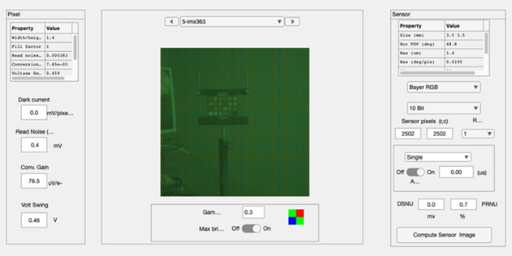
Crop out a central region so it's not so big
rect = [500 1000 2500 2500];
newSensor = sensorCrop(sensorM,rect);
sensorWindow(newSensor);
Show it in the IP window to confirm the colors are right
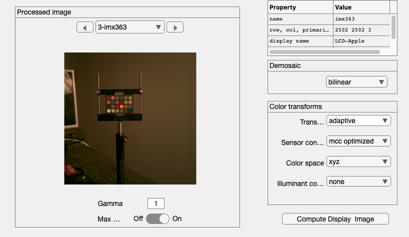
ip = ipCreate;
ip = ipCompute(ip,newSensor);
ipWindow(ip);