Extra Credit: Debugger
Due: Friday, March 3rd, 5:00P.M.
Debugging is an essential programming skill. Sure, you can often find bugs by re-reading your code looking for mistakes. But for large, complex programs (and sometimes even small ones) it helps tremendously to see what the computer is actually doing behind the scenes.
Eclipse, like most modern programming environments, comes equipped with a debugger. A debugger is a handy interface for monitoring programs as they run. With the Eclipse debugger, for example, you can follow along with your program line by line.
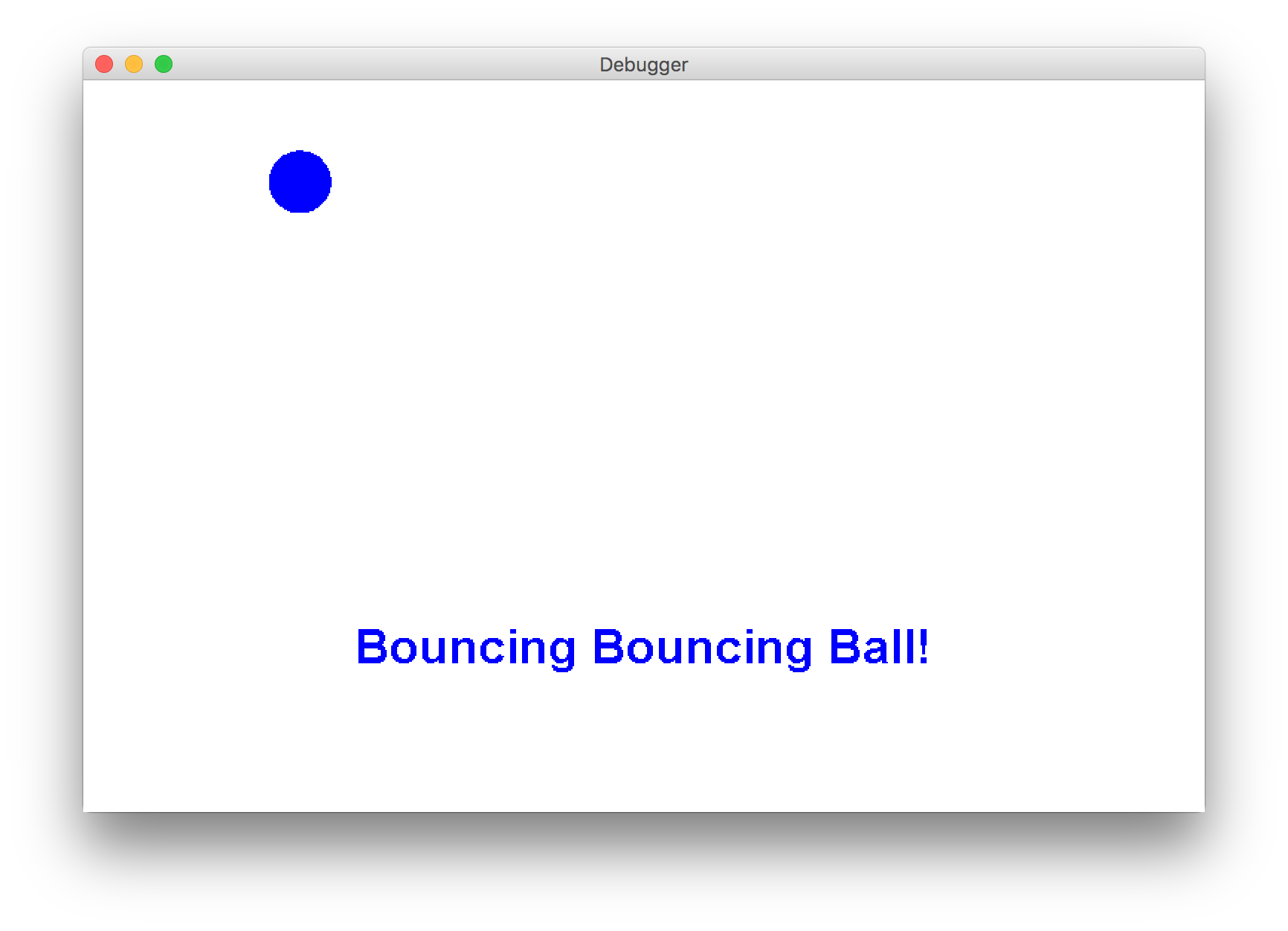
For this extra credit problem, we've provided a program that is supposed to animate a ball that bounces off the four walls. The ball should change color whenever it hits a wall. The program is supposed to display a horizontally-centered label "Bouncing Bouncing Ball!". Finally, the label color should always match the color of the ball, and both should initially be colored red. Your mission, if you choose to accept it, is to use the Eclipse debugger to figure out why the program fails, and fix the 4 errors by Fri. 3/3 @ 5PM. Once you have done this, the program will print out a secret code to the Eclipse console - send this code to your Section Leader for extra section participation points this week!
You will need to fix all 4 bugs to get the correct secret code.
HINT: your secret code should look like (with some characters omitted - there should be no dashes in your code) G-Y-B--1-9.
Eclipse, like most modern programming environments, comes equipped with a debugger. A debugger is a handy interface for monitoring programs as they run. With the Eclipse debugger, for example, you can follow along with your program line by line.
For this extra credit problem, we've provided a program that is supposed to animate a ball that bounces off the four walls. The ball should change color whenever it hits a wall. The program is supposed to display a horizontally-centered label "Bouncing Bouncing Ball!". Finally, the label color should always match the color of the ball, and both should initially be colored red. Your mission, if you choose to accept it, is to use the Eclipse debugger to figure out why the program fails, and fix the 4 errors by Fri. 3/3 @ 5PM. Once you have done this, the program will print out a secret code to the Eclipse console - send this code to your Section Leader for extra section participation points this week!
You will need to fix all 4 bugs to get the correct secret code.
HINT: your secret code should look like (with some characters omitted - there should be no dashes in your code) G-Y-B--1-9.
Solution
ball is null
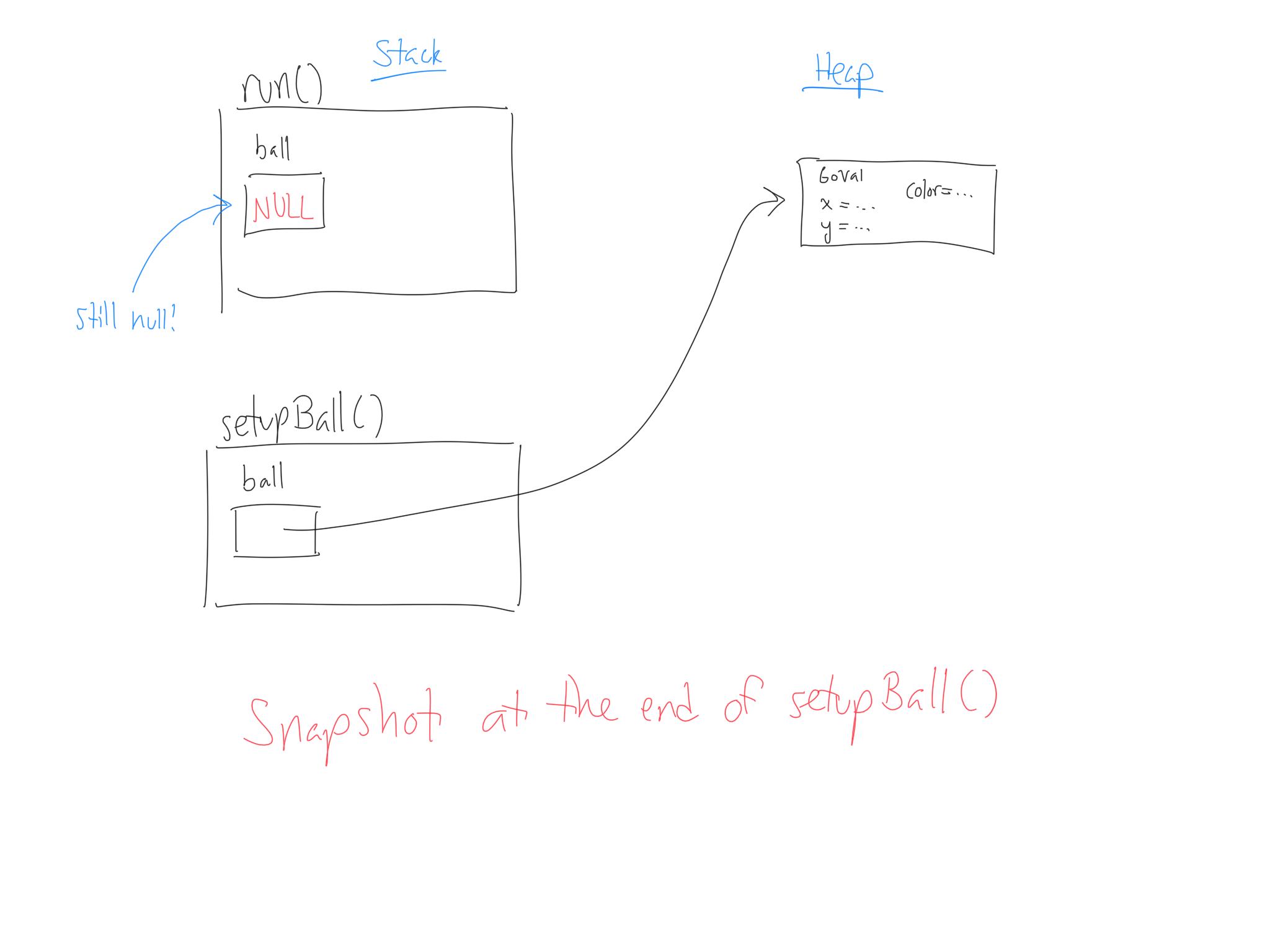
In run(), ball is initialized to null. Then, we pass it to setupBall(); therefore, we make a copy of the address inside ball (which is null) and give that to setupBall(). setupBall() then sets ball equal to a new GOval:
								private void setupBall(GOval ball) {
									ball = new GOval(BALL_RADIUS * 2, BALL_RADIUS * 2);
									...
								}
The problem is that this overwrites the address given to setupBall() with its own address, so it no longer has any relationship with the version of ball from its caller. Thus, the GOval created can be referenced only within setupBall, so when we go back to run(), ball is still null:
								GOval ball = null;
								...
								setupLabel();
								setupBall(ball);

								// Ball is still null!
								while (true) {
									ball.move(dx, dy);
									...
								}
Here's a diagram of the stack and heap to visualize what's going on:
Potential Solutions
Either allocateball before passing it to setupBall(), or make ball an instance variable and don't even bother passing it as a parameter.
dx and dy incorrectly updated
checkForCollisions() is supposed to change dx and dy, but we are only passing copies of the two variables from run():
								double dx = rgen.nextDouble(MIN_DX, MAX_DX);
								double dy = rgen.nextDouble(MIN_DY, MAX_DY);
								...
								while (true) {
									ball.move(dx, dy);
									checkForCollisions(ball, dx, dy);
									...
								}
In other words, because dx and dy are primitives, checkForCollisions() will have its own copies of them, and any changes we make to them in checkForCollisions() will not affect the original variables in run().
Potential Solutions
Makedx and dy instance variables and don't even bother passing them as arguments. Not every variable should be an instance variable, of course. But as a rule of thumb, any variable that will be changed over the course of multiple methods can be an instance variable.
In particular, if you need to save any changes to an
int, double, boolean, or other primitive, youll need to return that value from the method. However, you can only return one value from a method. As an alternative solution, we could have split checkForCollisions() into two separate methods checkForXCollision() and checkForYCollision() that each return their updated values.
Text and ball color mismatch
The colors of the text and ball don't necessarily match, because they each usegetRandomNewColor() independently:
								ball.setColor(getRandomNewColor(ball.getColor()));
								text.setColor(getRandomNewColor(ball.getColor()));
Thus, the two randomly-generated colors will likely differ from one another.
Potential Solutions
Compute the new color only once by storing it into a variable:Color newColor = getRandomNewColor(ball.getColor()); ball.setColor(newColor); text.setColor(newColor);
GLabel not horizontally centered
We adjust the location of the label before we adjust the size:
								double x = (getWidth() / 2.0) - (text.getWidth() / 2.0);
								double y = getHeight() - TEXT_HEIGHT;
								text.setLocation(x,y);

								text.setFont(new Font("Arial", Font.BOLD, 32));
As a result, the location is based off of the smaller, default size, not the larger font size.
Potential Solutions
Resize theGLabel first and only afterwards set the location.
Secret Code
The correct secret code is G9Y8B0O1G9. Some common errors are:-
removing the
ball.move()calls fromcheckForCollisions(). These aren't buggy! What they're doing is moving the ball away from the wall so that it doesn't go offscreen when bouncing. If you remove them, this alters the bouncing behavior slightly and gives you a modified secret code G9Y8B-O1G9.
As a general rule of thumb for debugging, don't remove code unless you know it's causing bugs. Otherwise you may lose functionality that is bug-free! -
getting a different secret code every time you run your program. This is due to the way we configure the
RandomGeneratorfor the purposes of this assignment (not due to debugging this program). Because we set the "seed" of theRandomGenerator(which means that each time you run your program you'll get the same series of random values), you must generate all random numbers after thergen.setSeed(106 + 'A')inrun(). Some people, when making theirdxanddyinstance variables, also initialized them to random values outside of run as follows:private double dx = rgen.nextDouble(MIN_DX, MAX_DX); private double dy = rgen.nextDouble(MIN_DY, MAX_DY);
If you generate random values outside ofrun(), they will be generated beforerun()is called (and thus before the seed is set) so you will get actual random values that will change every time. The solution is to initializedxanddyinside ofrun():private double dx; private double dy; public void run() { rgen.setSeed(106 + 'A'); GOval ball = null; dx = rgen.nextDouble(MIN_DX, MAX_DX); dy = rgen.nextDouble(MIN_DY, MAX_DY); ... }