Implementing StackInt
CS 106B: Programming Abstractions
Spring 2022, Stanford University Computer Science Department
Lecturer: Chris Gregg, Head CA: Neel Kishnani
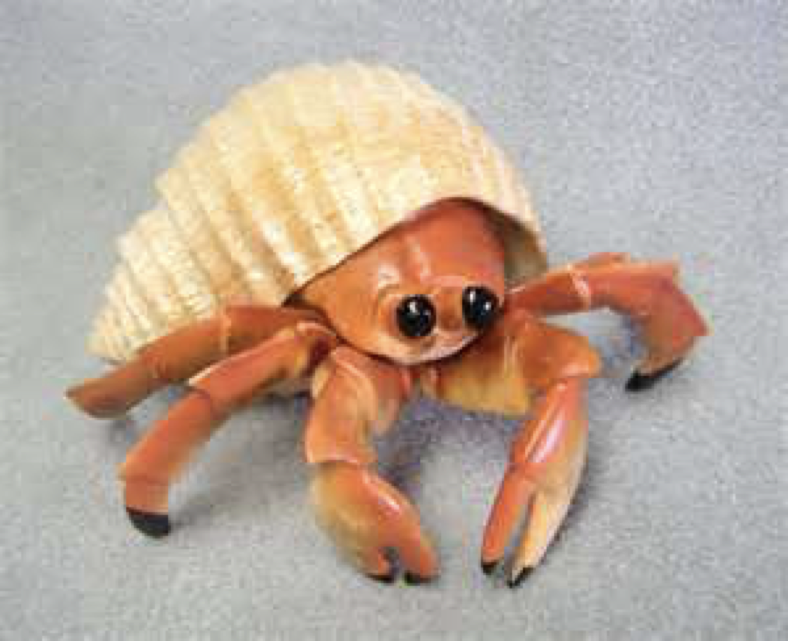 Hermit Crab (Pagurus bernhardus)
Slide 2
Announcements
- Hopefully the midterm went well!
- See this form if you think we graded part of your exam incorrectly.
- HW4 is due on Friday
Slide 3
Today's Goals:
- Introduction to Pointers
- Implementing the Stack class
- Header File
- Implementation
- focus on
expand()
- Implementing the Stack class
Slide 4
The StackInt class implementation

- In order to demonstrate how useful (and necessary) dynamic memory is, let's implement a Stack that has the following properties:
- It can hold ints (unfortunately, it is beyond the scope of this class to create a Stack that can hold any type)
- It has useful Stack functions: push(), pop(), peek(), isEmpty(), size(), « overload
- We can add as many elements as we would like
- It cleans up its own memory

Slide 5
Expansion Analogy: Hermit Crabs
- Hermit crabs are interesting animals. The live in scavenged shells that they find on the sea floor. Once in a shell, this is their lifestyle (with a bit of poetic license):
- Grow a bit until the shell is outgrown.
- Find another shell.
- Move all their stuff into the other shell.
- Leave the old shell on the sea floor.
- Update their address with the Hermit Crab Post Office
- Update the capacity of their new shell on their web page.
- Grow a bit until the shell is outgrown.
- The hermit crab analogy is what we need to use dynamic arrays
- We can actually model what we want Microsoft Word to do with the array for its document by the hermit crab model.
- In essence, when we run out of space in our array, we want to allocate a new array that is bigger than our old array so we can store the new data and keep growing. These "growable arrays" follow a five-step expansion that mirrors the hermit crab model (with poetic license).
- One question: if we are going to expand our array, how much more memory do we ask for?
- double the amount – this is the efficiency trade-off we want.
- First, we don't have to double all that often (it is actually an expensive bit of code)
- Second, when we do double, we give our array a reasonable amount to grow, based on its current size
Slide 6
Dynamic array expansion steps
- There are five primary steps to expanding a dynamic array:
- Create a new array with a new size (normally twice the size)
- Copy the old array elements to the new array
- Delete the old array (understanding what happens here is key!)
- Point the old array variable to the new array (it is a pointer!)
- Update the capacity variable for the array
- When do we decide to expand an array?
- When it is full. How do we know it is full? We keep track!
Slide 7
Stack Expansion: Memory
-
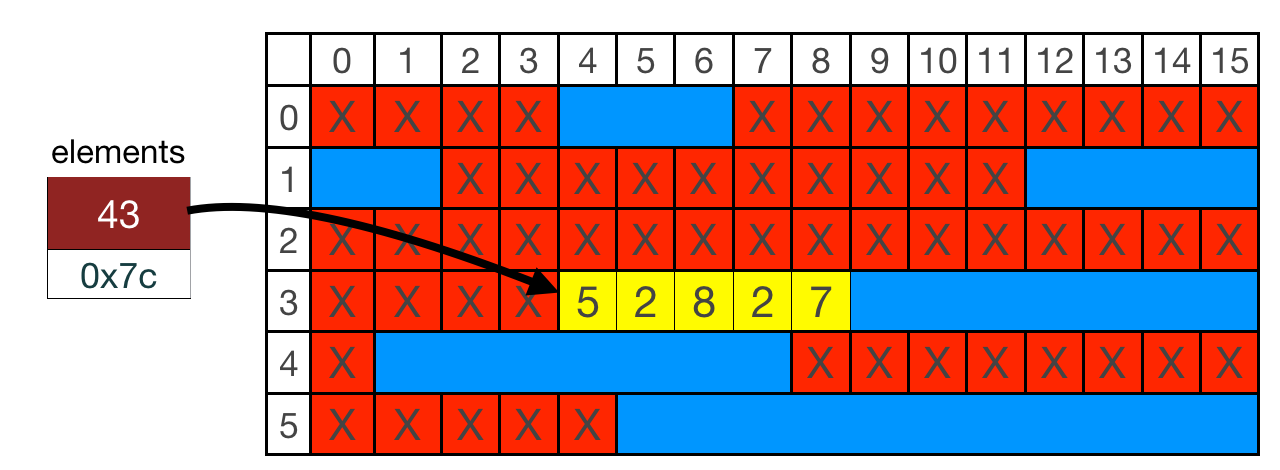
Let's say that our Stack's elements pointer points to memory as in the following diagram. capacity = 5, and count = 5 (it is full).
- To expand, we must follow our rules:
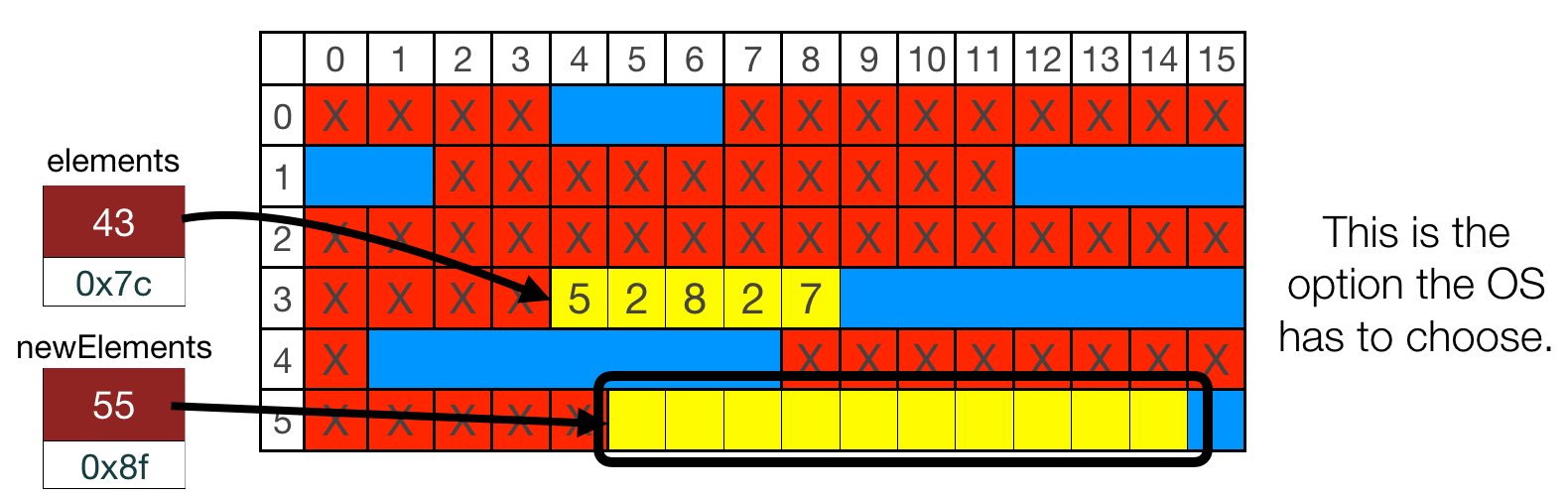
- Request space for 10 elements:
int *newElements = new int[capacity * 2];
- Request space for 10 elements:
- Where can we expand into?
- It looks like we can expand into the area starting at row 3, column 9, but we can't! We're already using row 3, column 4 through row three, column 8, and we can't simply ask the operating system to give us more memory in that location (actually, we can do that in C with a different set of memory operations, but not in C++ with
newanddelete). - We need to find a different location – there is enough space to double at row 5, column 5 (which is what the OS would pick for us)
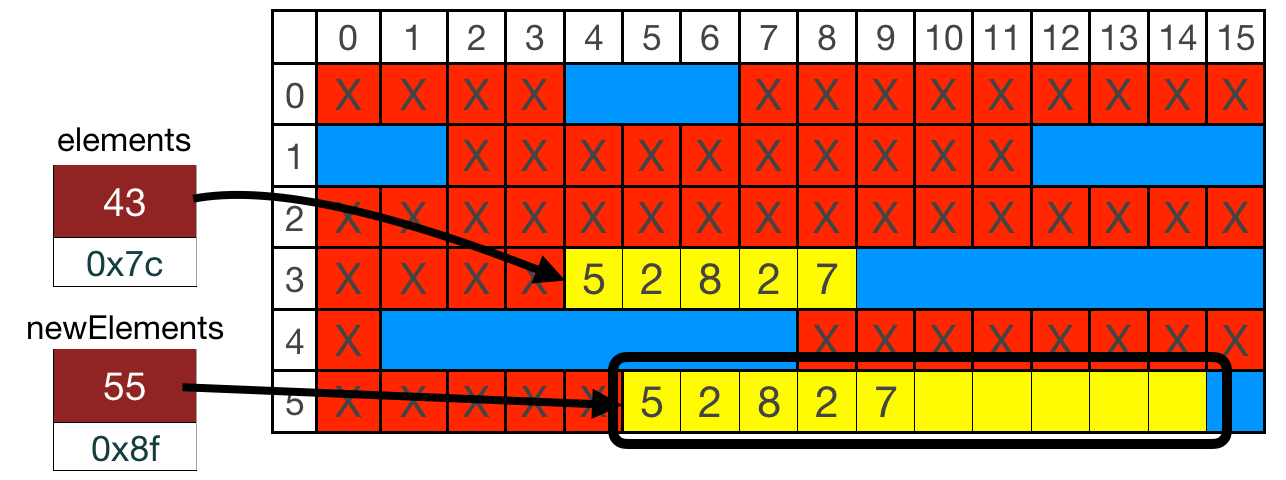
- We now copy the old data over to the new location (this is the expensive part of the procedure) (step 2):
for (int i = 0; i < count; i++) {
    newElements[i] = elements[i];
}
- Step 3 is to return the memory:
delete [] elements; - Notice that we have now returned the memory to the OS – the values don't disappear, but we should not use the original location again:
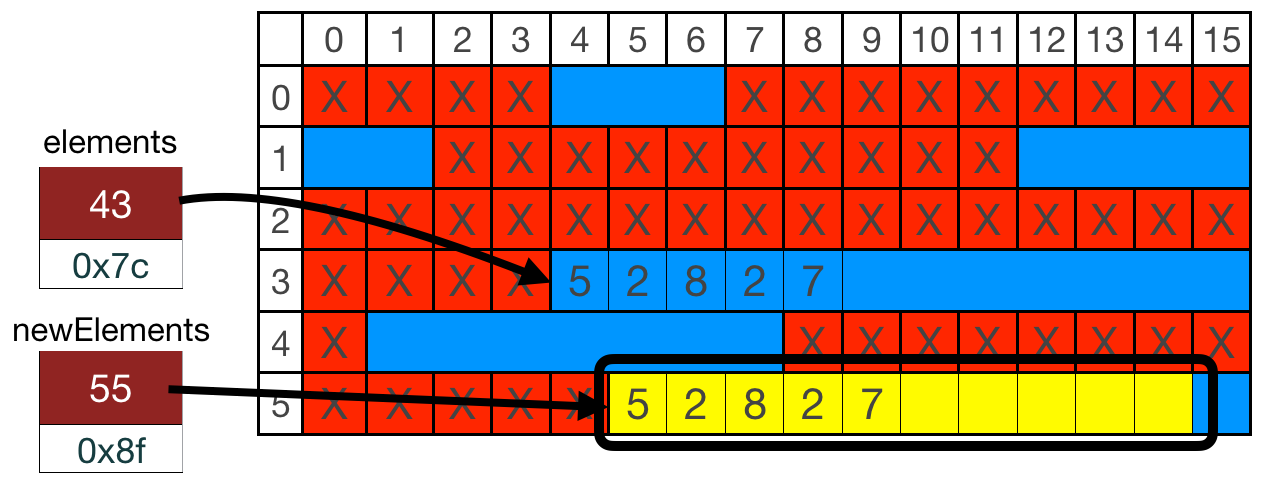
- Step 4 is to assign the elements to the new array:
elements = newElements;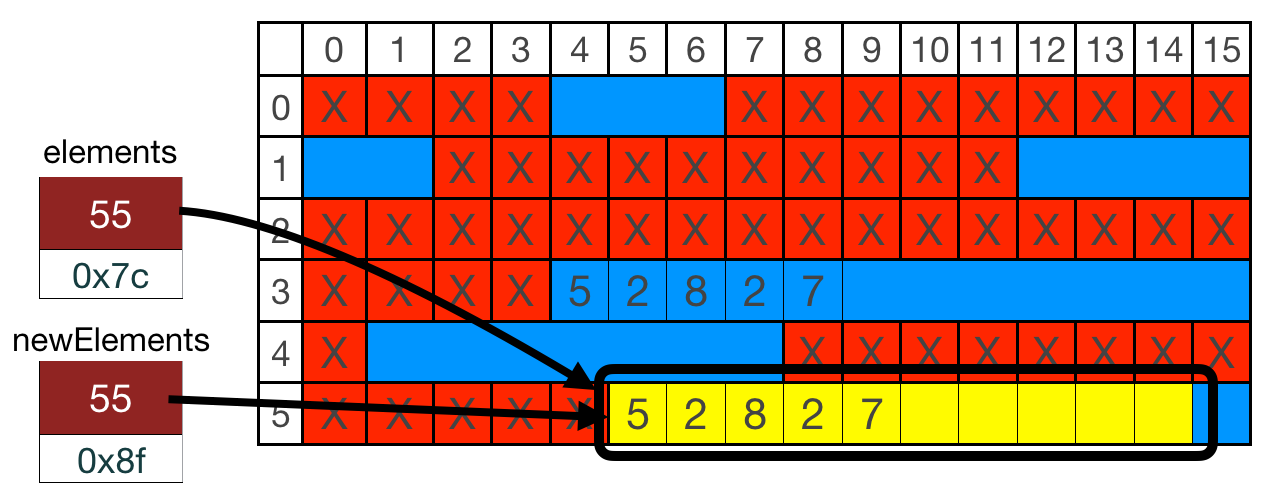
- Finally, step 5 is our bookkeeping step, where we update the capacity:
capacity *= 2;
- It looks like we can expand into the area starting at row 3, column 9, but we can't! We're already using row 3, column 4 through row three, column 8, and we can't simply ask the operating system to give us more memory in that location (actually, we can do that in C with a different set of memory operations, but not in C++ with