The Vector and Grid Classes
CS 106B: Programming Abstractions
Spring 2022, Stanford University Computer Science Department
Lecturer: Chris Gregg, SL: Lucia Morris

Slide 2
Today
- Learn about collections, and specifically Stanford Vectors and Grids
- Start working on our Game of Life programs
Slide 3
Collections
-
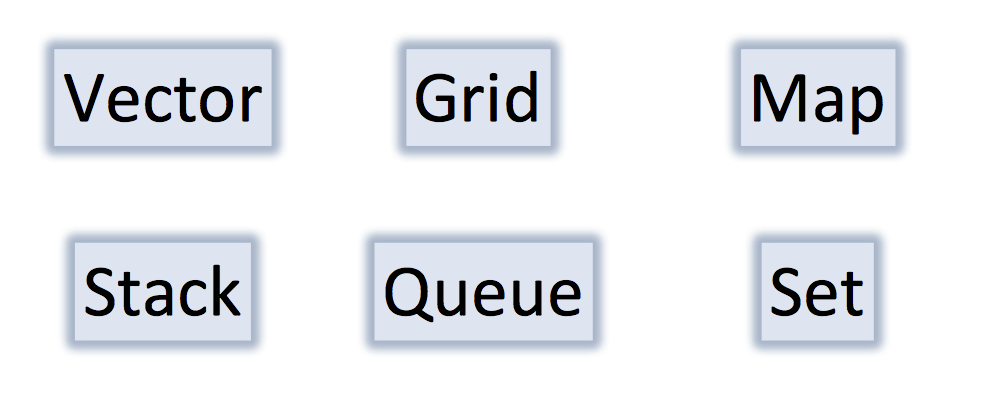
One of the most powerful aspects of C++ is the ability to have a "collection": we will study the six collections shown above.
-
We will talk about all of these as we go through CS 106B, but you will need to use the Vector and Grid classes for assignment 1.
Slide 4
The Vector Collection
- What is a
Vector?- It is like a
listin Python, or anArrayListin Java. - It is a list of elements that can grow and shrink.
- Each element has a place (or index) in the list.
- It is like a
- Important Details
- The constructor creates an empty list (more on constructors soon)
- The Stanford
Vectorclass performs bounds checks, meaning that if you try to access an element that is outside the bounds of aVector, the program crashes. - A
VectorKnows its size. - To use
Vectors, you#include "vector.h".
- Under the hood, a vector is an array, which means that in the computer's memory, one value follows the next.
Slide 5
Creating a Vector
- You must specify the type of your vector (e.g.,
int,string, etc.) -
When a vector is created it is initially empty.
- To create a vector called
vecthat can hold integers (ints), we write the following:Vector<int> vec;This calls the default constructor, which just means that it initializes and creates (constructs) an empty vector for us.
Slide 6
Adding elements to a vector
- Here is an example where we create a vector called
magicand add the numbers4,8,15, and16to the vector, and then print out the elment at index2:Vector<int> magic; magic.add(4); magic.add(8); magic.add(15); magic.add(16); cout << magic[2] << endl;Output:
15 -
Notice that the index ordering starts from zero!
- In the computer's memory, our vector is represented by one number after another, as follows:
magic:
| index: | 0 | 1 | 2 | 3 |
| value: | 4 | 8 | 15 | 16 |
Slide 7
Vectors have useful functions, like size()
magic:
| index: | 0 | 1 | 2 | 3 |
| value: | 4 | 8 | 15 | 16 |
- The following loops through the values in the vector and prints them:
for(int i = 0; i < magic.size(); i++) {
 cout << magic[i] << endl;
}
Output:
4
8
15
16
Slide 8
A new type of for loop: the for each loop:
magic:
| index: | 0 | 1 | 2 | 3 |
| value: | 4 | 8 | 15 | 16 |
- The following is a loop that automatically gets the next value in a collection:
for(int value : magic) {
 cout << value << endl;
}
Output:
4
8
15
16
Slide 9
Vector Functions
- The following functions are part of the vector collection, and can be useful:
vec.size(): Returns the number of elements in the vector.isEmpty(): Returnstrueif the vector is empty, false otherwise.vec[i]: Selects the ith element of the vector.vec.add(value): Adds a new element to the end of the vector.vec.insert(index, value): Inserts the value before the specified index, and moves the values after it up by one index.vec.remove(index): Removes the element at the specified index, and moves the rest of the elements down by one index.vec.clear(): Removes all elements from the vector.
- For the exhaustive list, check out the Stanford Vector class
Slide 10
The Grid Container

- The
Gridis a Stanford library class for 2-dimensional arrays, like a matrix in math:
| a0 | b0 | c0 |
| a1 | b1 | c1 |
| a2 | b2 | c2 |
Slide 11
Grid
- What is it?
- Advanced 2D array.
- Think spread sheets, game boards
- Important Details
- Default constructor makes a grid of size 0
- Doesn’t support “ragged right”.
- Bounds checks
- Knows its size.
- We could use a combination of Vectors to simulate a 2D matrix, but a Grid is easier!
Slide 12
Grid Example Code
Grid<int> matrix(2,2);
matrix[0][0] = 42;
matrix[0][1] = 6;
matrix[1][0] = matrix[0][1];
cout << matrix.numRows() << endl;
cout << matrix[0][1] << endl;
cout << matrix[1][1] << endl;
cout << matrix[2][3] << endl;
Let's draw what happens on each line.
Grid<int> matrix(2,2); // Create a 2x2 grid, with 0 as the default entries
| 0 | 1 | |
| 0 | 0 | 0 |
| 1 | 0 | 0 |
matrix[0][0] = 42; // put 42 at row 0, column 0
| 0 | 1 | |
| 0 | 42 | 0 |
| 1 | 0 | 0 |
matrix[0][1] = 6; // put 6 at row 0, column 1
| 0 | 1 | |
| 0 | 42 | 6 |
| 1 | 0 | 0 |
matrix[1][0] = matrix[0][1]; // put the value from r0,c1 at r1,c0
| 0 | 1 | |
| 0 | 42 | 6 |
| 1 | 6 | 0 |
cout << matrix.numRows() << endl;
cout << matrix[0][1] << endl;
cout << matrix[1][1] << endl;
Prints the number of rows, then the value at r0,c1, then the value at r1,c1:
2
6
0
cout << matrix[2][3] << endl; // attempts to print out the value at r2,c3
***
*** STANFORD C++ LIBRARY
*** An ErrorException occurred during program execution:
*** Grid::operator [][]: (2, 3) is outside of valid range [(0, 0)..(1, 1)]
***
libc++abi.dylib: terminate_handler unexpectedly threw an exception
15:25:55: The program has unexpectedly finished.
15:25:55: The process was ended forcefully.
Grids do bounds checking! If you want to bounds check without crashing, you should call the grid.inBounds(row, col) function, which returns true if the row and column are in bounds for the grid.
Slide 13
Grid Functions
- The following functions are part of the grid collection, and can be useful:
grid.numRows(): Returns the number of rows in the grid.grid.numCols(): Returns the number of columns in the grid.grid[i][j]: selects the element in the ith row and jth column.grid.resize(rows, cols): Changes the dimensions of the grid and re-initializes all entries to their default values.grid.inBounds(row, col): Returnstrueif the specified row, column position is in the grid,falseotherwise.
- For the exhaustive list, check out the Stanford Grid class
Slide 14
Grid Example: Traversing a Grid
void printGrid(Grid<char> &grid) {
    for(int r = 0; r < grid.numRows(); r++) {
        for(int c = 0; c < grid.numCols(); c++) {
            cout << grid[r][c];
        }
        cout << endl;
    }
}
If we pass in the following grid, what will print?
| 0 | 1 | |
| 0 | a | b |
| 1 | c | d |
| 2 | e | f |
Output:
ab
cd
ef
Slide 15
Common pitfalls when working with collections in C++
Vector numbers;- Needs a type! Should be:
Vector<int> numbers;
- Needs a type! Should be:
void myFunction(Grid<bool> gridParam);- Two issues:
- If you want the original
gridParamto be changed in the calling function, you're out of luck. - Inefficient because you have to make a copy of
gridParam.
- If you want the original
- Two issues:
void printOutGrid(Grid<bool> & grid) {
    for(int i = 0; i < grid.numRows(); i++) {
        for(int j = 0; j < grid.numCols(); j++) {
            cout << grid[j][i];
        }
    }
- Watch your variable ordering! Better to use
rfor rows, andcfor columns.
Slide 16
Let's Code Instagram!

Slide 17
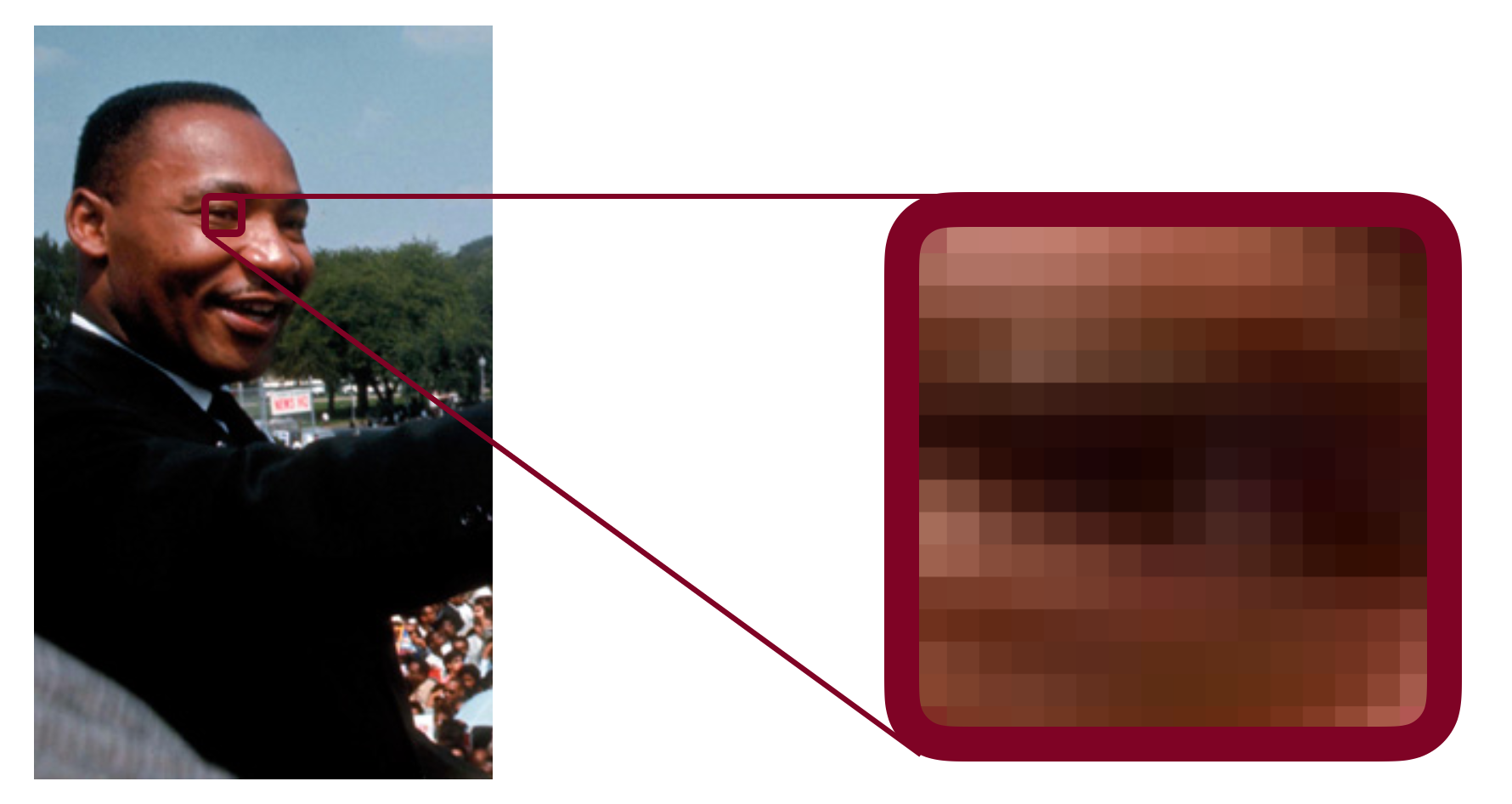
A color is an int, and and Image is just a Grid<int>!
Slide 18
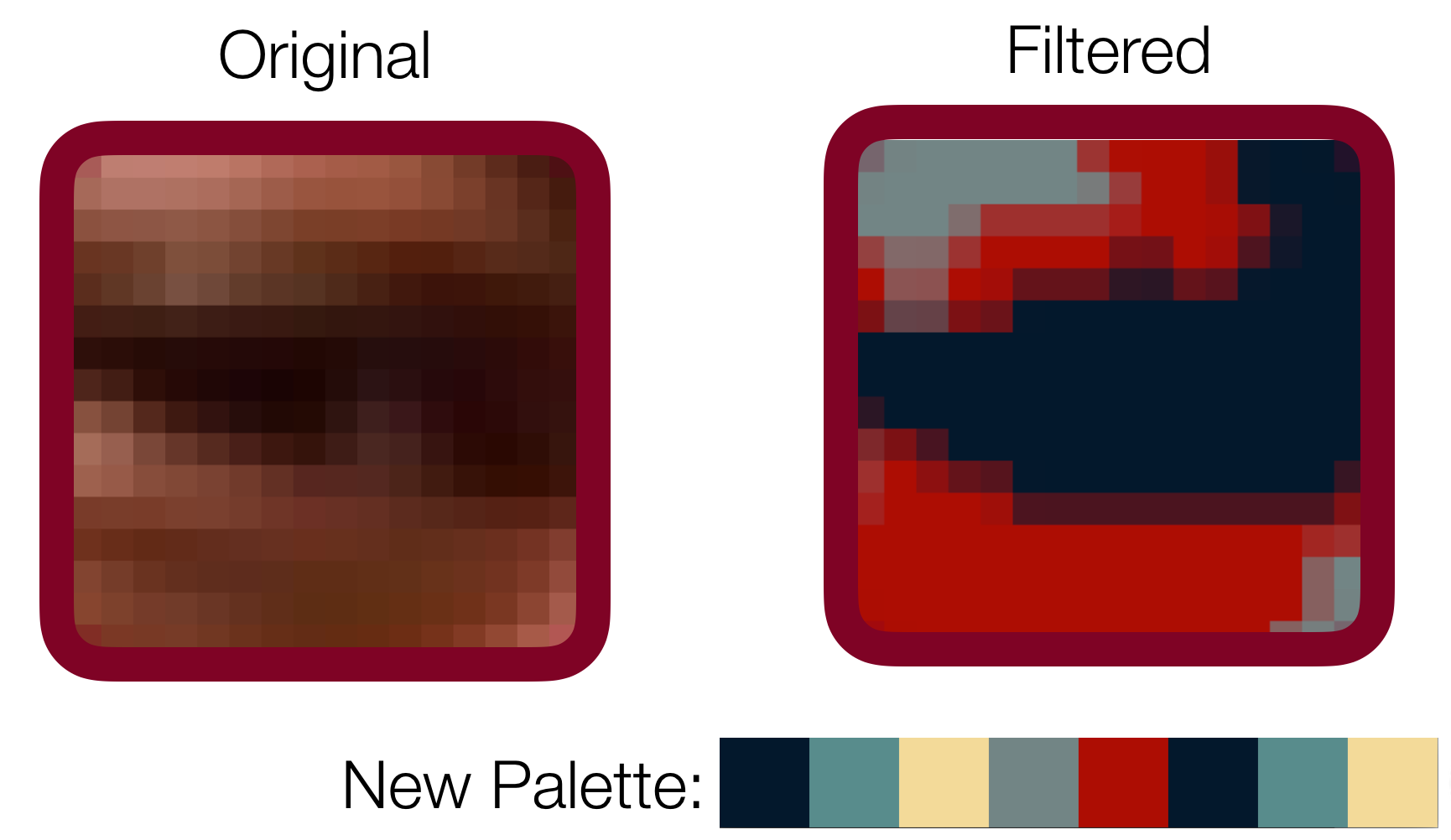
Let's change the palette of the image
Slide 19
Let's Code!