Rethlas 使用指南:如何借助 AI 运行 Rethlas(无需计算机科学背景)
本文提供一份使用 Rethlas 的分步指南。Rethlas 是一个强大的智能体(agentic)AI 系统,用于自主数学研究。本指南不要求读者具备任何 AI 或计算机科学的背景知识。虽然这未必是使用 Rethlas 的标准方式——那也许会是我未来另一篇笔记的主题——但它可能是最容易上手的方式。
关于目标读者与范围的几点说明:
- 不需要任何 AI 或计算机科学的先验知识。特别地,你不需要有任何使用终端(terminal)的经验。
- 本指南面向 macOS 和 Linux 用户。Windows 用户可以把全文复制粘贴给一个 AI 助手,请它把指令改写成适用于 Windows 的版本。我自己的笔记本电脑用的是 macOS 和 Arch Linux。
- 本指南以 Codex CLI 和 Codex 系列模型为例,但你也可以使用其他 AI 智能体和基座模型。
- 如果时间允许,我计划再写几篇指南,介绍其他有用的智能体工作流、使用 Rethlas 的标准方式,以及如何使用 Danus。
什么是 Rethlas?
用一句话向数学家解释:Rethlas 是一个「外骨骼」(harness),能让 AI 在数学研究上的能力大幅提升。你只需精确地陈述一个猜想,Rethlas 就会自主地去证明或证否它——无需进一步的提示。
更多细节参见 Rethlas 论文 [1]。
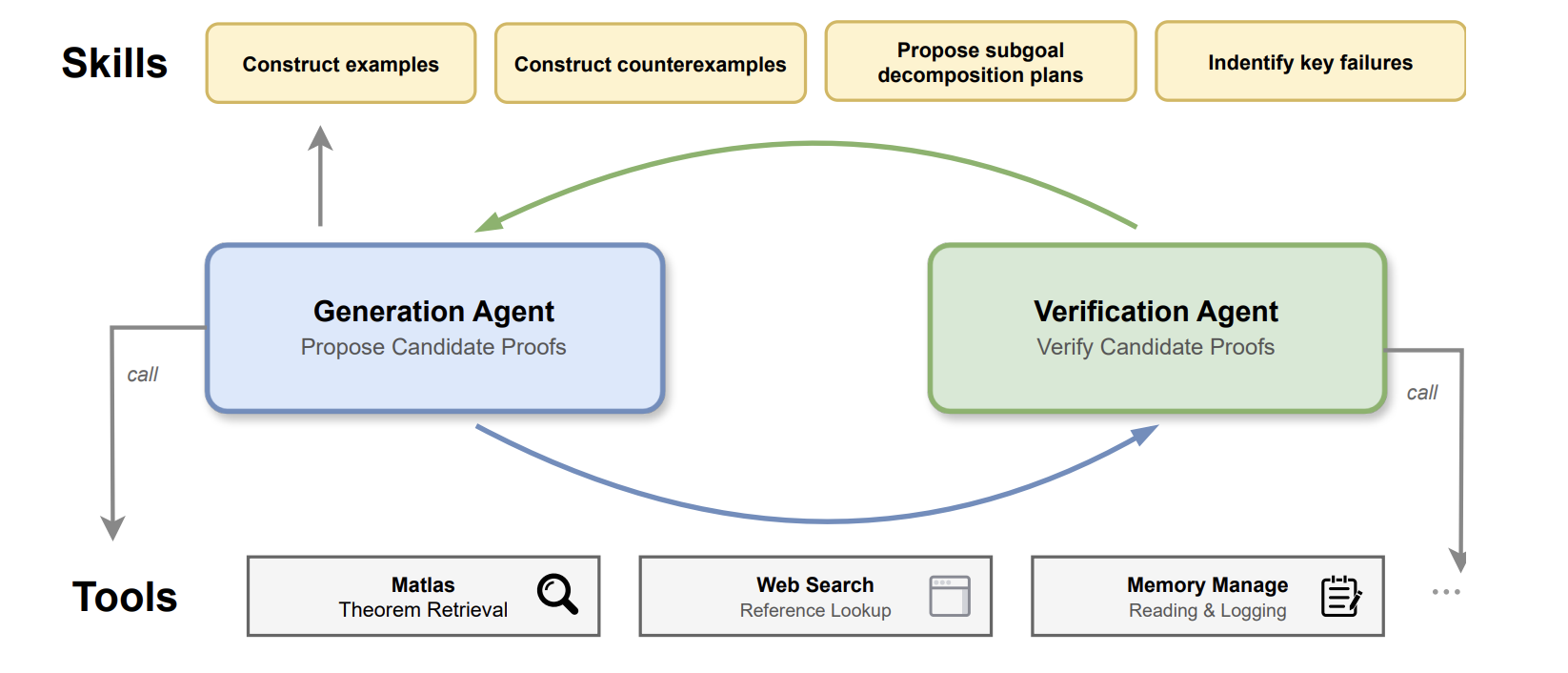
根据我自己的观察,Rethlas 远比只通过网页聊天界面使用 AI 强大。例如:
实验给出了如下对比:
- 代数群问题:
Rethlas + GPT-5.5 xhigh > Rethlas + GPT-5.4 xhigh > GPT-5.5 Pro(见 [1, Section 5.1.1])。 - 拟阵问题:
GPT-5.6 Sol max + Rethlas > GPT-5.6 Sol Ultra[2]。
Rethlas 还解决了其他一些问题;部分结果列在这个 GitHub 页面上。
分步指南(懒人版)
第一步:准备工作
首先,打开你的终端。
在 Mac 上,按 Command + Space 打开 Spotlight,输入 Terminal,然后按 Enter。
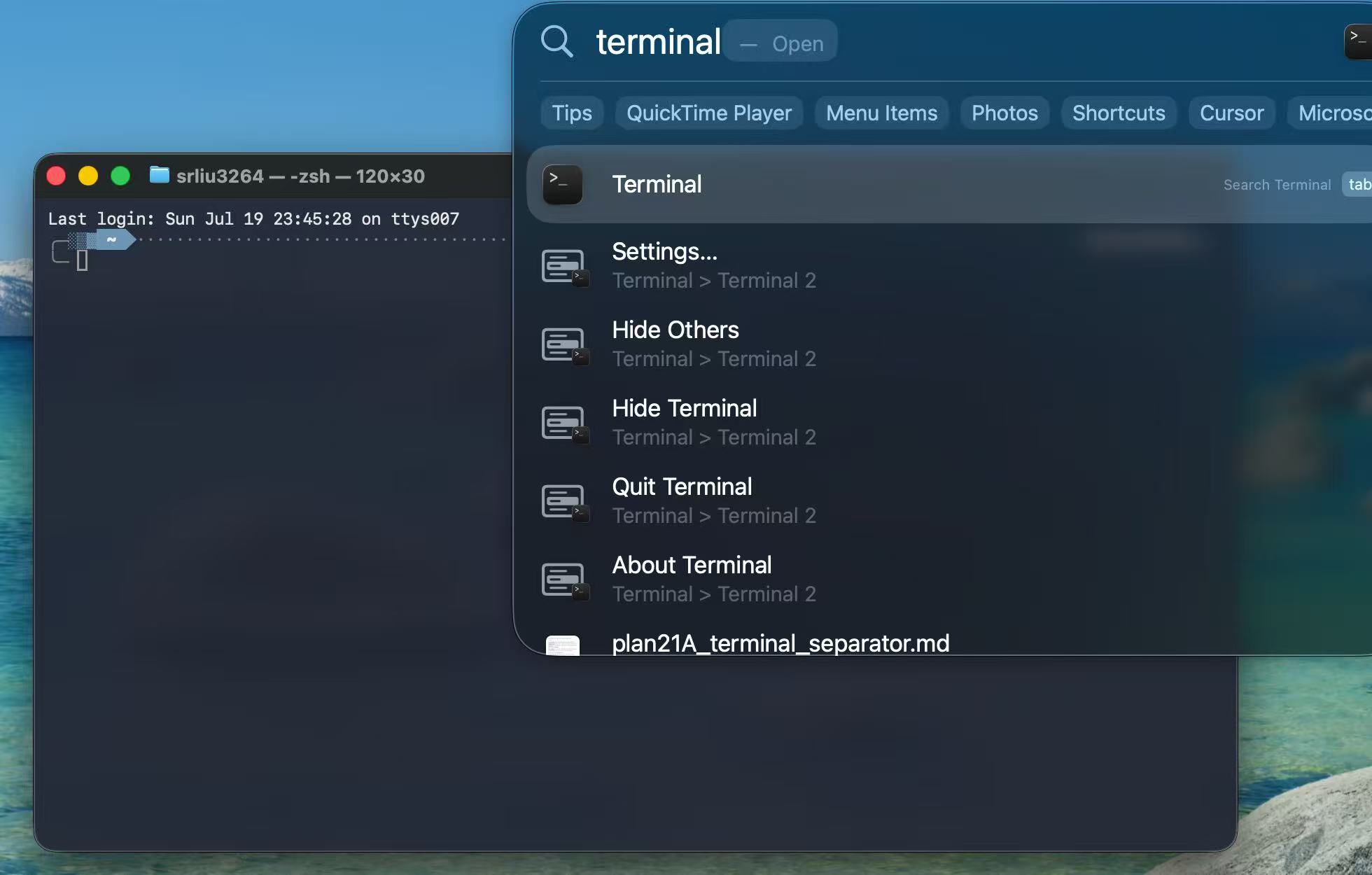
如果你之前没有配置过,终端可能看起来很丑;不要被它吓到。
接下来是最重要的一步:安装一个 AI 智能体的命令行界面(CLI)。
对于 Codex,把下面这条命令复制粘贴到终端里,然后按 Enter:
curl -fsSL https://chatgpt.com/codex/install.sh | sh参见 OpenAI 的 Codex CLI 安装说明。如果想用 Claude Code,参见 Anthropic 的安装说明。其他 AI 智能体的 CLI 也许同样可行,但本指南通篇以 Codex 为例。
接着,在桌面上创建一个名为 projects 的文件夹并进入它。在 Mac 上,把以下命令复制粘贴到终端:
cd ~/Desktop
mkdir -p projects
cd projects
现在启动 Codex CLI:
codex选择 1. Sign in with ChatGPT。ChatGPT Plus 订阅包含 GPT-5.6 系列模型(包括 Sol)的使用权限;Pro 订阅提供更高的用量上限。
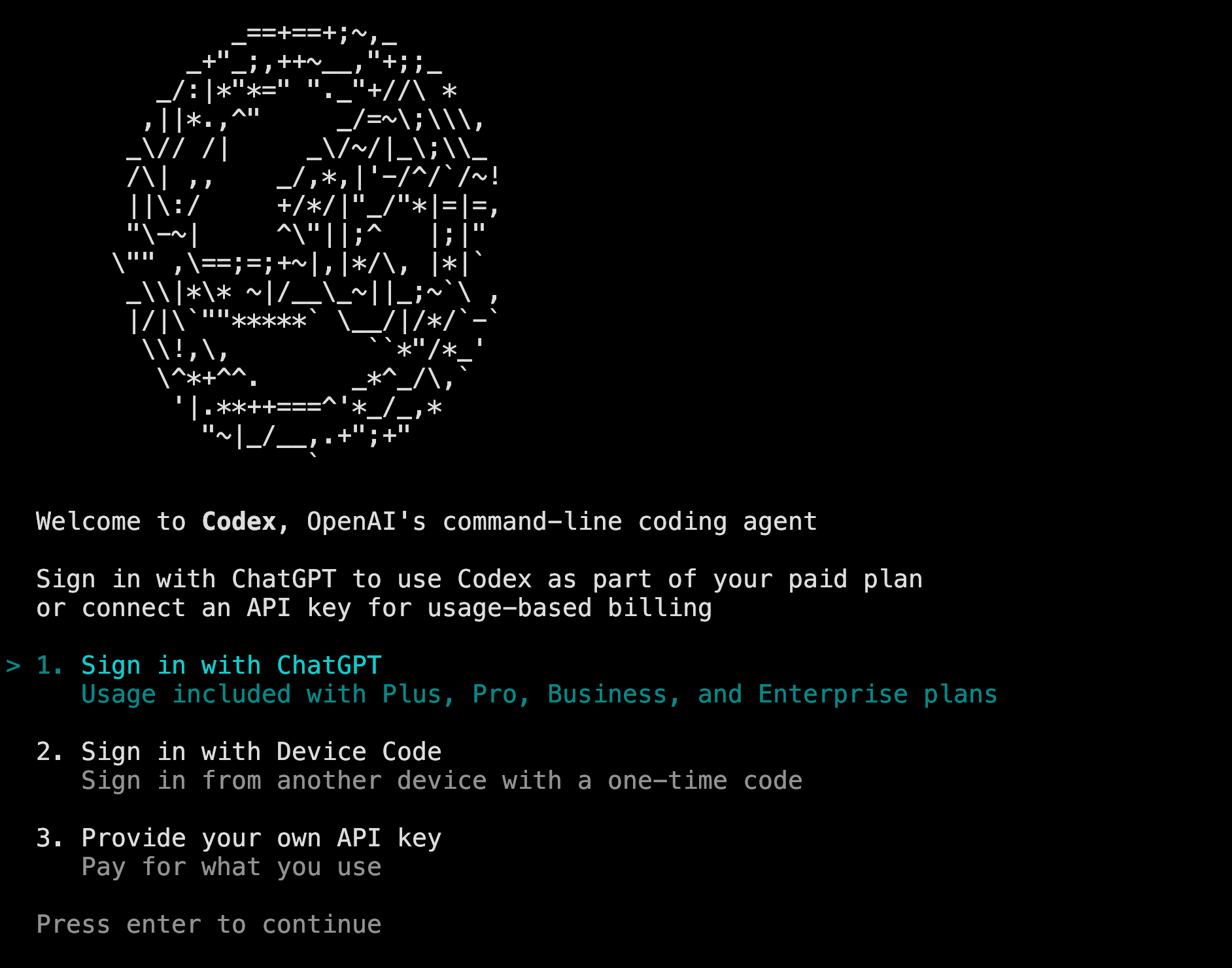
浏览器会弹出一个窗口。在那里登录你的 ChatGPT 账号,然后回到终端。
登录并回到终端之后,你随时可以按 Ctrl+C 退出 Codex,回到普通的终端提示符。
现在你已经可以使用 Codex CLI 了。它用起来很像网页聊天界面,但它能访问你当前文件夹中的文件,并且——在你许可的前提下——运行终端命令。这些能力使它强大得多。
你可以像在网页聊天中一样向 Codex 提问,但要仔细审阅它提议运行的命令,并对你授权执行的一切负责。
最后,安装所需的软件包:
Mac 用户:
brew update
brew install python
brew install git
brew install uv
brew install zola
如果你看到类似 command not found: brew 的错误,请运行以下命令安装 Homebrew:
/bin/bash -c "$(curl -fsSL https://raw.githubusercontent.com/Homebrew/install/HEAD/install.sh)"按照 Homebrew 安装器打印的指示操作,然后重新运行上面的软件包安装命令。如果出现其他错误,把完整的错误信息复制粘贴给 Codex CLI,请它解释问题并帮你修复。
在 Linux 上,请使用你的发行版的包管理器安装这些软件包。例如,Arch Linux 用户可以用 sudo pacman -S 代替 brew install。
第二步:配置 Rethlas
首先,把 Rethlas 仓库克隆到你的笔记本电脑上:
git clone https://github.com/frenzymath/Rethlas rethlas进入刚下载好的 rethlas 文件夹:
cd rethlas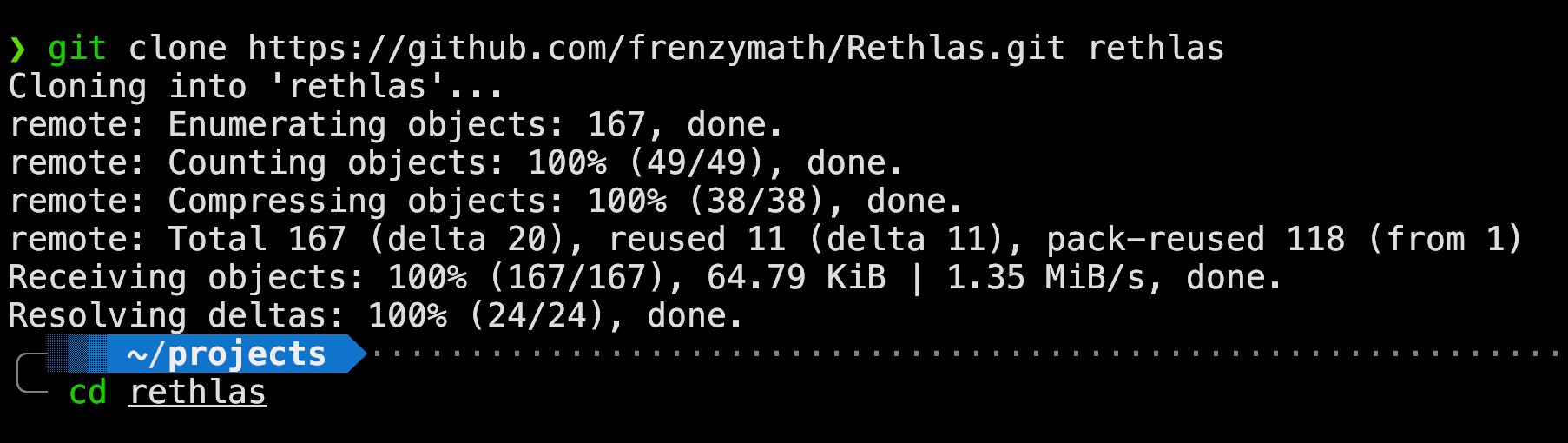
现在启动 Codex,请它帮你配置 Rethlas。这是刻意选择的最简单、最自动化的方案;标准的手动配置与工作流我打算在另一篇指南中说明。
下面是一个示例提示词:
This repository contains an agentic framework for autonomous mathematical research. Please inspect the codebase carefully, using subagents in parallel where helpful. Identify and fix any issues that would prevent Rethlas from working on my laptop. In particular: (1) set up and use the correct virtual environments in `agents/generation/` and `agents/verification/`; `uv` is already installed; (2) ensure that `agents/generation/site/serve.sh` works on this laptop, adapting any hard-coded paths so that I can view the results through a local Zola server; and (3) identify and report any other bugs or setup issues.Codex 指出的问题不必逐一处理;轻微、无害的问题通常可以不管。你可以使用 GPT-5.6 Sol 配 Extra High 推理强度,甚至 GPT-5.5 配 Extra High 推理强度。对这个简单的配置任务来说,Ultra 没有必要。若使用 Claude Code,Claude Opus 4.8 应该就够了;Claude Fable 5 的能力超出了这个任务的需要。
第三步:让 Rethlas 解决你的问题
你可以请 Codex CLI 为你启动并监控一次 Rethlas 实验。
下面是一个示例提示词:
I want to use Rethlas to solve a research problem. Use GPT-5.6 Sol with Max reasoning as the base model for both the generation and verification agents. Ensure that the verification service is running and that both agents use the correct virtual environments. Then launch and monitor Rethlas as it attempts to solve the following problem: prove or disprove ...接下来就等着看 Rethlas 能否解决这个问题。你可以时不时向 Codex 询问进展:
What is the current status?
Is the verification service healthy?
Has there been any recent progress?
你也可以根据 Rethlas 的进展提供数学上的指导。Claude Code 用户可以用 /loop 在会话保持打开期间定期请求状态检查。
第四步:如何查看输出
如果 Rethlas 产生了通过验证的解答,你会在 agents/generation/results/ 下找到 blueprint_verified.md。如果验证没有成功,你会找到的是 blueprint.md;这份草稿尚未被验证智能体接受为有效。
查看输出有两种方式:
方式一:在浏览器中查看结果
请 Codex CLI 在本地渲染结果:
Please use `agents/generation/site/serve.sh` to render the output blueprint at `http://localhost:3264`. Ensure that the MathJax syntax is correct, the document renders properly, and the MATbook theme is up to date.然后打开浏览器访问 http://localhost:3264。
好玩的冷知识:在那个网页里,按 <shift>+f 进入全屏,再按 i 进入黑客帝国(Matrix)模式。
方式二:用 LaTeX 把结果编译成 PDF
请 Codex CLI 把 Markdown 文件转换成 LaTeX:
Convert the blueprint Markdown file into a compilable `amsart` LaTeX document. Do not alter the content. Ensure that all mathematical symbols render correctly and that all cross-references work.你也可以请 Codex 把 blueprint 改写成论文草稿,但不应假定其结果已经达到可发表的水平。
Using `blueprint_verified.md`, write a professional, compilable `amsart` LaTeX manuscript suitable in style for a leading mathematics journal such as the *Annals of Mathematics* or *JAMS*. Present the mathematical content rigorously, coherently, and faithfully. Add an appropriate introduction and necessary citations, and avoid self-coined or unprofessional terminology. Do not alter the mathematical content of `blueprint_verified.md`.其他建议
-
与任何 AI 工具一样,Rethlas 并不是能解决所有问题的神谕。如果 Rethlas 运行了很长时间——比如 8 或 24 小时——仍未解决问题,通常最好停止实验。此时你可以试试更强大的智能体系统 Danus [3];例如,[4] 中的问题 Danus 解决了,而 Rethlas 没有。或者,你可能需要把问题拆分成更小的子问题,或提供额外的非平凡要素。这个问题也可能确实超出了当前智能体系统——甚至底层基座模型——的能力范围。也可以换一个更强的模型、更高的推理强度,或两者兼施。
-
向系统提供参考文献时,LaTeX 或 Markdown 格式优于 PDF。你可以用光学字符识别(OCR)工具把 PDF 转换成这两种格式之一。
-
在公开宣布任何结果之前,请仔细核验输出。你也可以尝试自动形式化工具。我推荐 Archon,它是 [1] 中描述的一个智能体系统,能在 Lean 4 中自主形式化数学。但要注意常见的陷阱:Lean 文件里可能含有
sorry占位符或额外的公理,形式化后的命题也可能与原意不符。 -
如果过程被中断,不要慌。运行
codex resume重新打开之前的 Codex 会话,然后告诉 Codex:Continue the experiment. -
AI 透明性: 即使在没有正式规定约束的情形下,我也认为研究者应当诚实、透明地说明自己对 AI 的使用。我的做法是在致谢中解释我如何使用了生成式 AI,并在可能时在附录中给出更多细节。例如参见 [2]。如果你使用了 Rethlas,我会很感激你加上一段致谢。以下是一个建议的模板:
The initial .... was discovered by Rethlas [1], an AI agent for mathematical research, developed by the Rethlas team, namely Haocheng Ju, Jiedong Jiang, Shurui Liu, Guoxiong Gao, Yuefeng Wang, Zeming Sun, Leheng Chen, Bin Wu, led by Professor Liang Xiao and Professor Bin Dong.关于 AI 与数学的更广泛的社区视角,参见 Leiden Declaration on Artificial Intelligence and Mathematics(莱顿人工智能与数学宣言)[5]。
可能的后续指南
如果时间允许,并且这些指南对数学界有帮助,我可能会写以下主题:
- 一种更直接、更标准的配置和运行 Rethlas 的方式,不把过程外包给另一个 AI,包括如何调整它、利用论文的前半部分去证明一个引理;
- 其他有用的智能体工作流,例如用 Codex 改进数学写作和修正语法、更快地学习不熟悉的领域,或整理笔记、速查表和讲义;
- Danus 使用指南;
- 对 Rethlas 代码库与方法论的简明解说。
参考文献
[1] Haocheng Ju, Guoxiong Gao, Jiedong Jiang, Bin Wu, Zeming Sun, Shurui Liu, Liang Xiao, Ruochuan Liu, Bryan Dai, Bin Dong, et al. Automated Conjecture Resolution with Formal Verification. arXiv:2604.03789.
[2] Ronnie Cheng, Shurui Liu. Kazhdan-Lusztig polynomials of matroids need not be unimodal. arXiv:2607.24186.
[3] Jihao Liu, Guoxiong Gao, Zeming Sun, Bin Wu, Shurui Liu, Jiedong Jiang, Haocheng Ju, Leheng Chen, Ronnie Cheng, Xiping Zhang, Bin Dong. Danus: Orchestrating Mathematical Reasoning Agents with Fact-Graph Memory. arXiv:2607.06447.
[4] Ronnie Cheng, Shurui Liu, Guoxiong Gao. Tangent classes of matroids and wonderful compactifications. arXiv:2607.05835.
[5] Leiden Declaration on Artificial Intelligence and Mathematics.(莱顿人工智能与数学宣言。)该宣言呼吁采取行动,应对在数学研究中使用人工智能所带来的挑战。它源于一项社区倡议,并得到国际数学联盟(IMU)的认可。网页。
Comments