An Advanced Guide to Rethlas: How to Run Rethlas Manually
This is a more advanced guide to Rethlas for mathematicians with minimal computer science knowledge. I will go into more detail about Rethlas and discuss how I would use it.
Prerequisites
- Know the basics of using a terminal. See my terminal guide.
- Finish the basic setup of Rethlas. See my earlier post, A Guide to Rethlas: How to Run Rethlas with AI (No CS Knowledge Assumed).
Overview of the Rethlas Repository
├── agents
│   ├── generation
│   │   ├── AGENTS.md
│   │   ├── data
│   │   ├── downloads
│   │   ├── logs
│   │   ├── mcp
│   │   ├── memory
│   │   ├── results
│   │   ├── scripts
│   │   ├── site
│   │   └── tests
│   └── verification
│       ├── AGENTS.md
│       ├── api
│       ├── mcp
│       ├── memory
│       ├── requirements.txt
│       ├── results
│       ├── schemas
│       └── scripts
Rethlas has two agents: a generation agent and a verification agent. The basic philosophy is very simple: if the verification agent can reliably reject false proofs and the generation agent is strong enough to search the space of candidate proofs, then, by iterating the generation–verification loop, the generation agent will eventually find a proof by patching small gaps and avoiding repeated mistakes.
You can view the code in either of the following ways:
- GUI lovers: open the folders and click on the files or subfolders you are interested in.
- Terminal lovers: use
cdto enter directories,lsto see visible files,ls -alhto include hidden files, andless <filename>to view a file in a pager.
If you only care about how to use Rethlas, then you only need to know the following:
agents/generation/datais where you put your problems and references.agents/generation/resultsis where you can find the output solutions (Markdown files).agents/generation/logsis where you can see Rethlas's logs and investigate its exploration trajectories. These logs are often too long to read in full.agents/generation/memoryalso helps you understand the key points of the reasoning trajectories, including big decisions, branch states, counterexamples, events, failed paths, immediate conclusions, proof steps, subgoals, toy examples, and verification reports.
Let me go through these in more detail. I will take the real-rootedness conjecture for Kazhdan–Lusztig polynomials of matroids as an example.
Problems and References
Write a Problem and Provide References
Since it is usually most convenient to do everything in a terminal, I will first introduce this canonical terminal-based approach. For people who really dislike the terminal, I will explain how to use a GUI (graphical user interface) instead.
First, use cd to enter the rethlas folder.
Remark 1.
If you cloned Rethlas directly into your home directory with git clone https://github.com/frenzymath/Rethlas.git rethlas, then run cd rethlas. If you want to put it on your Mac's Desktop, run:
cd ~/Desktop
git clone https://github.com/frenzymath/Rethlas.git rethlas
cd rethlas
Then make a new project folder for your problem:
cd agents/generation/data
mkdir real_root_kl
cd real_root_kl
Now the key points are:
- Run
touch real_root_kl.mdto create a Markdown file in which you can write down your problem. - Run
mkdir real_root_kl.refsto create a folder in which you can put references.
It does not matter what you name the problem. However, it is important that the base names of x.md and x.refs match.
Now use your favorite editor to edit the Markdown file and state your problem clearly and rigorously (otherwise, the agents may give you trivial examples!). As taught in the terminal guide, on macOS you can use open -e <filename.md> to open it in TextEdit. If you installed Visual Studio Code—either through Homebrew or by downloading it in a browser—and made its code command available in the terminal, you can use code <filename> to edit the file in VS Code. You can also use vim <filename>.
Remark 2.
If you dislike the terminal, you can simply use your file manager (Finder on a Mac). Instead of using cd, click folders to enter them. Instead of using mkdir, create a new folder. Instead of using touch, create a new file in a text editor.
Tips on Problem Statements and References
As you know, generative AI is essentially a next-token predictor, so the prompt and context matter. Here are some tips I want to highlight:
- Make sure your problem statement is rigorous and contains all necessary conditions; otherwise, the agents may give you trivial examples. Avoid ambiguity and abuse of notation. Make things crystal clear.
- To provide references, simply put the files in
real_root_kl.refs. I strongly recommend using Markdown, LaTeX, or plain text. For arXiv papers, you can download the LaTeX source. For PDFs, you can use optical character recognition (OCR) or another AI tool—for example, the ChatGPT web interface—to convert them to Markdown. - You do not need to provide all references available on arXiv, since the agents can use search tools to find them on their own. However, it may help a lot if you provide copyrighted books that you believe would be useful.
- References will distract the agents if they are not useful. Therefore, provide only necessary references that you believe are closely related to the problem, or copyrighted material that is difficult to download freely from the internet.
- In the problem statement, you can provide definitions that are needed for the problem. This is especially useful when the terminology has other meanings in other fields.
Some more advanced tricks:
In the terminal guide, I illustrated how to use Git with Overleaf. You can therefore clone your Overleaf paper project into this reference folder. If you organize the sections of your paper clearly in separate .tex files and use \input in main.tex, then you can provide the agents with context from your work in progress or personal notes.
If the problem requires definitions from your paper, I recommend repeating the definitions in the problem statement and adding something like as defined in 1introduction.tex in refs. Here is a prompt template:
A monodromic crystalline D-module is defined to be ..., as in
3monodromic.tex. Prove ..., i.e., the unproved lemma lem:unproved in
3monodromic.tex.
Then, after revising the output and verifying that it is correct, you can write the proof in your paper based on your understanding, or you can ask Codex or Claude to merge it into your paper. Make sure that you verify the argument and rewrite it carefully. You can use git add, git commit, and git push to update Overleaf. You can also use git restore . to discard unstaged changes to tracked files.
Run Rethlas
Now that you have stated the problem and provided references, let us start Rethlas. Of course, you can still use AI to help you launch and run it, as taught in the Rethlas guide. Here I want to explain how to control the experiments manually.
Again, use cd to enter the rethlas directory: cd ~/rethlas or cd ~/Desktop/rethlas, depending on where you put the Rethlas folder.
Then use tmux to manage multiple terminal windows in a single session. For tmux and its benefits, see the terminal guide.
tmux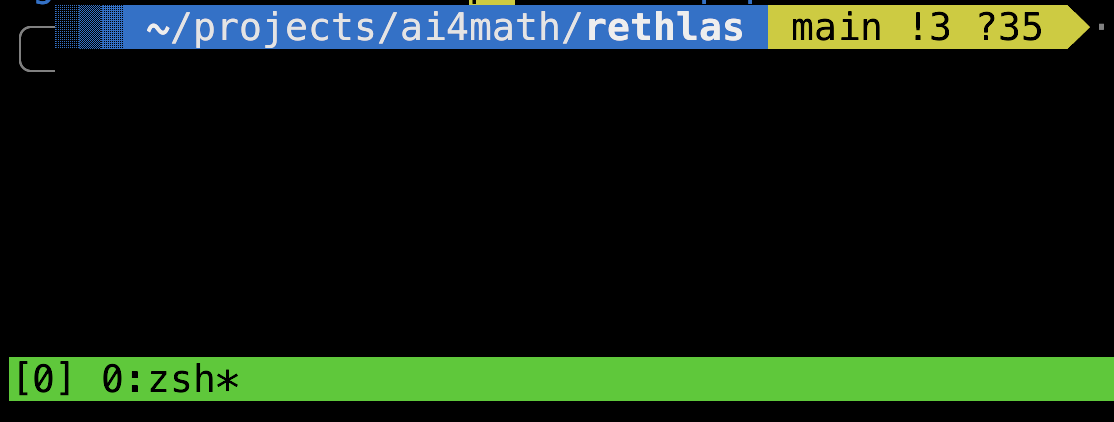
Now we will use one window for the generation agent and one window for the verification service.
Set Up the Verification Service
Press ctrl+b, release both keys, and then press , to rename the current window. Type verify and press enter.
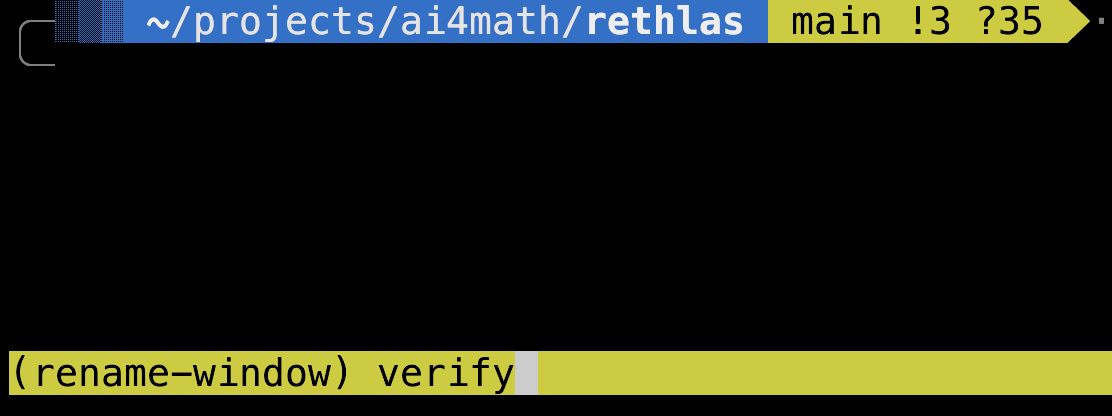
Then run:
cd agents/verificationIf you have already set up the virtual environment as taught in the Rethlas guide, simply run:
source .venv/bin/activateOtherwise, run:
uv venv
source .venv/bin/activate
uv pip install -r requirements.txt
Then run:
uvicorn api.server:app --host 0.0.0.0 --port 8091You should see:
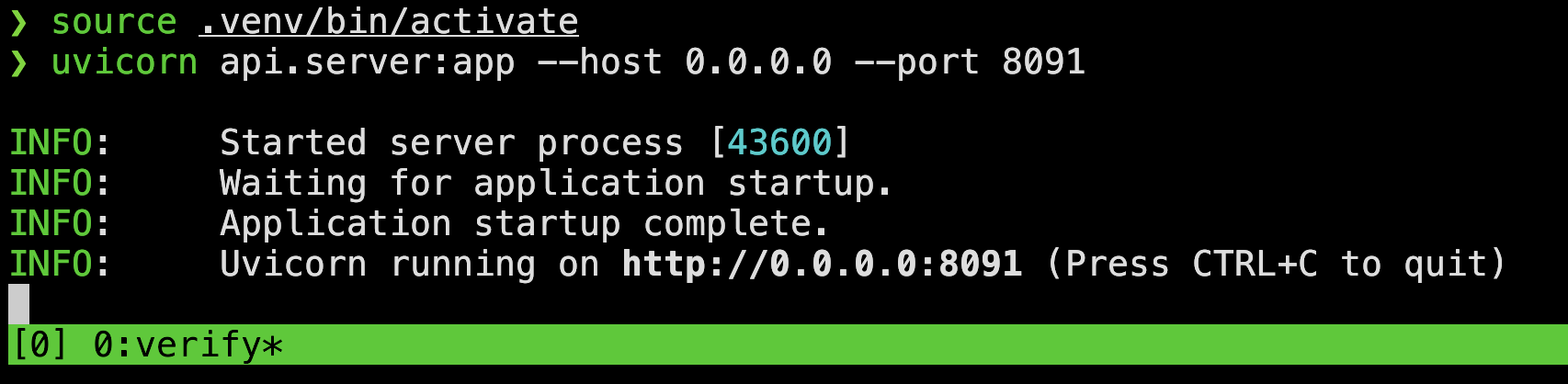
Now we can start the generation agent.
Set Up the Generation Agent
First, press ctrl+b, release both keys, and then press c to create a new window. Again, use ctrl+b, then ,, to rename this window gen1.
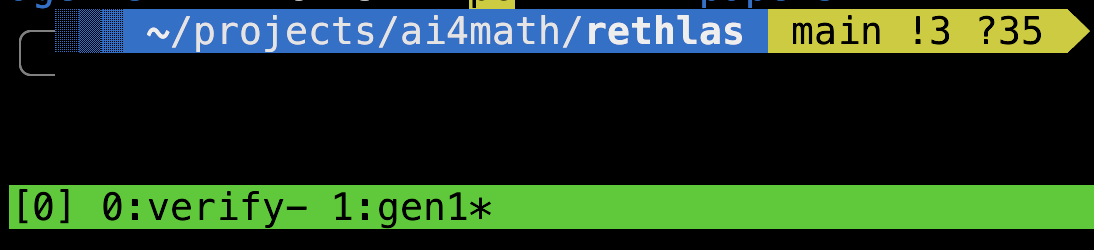
Make sure you are in the Rethlas directory, and then run:
cd agents/generationIf the new tmux window instead inherited the agents/verification directory, run cd ../generation.
If you have already set up the generation agent's virtual environment, run:
source .venv/bin/activateOtherwise, run:
uv venv
source .venv/bin/activate
uv pip install -r mcp/requirements.txt
Now run:
MODEL=gpt-5.6-sol REASONING_EFFORT=max PROBLEM_FILE=data/real_root_kl/real_root_kl.md ./tests/run_example.shNow you will see:
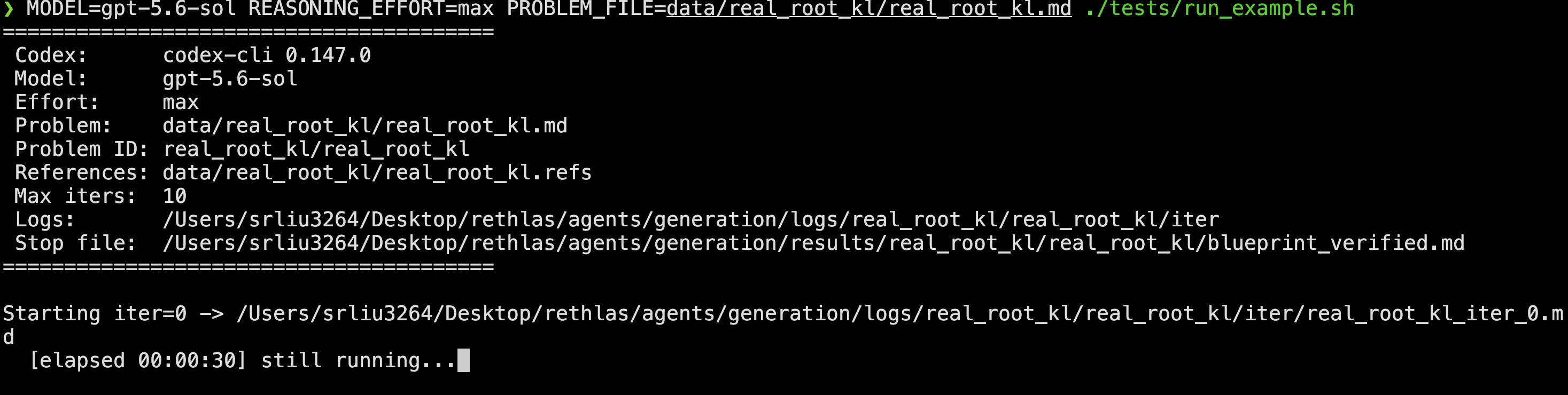
The timer will show how long it has been running.
Now wait for it to run for hours and, hopefully, harvest the result. You can stop it by pressing ctrl+c.
View the Output in a Browser
After the experiment finishes, you can view the result by running the following command:
./site/serve.shRun this command from the agents/generation directory.
Then open http://localhost:3264 in your browser to view the results. If any formulas are malformed, you can, of course, ask Codex to fix them.
Parallel Runs
You can run several generation agents to attack several problems in parallel, as long as you have enough GPT usage available.
- Use
ctrl+b, thenc, to open a new window. Usectrl+b, then,, to rename itgen2. - Use
cdto enteragents/generation. - Run
MODEL=gpt-5.6-sol REASONING_EFFORT=max PROBLEM_FILE=data/real_root_z/real_root_z.md ./tests/run_example.sh.
You can use ctrl+b, then w, to choose which window to switch to. You can occasionally check whether the verification service is working correctly.
Analyze the Exploration Trajectory
If you want to understand why Rethlas succeeds or fails on a particular problem, you have to look at the log and memory files. The memory files are generally short and informative, while the log files are usually lengthy and verbose but contain more information for debugging and understanding failures.
By looking at the log files, I discovered the following:
- Rethlas made a citation-substitution mistake in Brian Conrad's algebraic-group problem [1, Section 5.1.1] because of a copyright issue: the CGP book [3] was not accessible to Codex, and the model would not reproduce content from the copyrighted book.
- I also reconstructed Rethlas's reasoning trajectory for the Kazhdan–Lusztig polynomial paper [2].
Of course, you may use Codex or Claude to help you understand the logs, but you cannot rely on them too much because the logs are very long and the agents may overlook things.
References
[1] Haocheng Ju, Guoxiong Gao, Jiedong Jiang, Bin Wu, Zeming Sun, Shurui Liu, Leheng Chen, Yutong Wang, Yuefeng Wang, Zichen Wang, Wanyi He, Peihao Wu, Liang Xiao, Ruochuan Liu, Bryan Dai, and Bin Dong. Automated Conjecture Resolution with Formal Verification. arXiv:2604.03789.
[2] Ronnie Cheng and Shurui Liu. Kazhdan–Lusztig Polynomials of Matroids Need Not Be Unimodal. arXiv:2607.24186.
[3] Brian Conrad, Ofer Gabber, and Gopal Prasad. Pseudo-reductive Groups. 2nd ed., New Mathematical Monographs 26, Cambridge University Press, 2015. DOI: 10.1017/CBO9781316092439.
Comments