CS 49 - Creating Websites Using WordPress

Mark Branom, Instructor
branom@alumni.stanford.edu
markbranom@gmail.com
Freezoy
Note: neither Stanford University nor Continuing Studies supports or endorses Freezoy in any way. We are simply using them because they are free, and they are one of the few website hosting organizations to allow people to install WordPress instances for free.
Freezoy is a free web host that supports PHP and MySQL (needed for WordPress). In addition, Freezoy has an easy-to-use installer to help install WordPress.
To sign up for a Freezoy account:
- Go to Freezoy's website (http://freezoy.com/).
- Click the link Signup For Free Hosting.
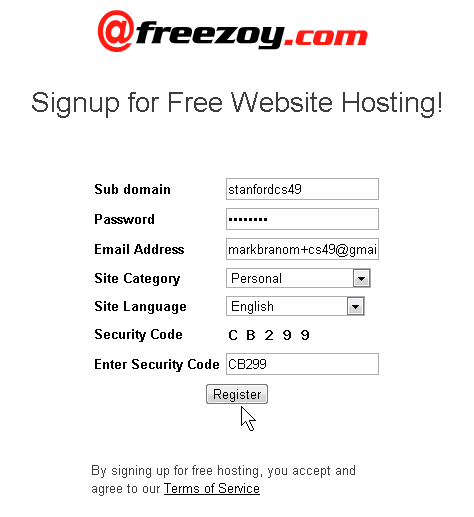
- Enter the required information:
- a desired subdomain (this will form the URL yourname.freezoy.com)
- a password
- a valid email address
- category
- language
- security code
- Then, click Register.
- The following message should appear after a few moments:
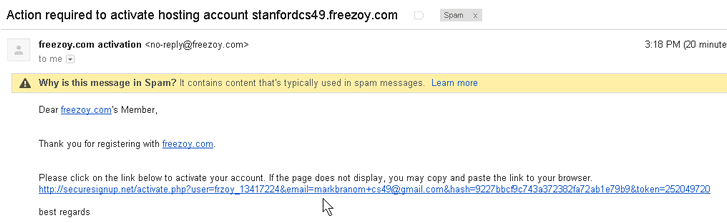
- An activation email has now been sent to [your email], please click the activation link in the email to activate this account
- Go to your SPAM folder in your email account. The activation email almost certainly was sent to the spam folder.
- Click the activation email link.
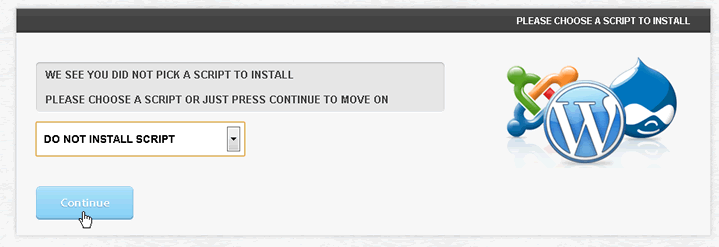
- After you click the link, a Please Choose a Script to Install message appears. Select DO NOT INSTALL SCRIPT and click Continue.
- Wait for the "PLEASE WAIT WHILST WE SETUP YOUR ACCOUNT" page to finish activating.
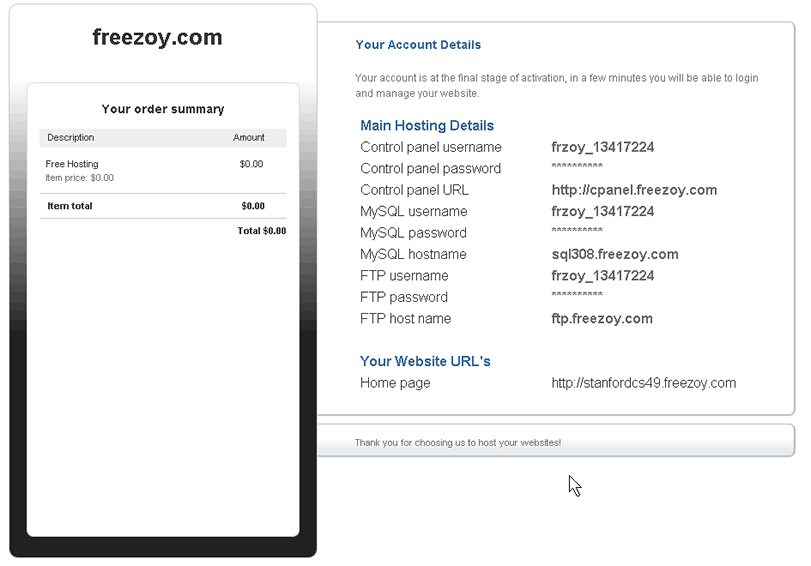
- An email will be sent to you with the your Freezoy information. Do not lose this information as you'll need it in the future.