Other articles


  1. After BBA

    Dear students,

    As you dive into the final weeks of BB&A, we encourage you to start thinking about where your project will go after the class ends. This is up to you, but there are a few concrete opportunities to consider:

    1. Feedback on your final project. When you turn …
    read more
  2. Final Project Groups

    Once you have decided on your final project group, please record it on this spreadsheet. The teaching team will use this spreadsheet to keep track of final project groups and progress, so please update it when/if your group or project changes. It was so exciting to hear all your …

    read more
  3. Arduino

    In this station, you will work with Arduinos at two different levels of abstraction.

    Follow

    I2C

    I2C is a communication protocol allowing high-level communication between components. All you have to do is connect four wires:

    • V+ (either 3.3 volts or 5 volts)
    • Ground
    • SCL (clock)
    • SDA (data)

    Basically, the …

    read more
  4. Interface design

    Design and implement a user experience for the game "Treasure" or for your final project. For the purposes of this assignment, the nature of the application is not important. Rather, your focus will be on designing user interfaces and user experiences for learning. You will discuss these ideas in depth …

    read more
  5. Interface Design Case Studies

    Designing a teacher portal for a school information system

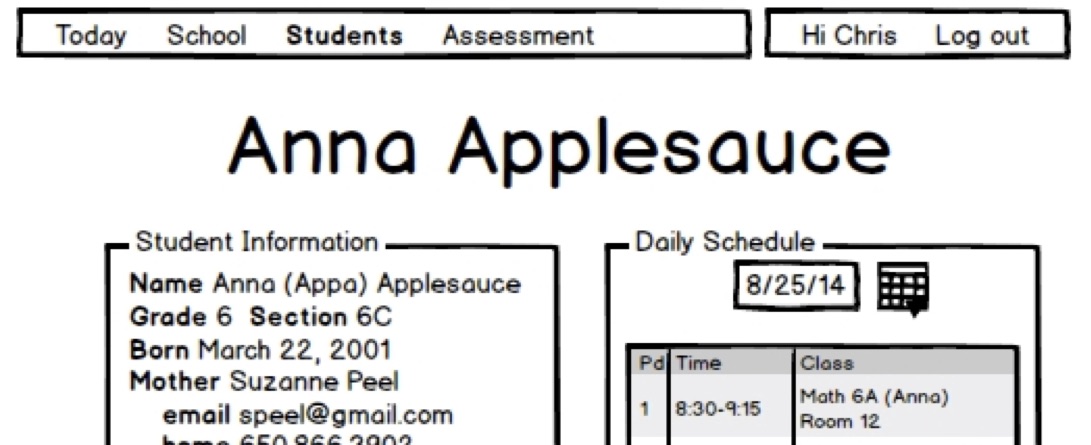
    Chris's school purchased a mediocre information system to manage all the school's information about students, parents, teachers, schedules, attendance, etc. The system could be configured to provide various views of information; Chris was tasked with designing the teacher portal. This isn't …

    read more
  6. Tangible interface tables

    Slides

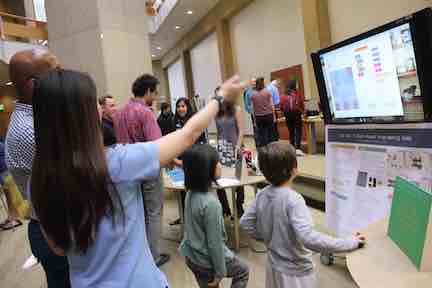
    TLTL is the proud home of four home-made tangible user interface tables. These are interesting interfaces because they support physical interaction with programmed environments in a context well-suited to social play. They are also an excellent example of how our digital fabrication technologies can be combined in powerful ways …

    read more
  7. Final project

    The joint project for the two courses is a working prototype of a constructionist educational technology, to be displayed at the BB&A Expo, and an accompanying paper suitable for submission to IDC as a Demo Paper. In 2017, 4 papers from BB&A students (as well as several from …

    read more
  8. "Gears" Essay

    Write a “Gears” essay – a short essay on “evocative” objects from your childhood/youth which have had an important impact on your intellectual life, in the same spirit of Papert’s foreword to his book Mindstorms – available here:

    Gears of My Childhood

    This is a typical assignment in constructionist course …

    read more
  9. Dream Toy

    Co-design a tangible learning artifact with a child, develop it through iterative prototypes, and then build a final version you will give to the child as a gift. (It could also be a gift for another child.) The artifact might be:

    • A toy or game: board game, interactive game, puzzle …
    read more
  10. Rube Goldberg

    As a class, you will build a single Rube Goldberg Machine, using the GoGo boards with various sensors and actuators, the laser cutter, and the lab's woodshop tools. The Rube Goldberg Machine you build will consist of 7 stations, each of which takes a particular sensor input and has to …

    read more
  11. Three C's

    Your essay is due on Sunday, February 04 at 11:59 PM. Please submit a link to your essay in Google Doc form on Canvas.

    By the time this assignment is due, we will have read about and discussed the core learning and educational theories that this class is based …

    read more
  12. Woodshop

    Woodshop slides

    Tool/Machine-Specific Safety

    Band saw

    Check before you run your piece through to make sure your hands will not be in the sphere of action. Turn on the saw, and ensure the blade does not travel or waver. If it does, grab someone on the teaching team before …

    read more
  13. Heading into Week 2

    It was so exciting to kick off the course and meet everyone last Thursday. It has also been fun to see people starting to get comfortable with the lab--we'll end up spending a lot of time together! We have a few announcements as we head into week 2:

    • If you …
    read more
  14. Coffee

    You are welcome to use the espresso maker as long as you clean up after yourself. Frequent users are encouraged to bring a mug.

    Usage

    • To avoid surprises, make sure all the switches are turned off and the steam knob is shut.
    • Turn on the power switch. The light indicates …
    read more
  15. Lab Journal

    We’d like for you to keep a journal on your learning through Lab Projects as the weeks progress. We want you to pay special attention to the choices that you make as you explore multiple ideas, leverage social and material resources and seek feedback. It would be useful to …

    read more
  16. Omni Animal

    Design and build an Omni-Animal. In this assignment, you will get comfortable with working in the TLTL, and with using the laser cutter to prototype two- and three-dimensional objects. Alternative: Propose creating another object, useful or beautiful, of similar complexity as an Omni-Animal. Your project should still meet the same …

    read more
  17. TA Resources

    Assignments

    Each assignment should have three parts: first, an explanation of the assignment's goals and deliverables. Then an explanation of the assessment. Finally, a more detailed list of steps. This is where you should include or link to resources students will need for the assignment. Many of these resources will …

    read more
  18. Scratch

    Getting Started

    Link to the Scratch website

    Click 'Create' on the top left corner to get started! To save your work, create an account.

    The slides from class can be found here.

    Topics introduced in this lab include - polygons, looping, encapsulation, parameters, recursion

    read more
  19. Code

    Goals

    This station is a top-down introduction to some important programming concepts. Rather than learning the nitty-gritty of a language, you will start with a working game, read the source code, and discuss design considerations for your own programming. Key concepts include:

    • Model/view architecture: Models should manage a program's …
    read more
  20. Laser cutter & 2D design

    Here are the slides from the laser cutter and 2D design station. Chris's introduction to InkScape is below.


    Safety

    • Be sure that all the support systems (cooling, air, exhaust) are on before using a laser.
    • Be sure you are using materials allowed in the laser. Some materials catch on fire …
    read more