Section #5: String Parsing, Drawing, & Main
Written by Juliette Woodrow, Anna Mistele, John Dalloul, Elyse Cornwall, and Ashlee Kupor
This week in section, you will gain practice with drawing and parsing strings with while loops. Download the starter project above to code and test your own solutions - we've also provided a few helpful Doctests.
Stanford Flag
You have been hired by Stanford to create a digital version of their new flag. It consists of two patches, which you'll code up separately, before writing a function to assemble a flag out of both patches.
Ray Patch
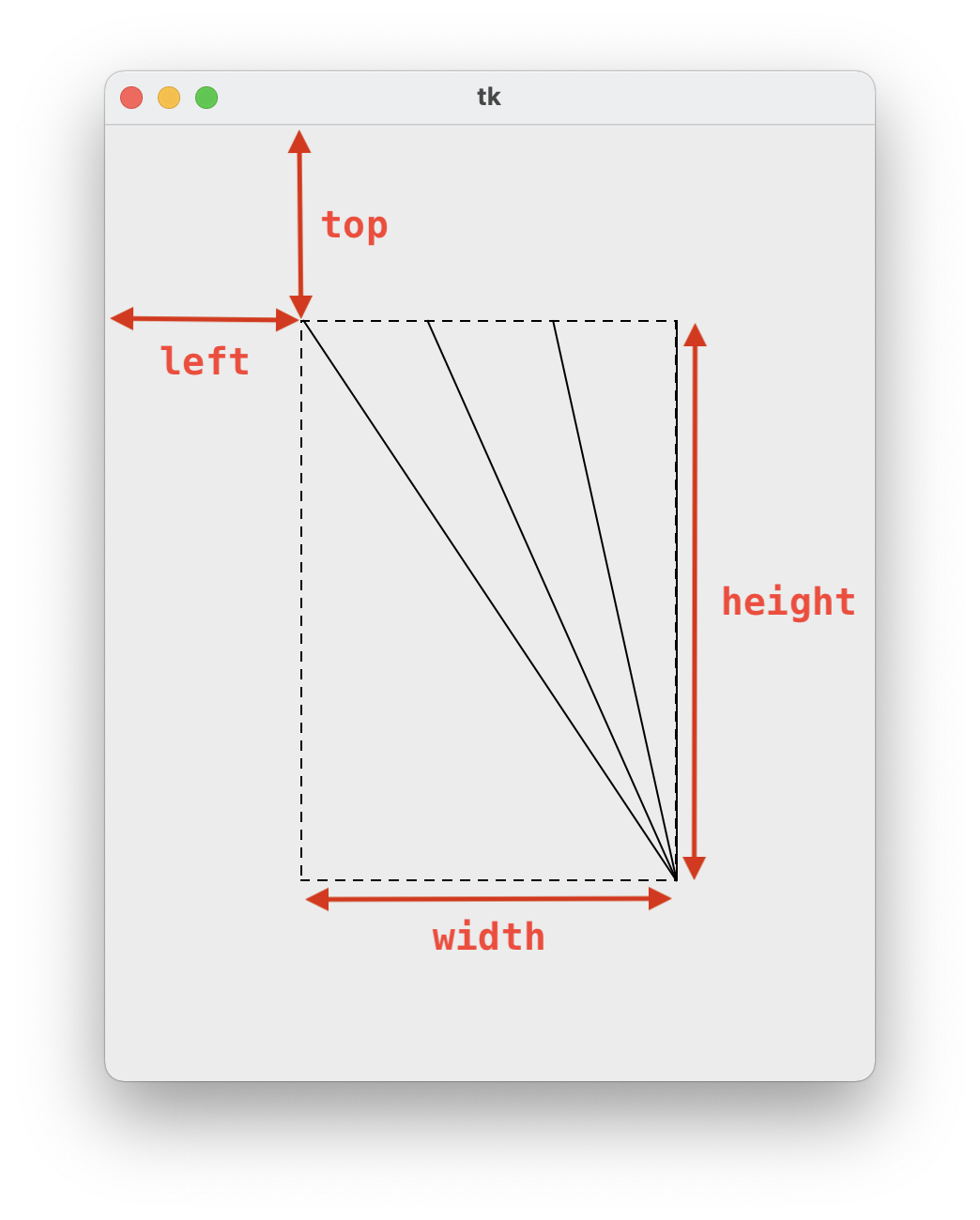
First, we'll design the "ray patch", which represents the sunny California climate. We will write a function
draw_ray_patch(canvas, left, top, width, height, num_rays) that takes in
a canvas, and draws a ray patch of size (width, height) starting from location
(left, top) on the canvas. The ray will consist of num_rays lines originating from the
bottom right of the patch, and spreading evenly across the top of the patch. Here's what a ray patch with 4 rays
looks like (the dashed box is added to illustrate the width and height of the patch):
Stripe Patch
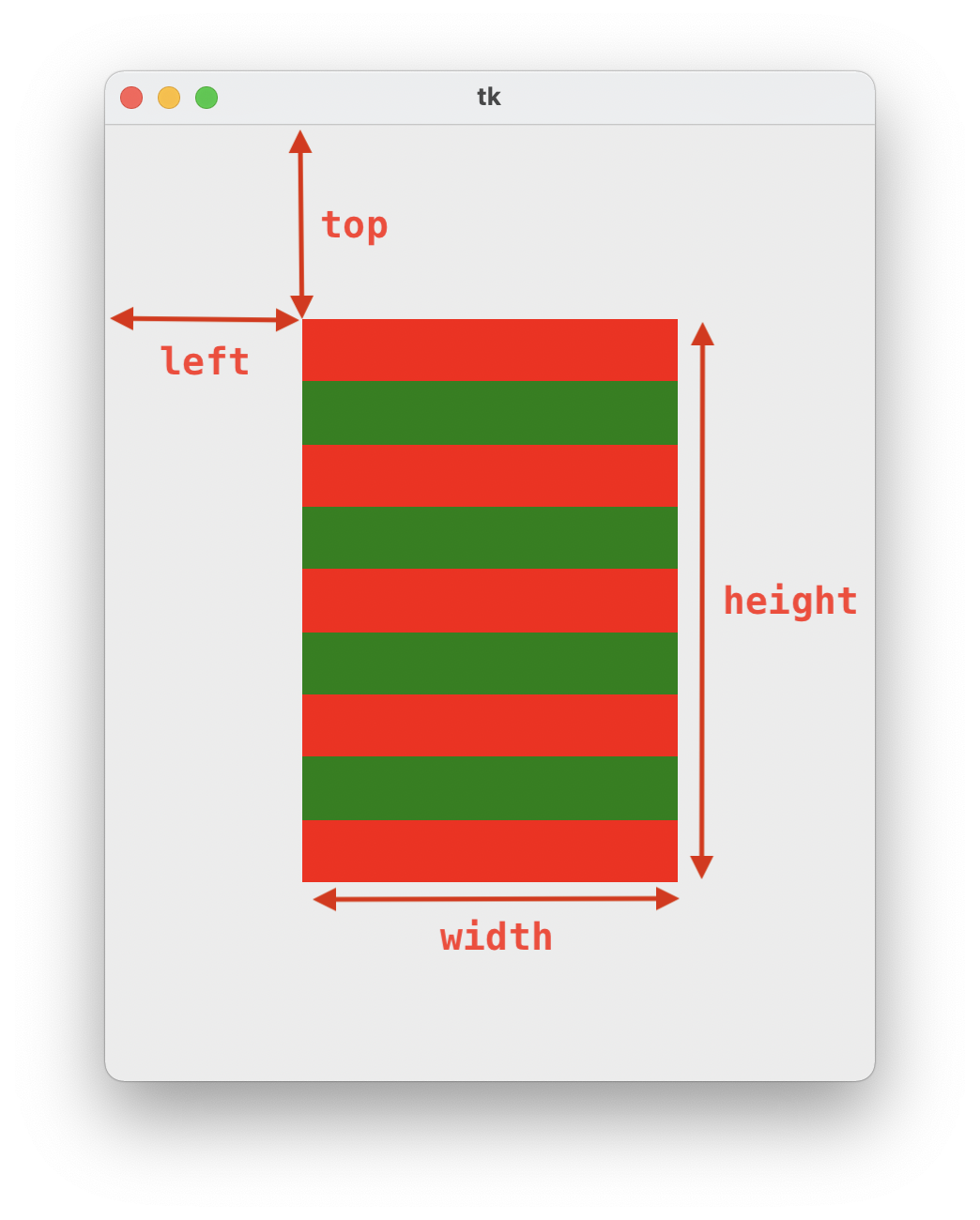
Next, we'll design the "stripe patch", which consists of horizontal stripes in Stanford's colors: red and
green. We will write a function draw_stripe_patch(canvas, left, top, width, height, num_stripes)
that takes in
a canvas, and draws a striped patch of size (width, height) starting from location
(left, top) on the canvas. There will be num_stripes horizontal stripes (rectangles)
drawn across the
patch, all of equal width. Alternate between red and green, starting with a red stripe at the top of the canvas.
Below is what a stripe patch with 9 stripes looks like.
Hint: First, figure out how to calculate the height of each stripe, using integer division.
Draw Flag
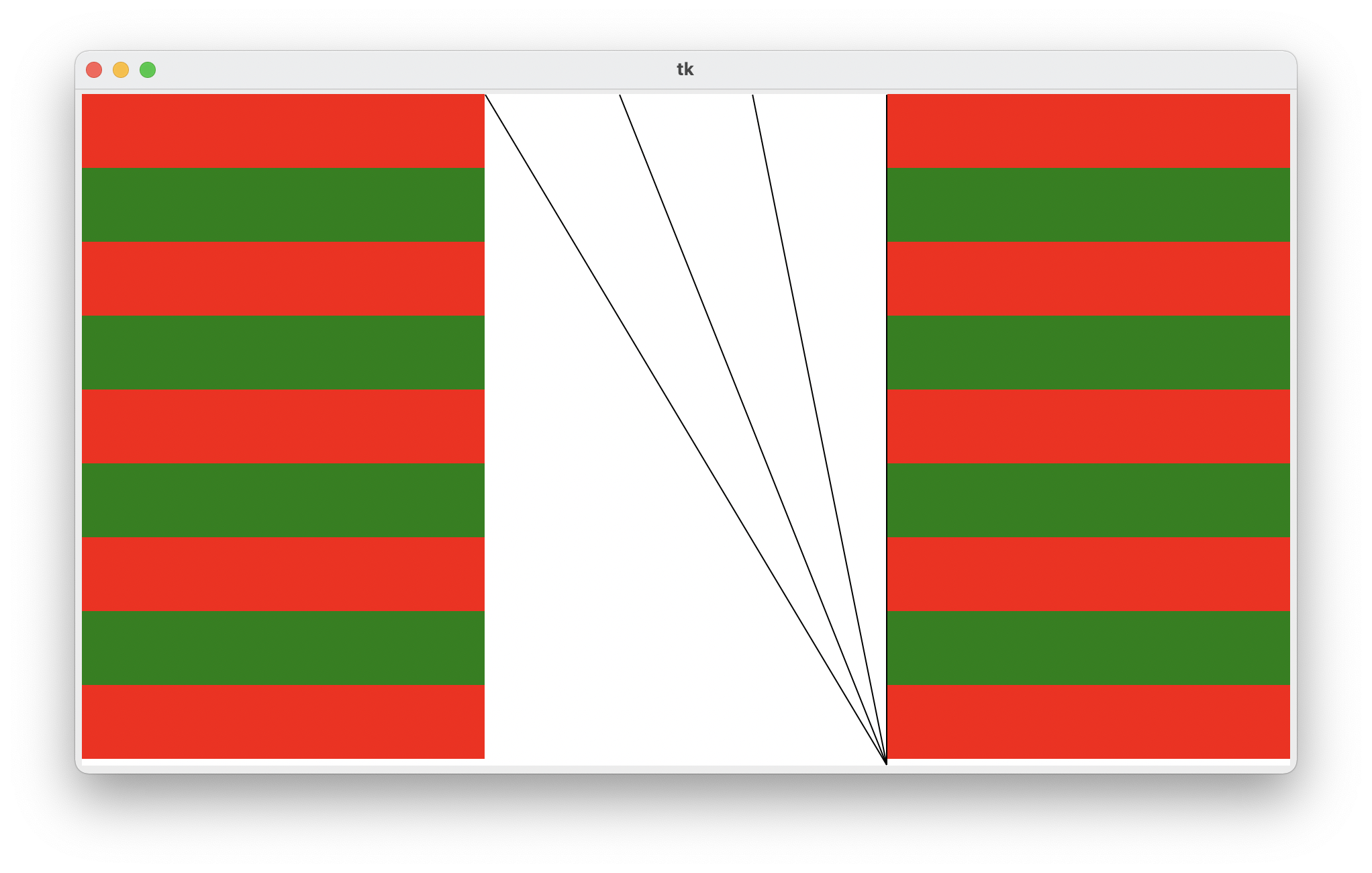
Finally, we'll put three patches together to create our Stanford flag. We'll have two stripe patches on either
side, with a ray patch in the middle. Implement the function
draw_flag(canvas, width, height, num_rays, num_stripes) that takes in a canvas to draw
on and its width and height. For each ray patch, we should draw num_rays
lines. For each stripe patch, we should draw num_stripes stripes. The picture below is what it
should look like if we call draw_flag(canvas, 900, 500, 9, 4). Hint: Think about the two patch
functions you just wrote, and what parameters they need.
Test your code in the PyCharm project by running python3 stanford_flag.py or
py stanford_flag.py
Parse Hashtag
Implement a function, parse_hashtag(s), which takes in a string s
representing a single tweet and returns the hashtag within the tweet. For this problem, each input string will
have only one hashtag, or none at all. A hashtag can be defined as a string of 1 or more alphanumeric characters
immediately following a # character. A single hashtag ends at the first non-alphanumeric
character following the #. You can check if a character ch is alphanumeric
by doing if is ch.alnum(). If there are no hashtags (no #), return the empty string.
Here are a few examples of calling our function:
parse_hashtag('I love the new #Stanford flag') -> 'Stanford'
parse_hashtag('Go #ClassOf2023!') -> 'ClassOf2023'
parse_hashtag('Nothing to see here') -> ''